Table Of Contents
How to Adjust the Day/Night CycleStill have questions?
Come chat with us and we will get back to you as soon as possible!

Nathan Franklin
Game Experience Engineer

How to Change the Day/Night Cycle on your Abiotic Factor Server
Abiotic Factor
·Feb 3, 2025
·5 min read
The day/night cycle in Abiotic Factor impacts gameplay by affecting visibility, enemy behavior, and power availability. Server owners can modify or disable the cycle to tailor the experience for players.
#How to Adjust the Day/Night Cycle
You can customize the day/night cycle by modifying the SandboxSettings.ini file.
-
Navigate to the Shockbyte Panel.
-
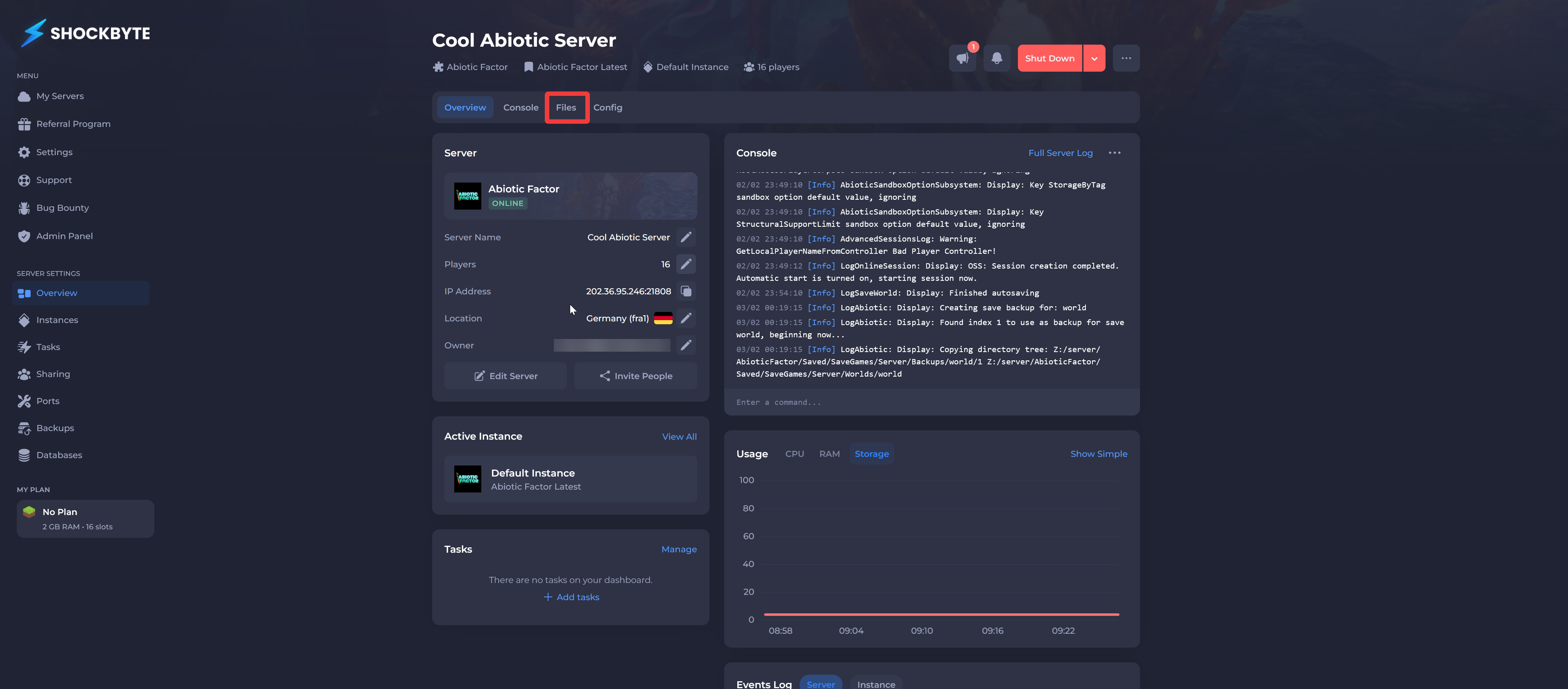
Click Files.
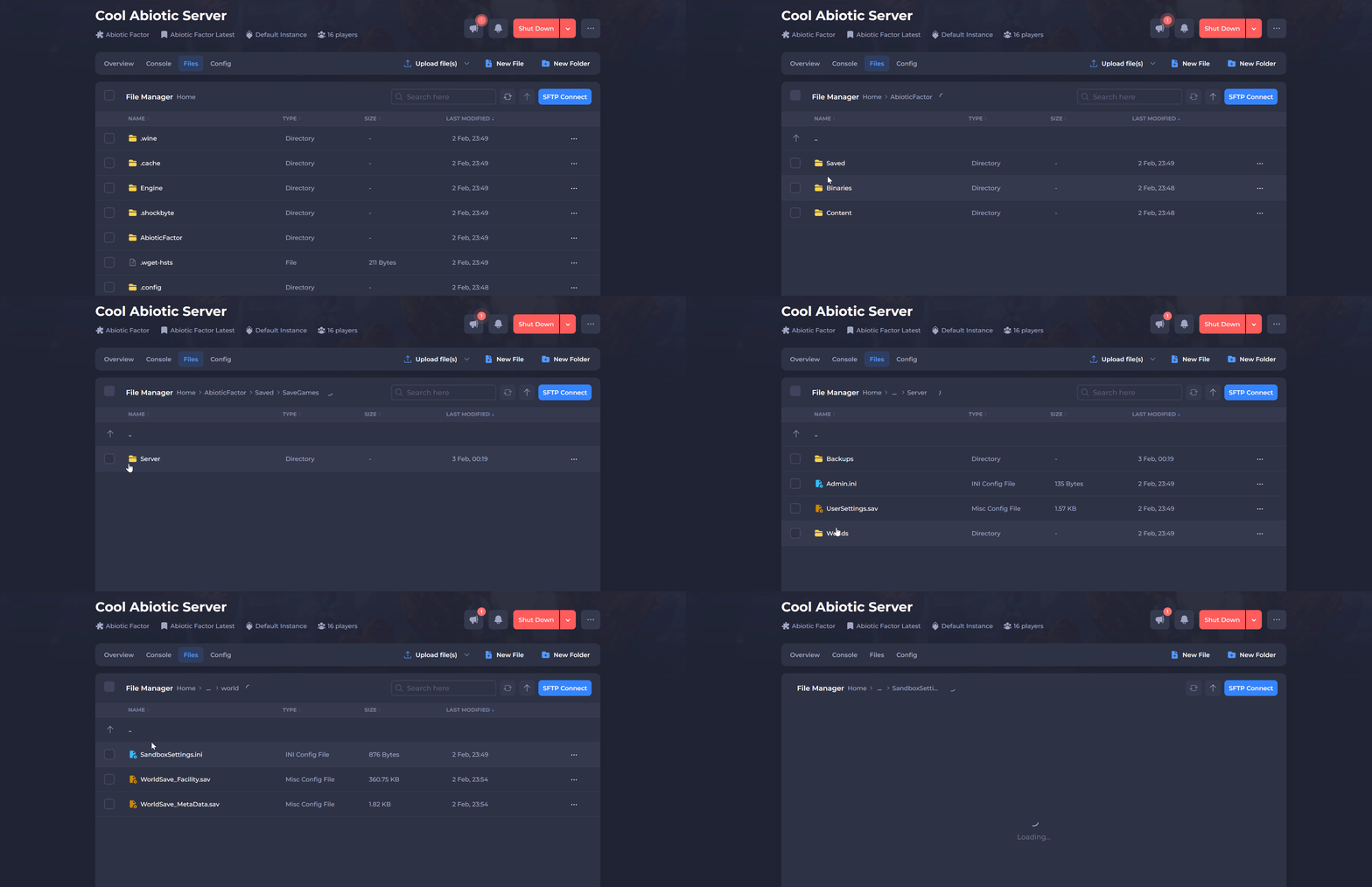
- Navigate to
AbioticFactor/Saved/SaveGames/Server/Worlds/<Your Save Name>.
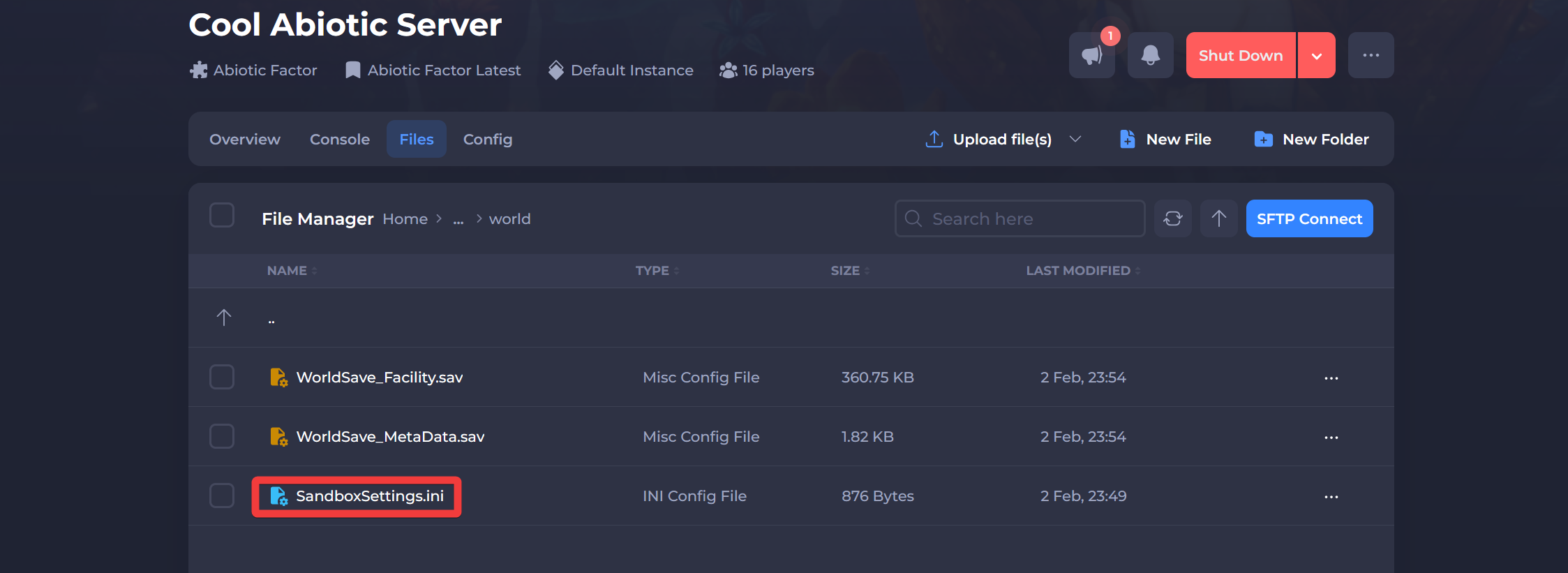
- Click SandboxSettings.ini.
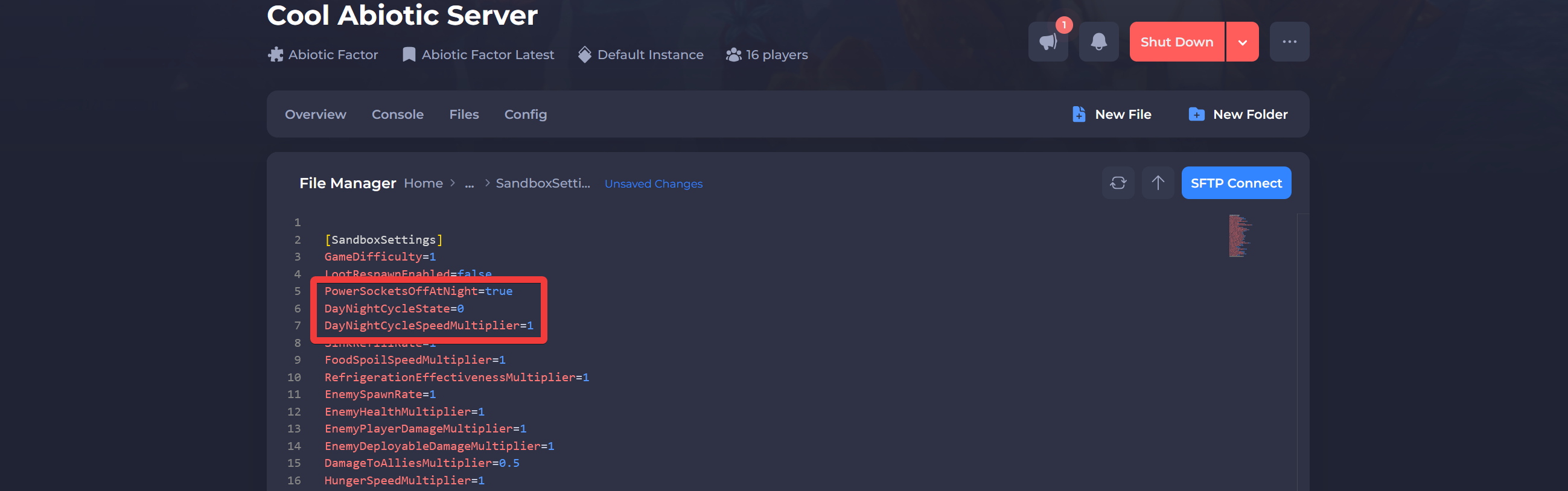
- Locate the following settings and adjust their values as needed:
DayNightCycleState,DayNightCycleSpeedMultiplier&PowerSocketsOffAtNight.
| Setting | Description |
|---|---|
DayNightCycleState | Controls whether the day/night cycle is active. 0 - Normal (Day and night will alternate as intended) 1 - Always Day (Always daytime) 2 - Always Night (Always night) |
DayNightCycleSpeedMultiplier | Adjusts the speed of the cycle. Minimum: 0.1 (slows time significantly) Maximum: 3.0 (makes the cycle 3x faster) Example: 2.0 makes time pass twice as fast. |
PowerSocketsOffAtNight | Determines if power sockets lose power at night. True - Sockets turn off at night. False - Sockets remain active at night. |
- Click Save and Restart your server.
Interested in purchasing an Abiotic Factor servers with instant activation, easy customisation, and great & extensive Knowledgebase articles? Click here to purchase one!
To learn more about Abiotic Factor Server Hosting, you can browse our Knowledgebase article library here.