Table Of Contents
Configuring ModsStill have questions?
Come chat with us and we will get back to you as soon as possible!

Shockbyte
Support Team
How to Configure Mods on your Stardew Valley Server
Configuring a mod allows you to adjust its features, as many Stardew Valley mods include a configuration file that can be edited to customize behavior, balance changes, or quality of life options on your server.
Important:
Not every mod is configurable, if you cannot find a config.json file within the mod then it's likely non-configurable.
#Configuring Mods
After installing a mod, you will need to Start your server at least once for its config file to be generated. Once the config file has been generated, you can follow the next steps.
-
Access your control panel and Stop the server.
-
Open Files and navigate to
/StardewValley/Mods.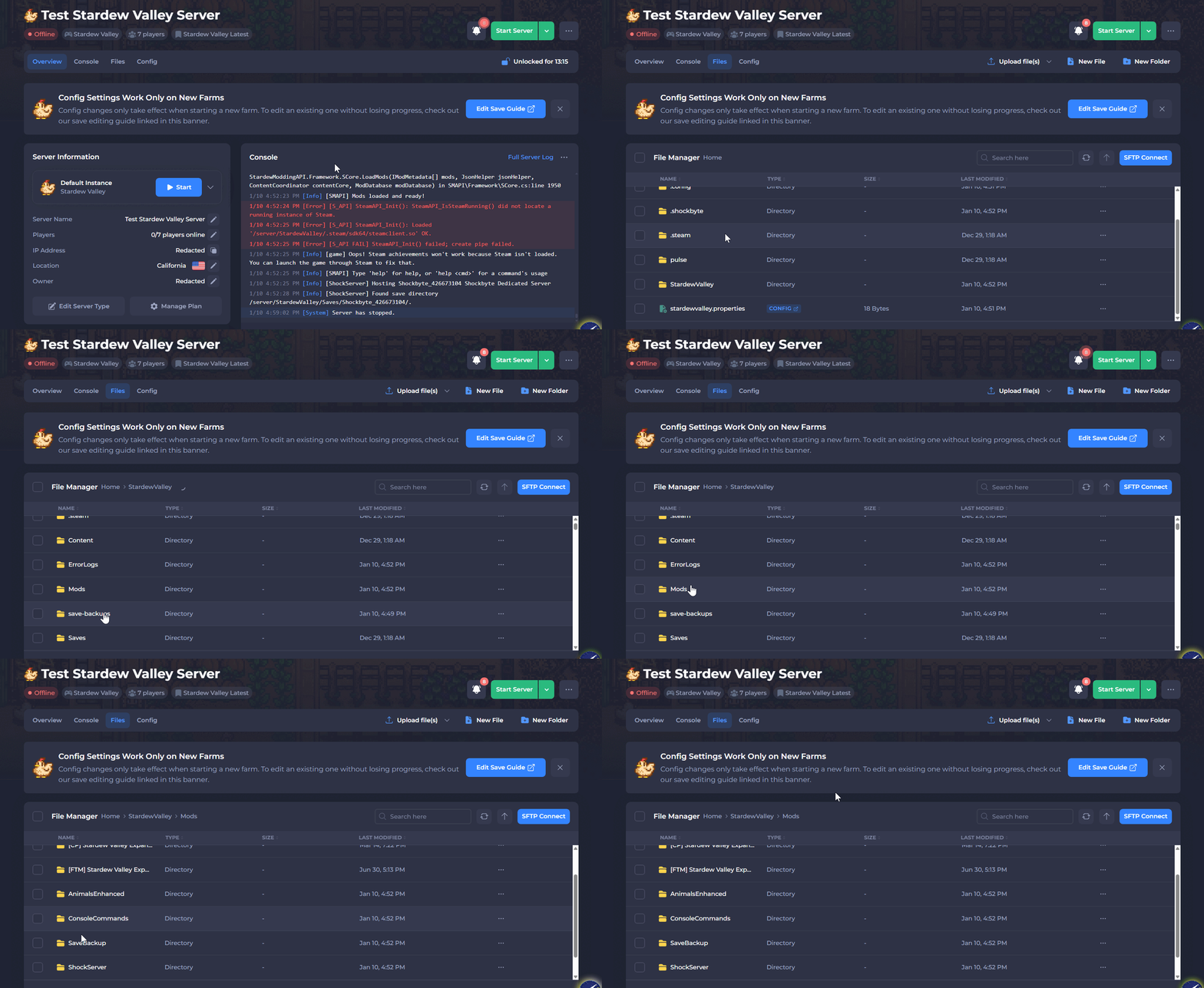
-
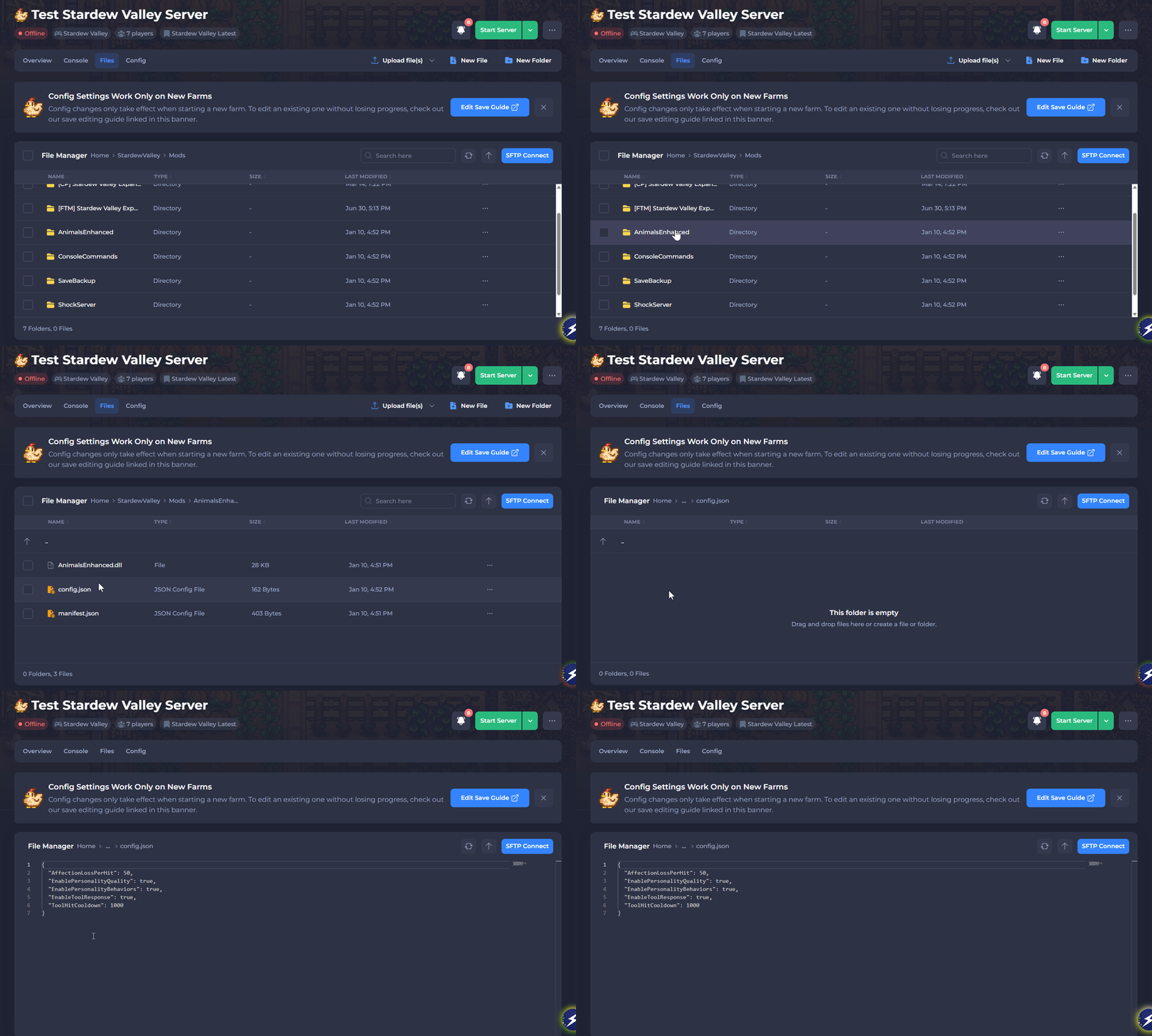
Open the folder of the mod you want to configure.
-
Open config.json and edit any desired values.
If a mod is configurable, a config.json file will be available. Mod authors may specify limits or options for available settings on the official mod page.
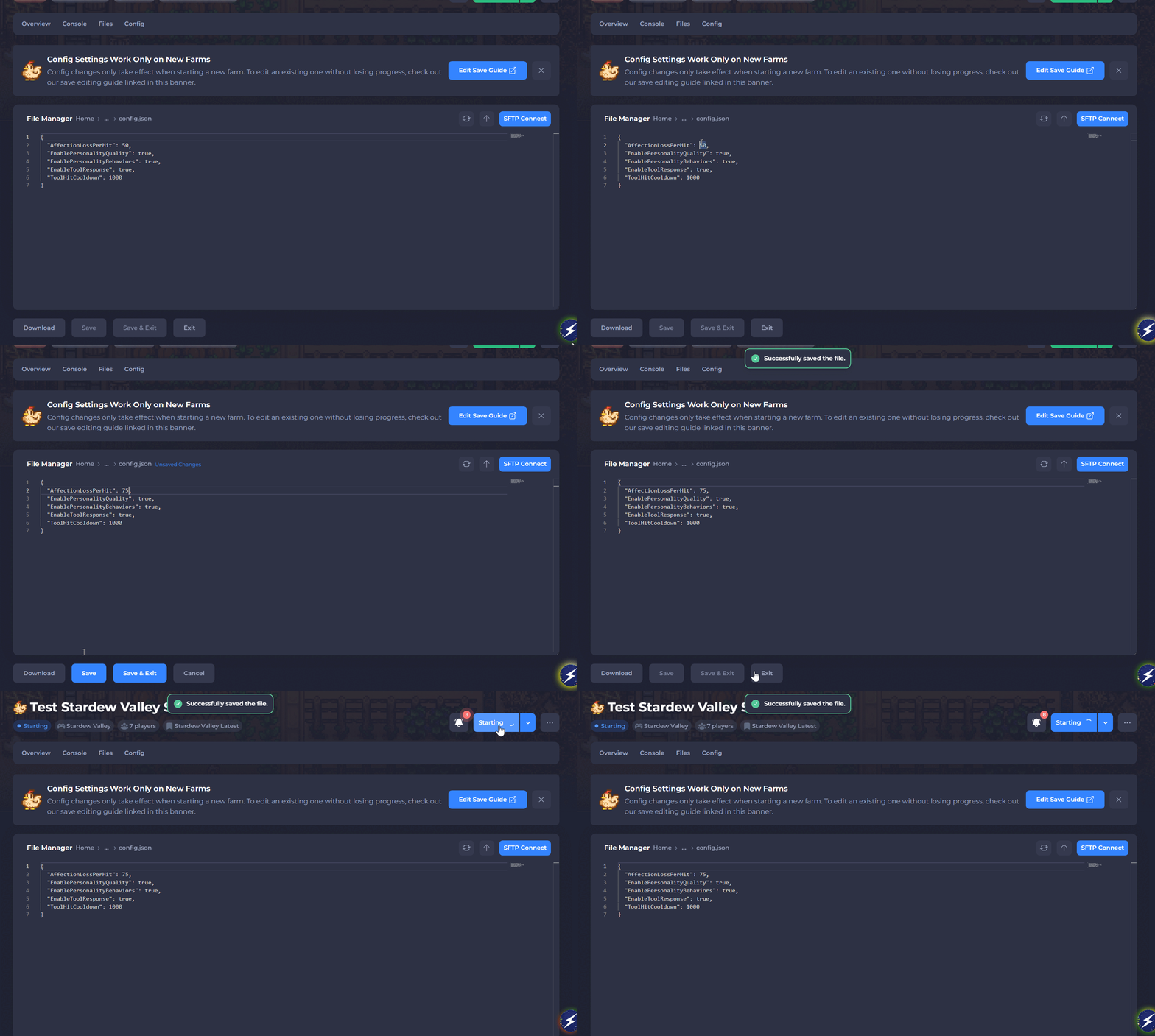
- Save the file and Start the server.
To learn more about Stardew Valley server hosting, you can browse our library of Knowledgebase articles here.