Table Of Contents
Configuring DurationsStill have questions?
Come chat with us and we will get back to you as soon as possible!

Shockbyte
Support Team

How to Configure the Length of Day/Night on your Necesse Server
Necesse
·Nov 10, 2024
·2 min read
Both the day time duration and night time duration can be modified to make them shorter or longer than the default length on Necesse servers. Players may find it beneficial and safer to have shorter nights, or use longer nights to give them more time to fight bosses.
#Configuring Durations
-
Open your Server Control Panel.
-
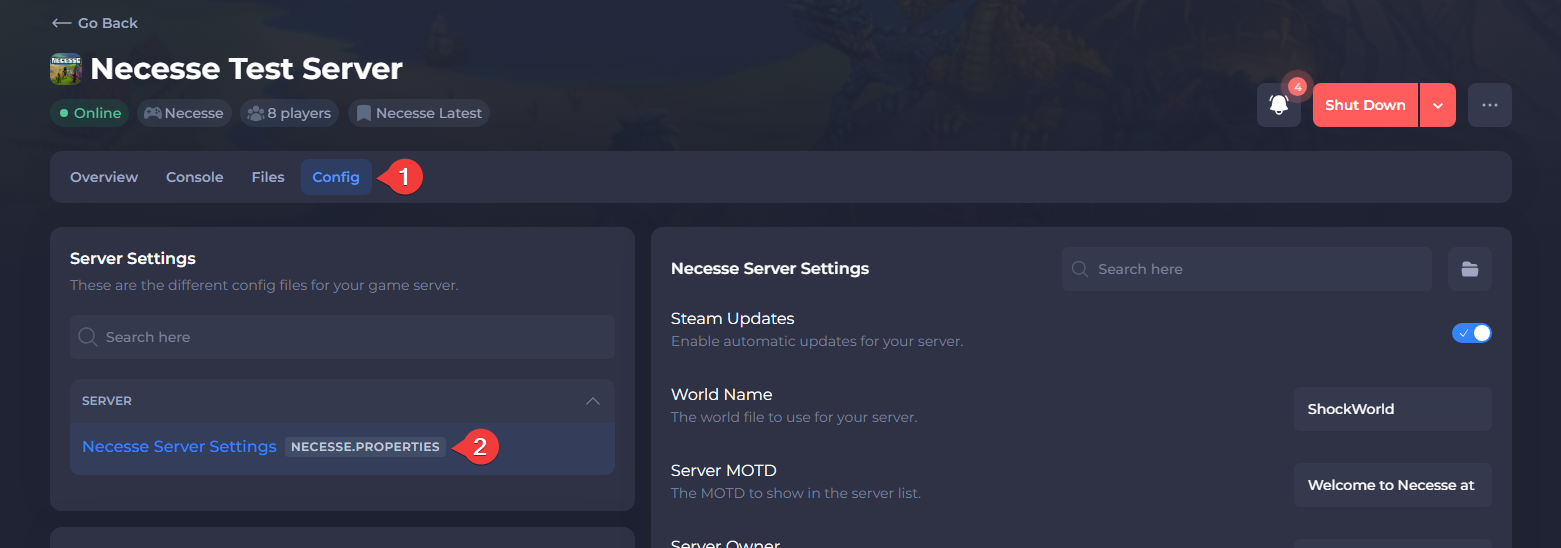
Navigate to Config and open Necesse Server Settings.
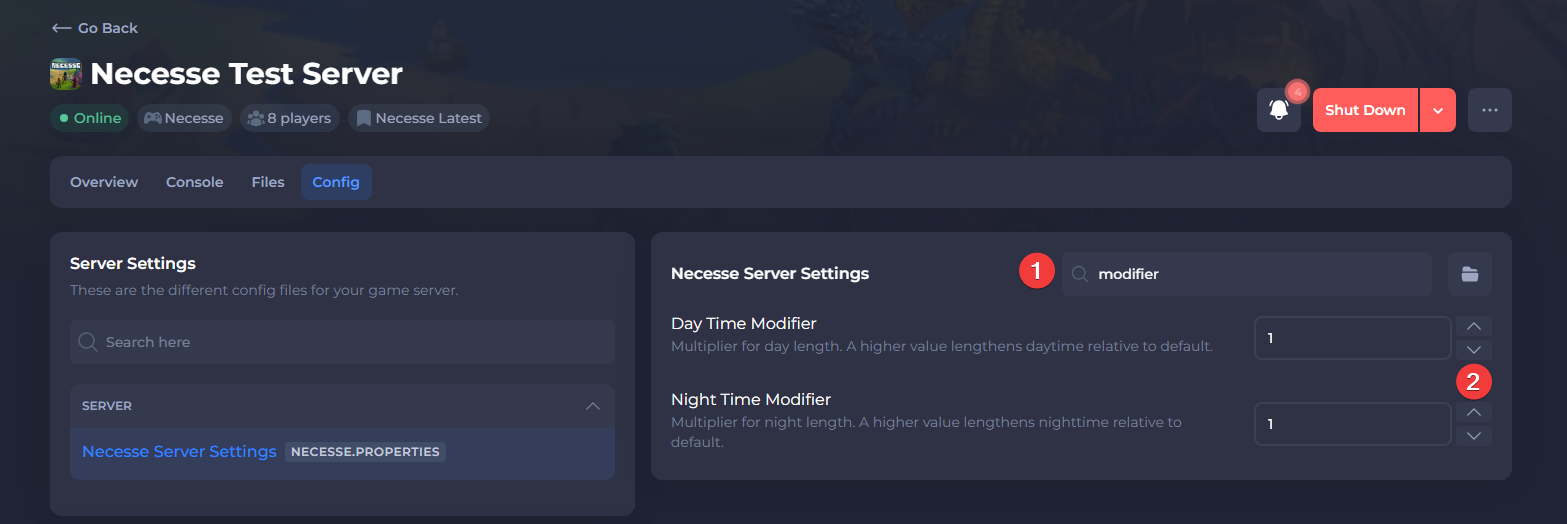
- Locate Day Time and Night Time Modifiers and set them to the desired value.
Both of the modifiers have a default value of 1 and maximum value of 10.
- Save the file, then Restart your server.
To learn more about Necesse server hosting, you can browse our library of Knowledgebase articles here.