Still have questions?
Come chat with us and we will get back to you as soon as possible!

Ruben B
Partnership Manager
How To Enable The Karma System On Your Barotrauma Server
Karma is a Barotrauma server setting intended to discourage players from engaging in griefing behaviour. It punishes those who harm others, gradually escalating the severity of the punishments.
Several in-game events directly affect Karma by either raising it or lowering it.
#Configuring Karma Using the Server Lobby
An administrator can enable and configure the Karma system while in the server lobby.
-
Join the game as an admin.
-
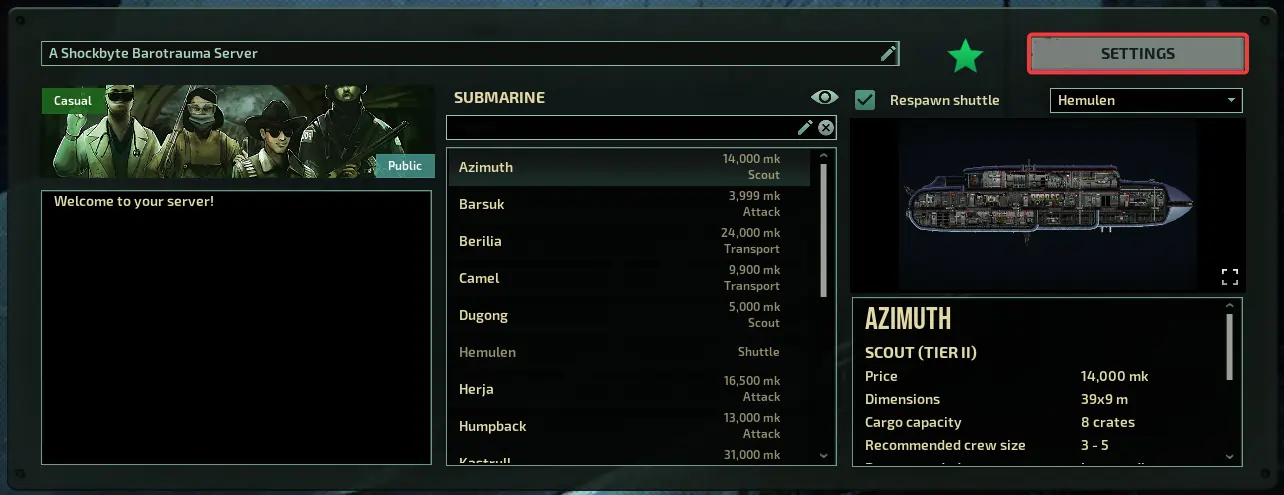
Click Settings.
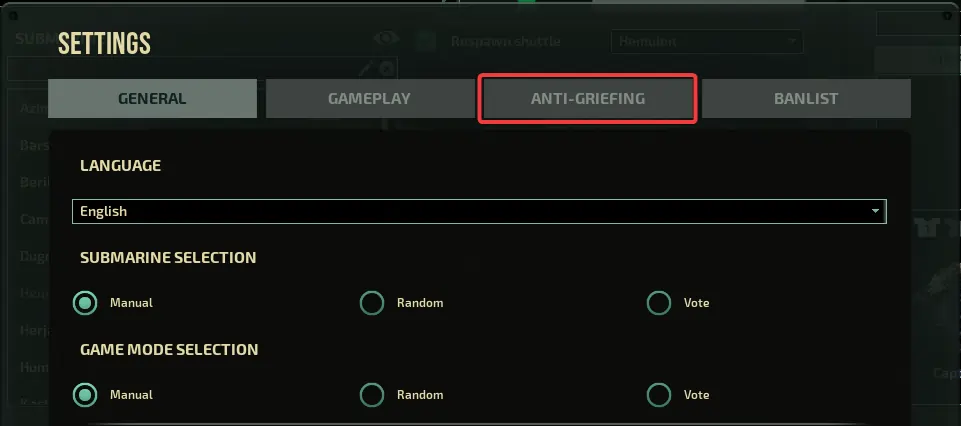
- Click Anti-Griefing.
- Click the Use Karma checkbox and then select a Karma Mode.
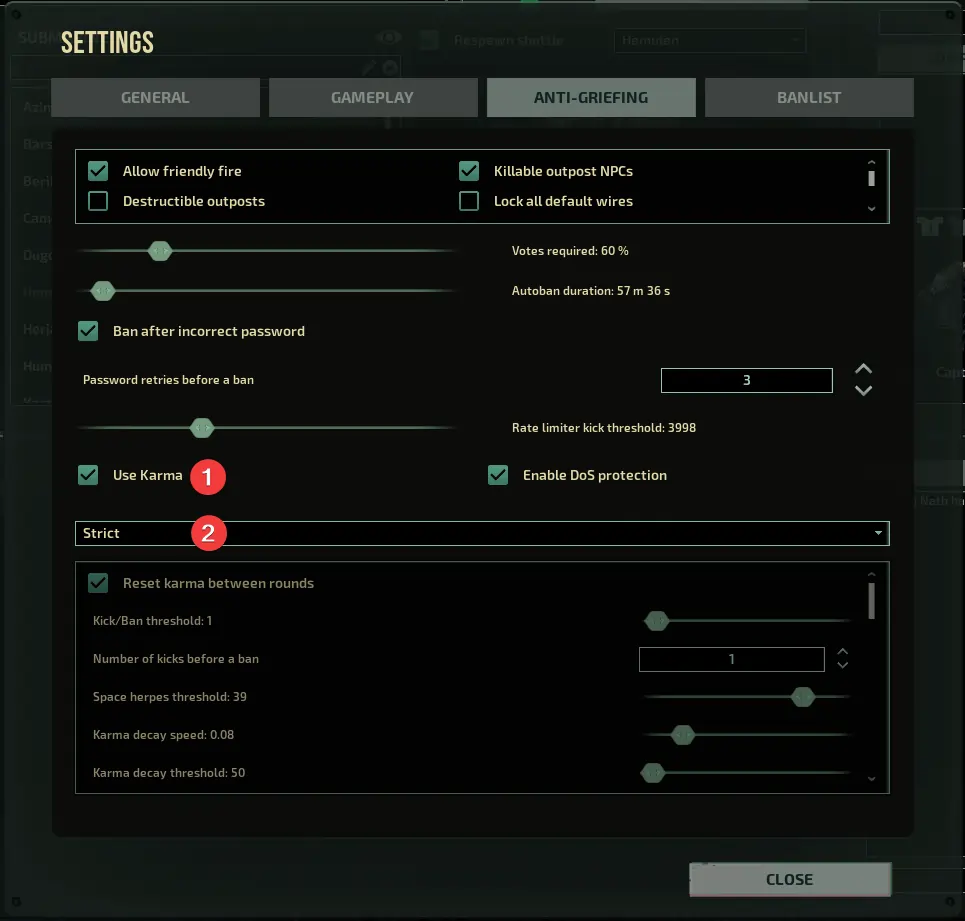
- To make further modifications to the system, choose
Customfrom the dropdown menu and implement any necessary changes.
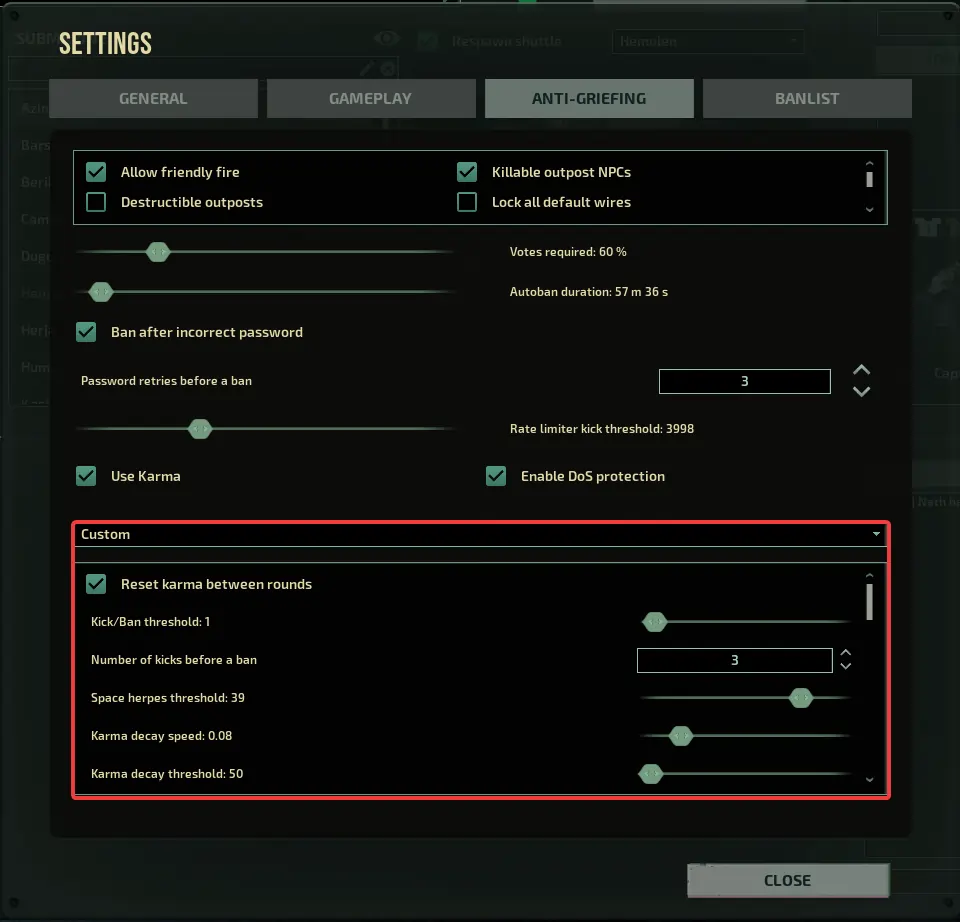
- Click Close.
#Configuring Karma Using Config Files
You can enable and configure the Karma system through the serversettings.xml file, found in your server's files.
-
Access your Control Panel, and Stop your server.
-
Click Files.
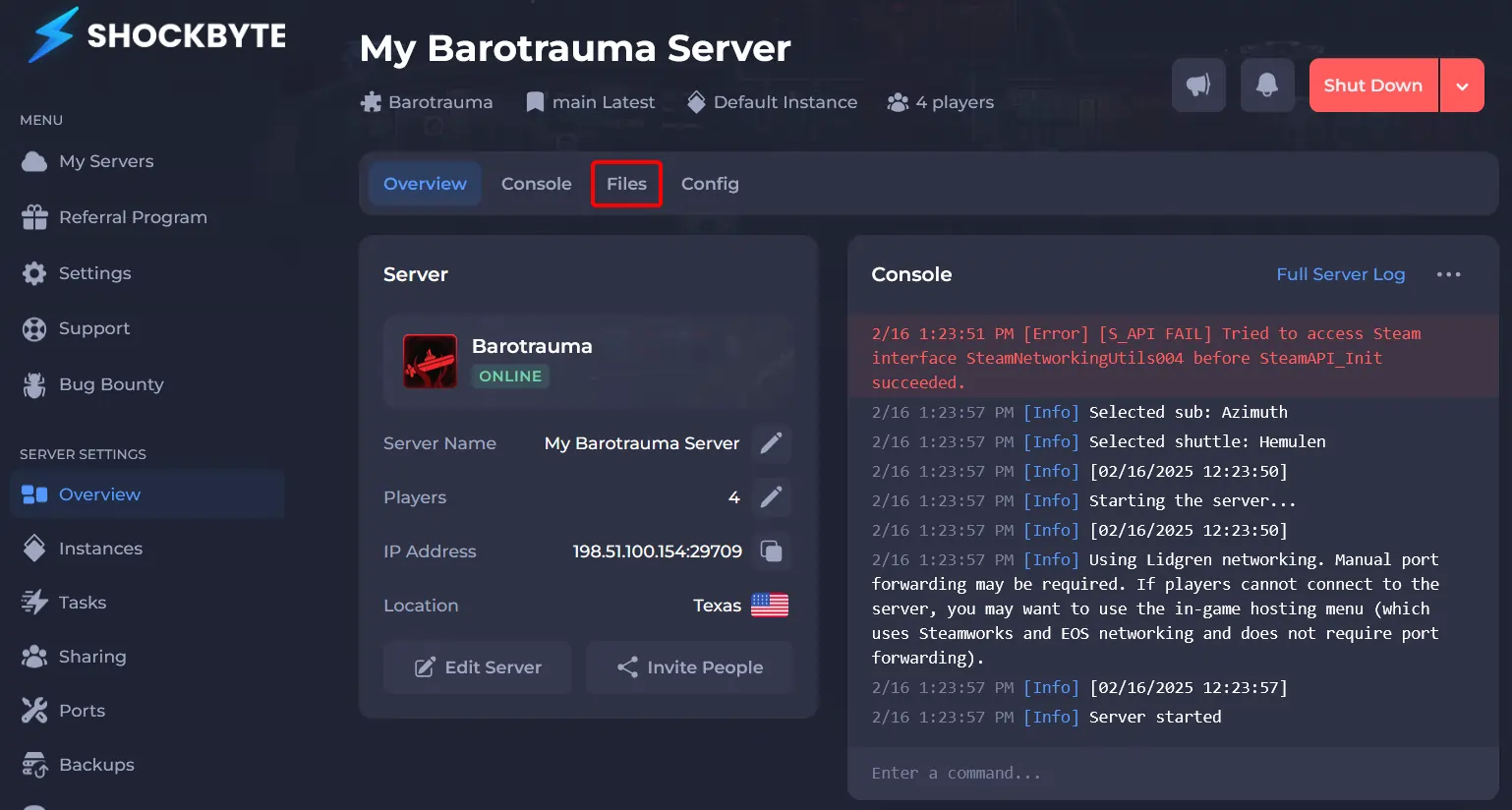
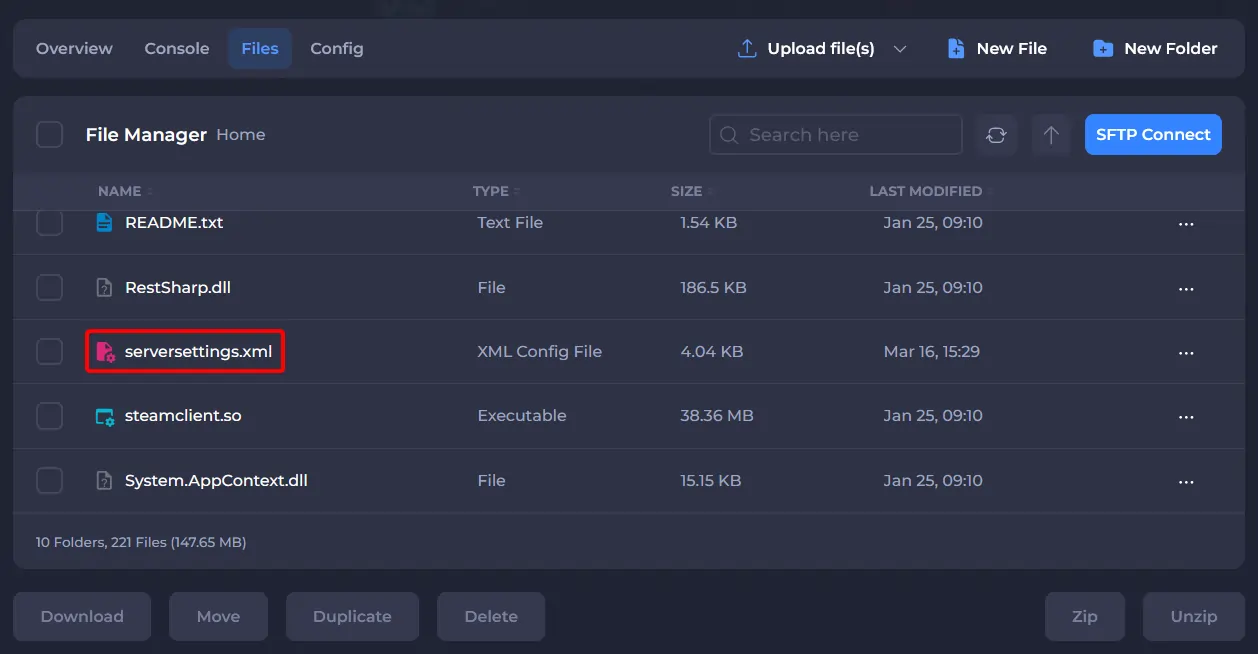
- In the root directory, edit
serversettings.xml.
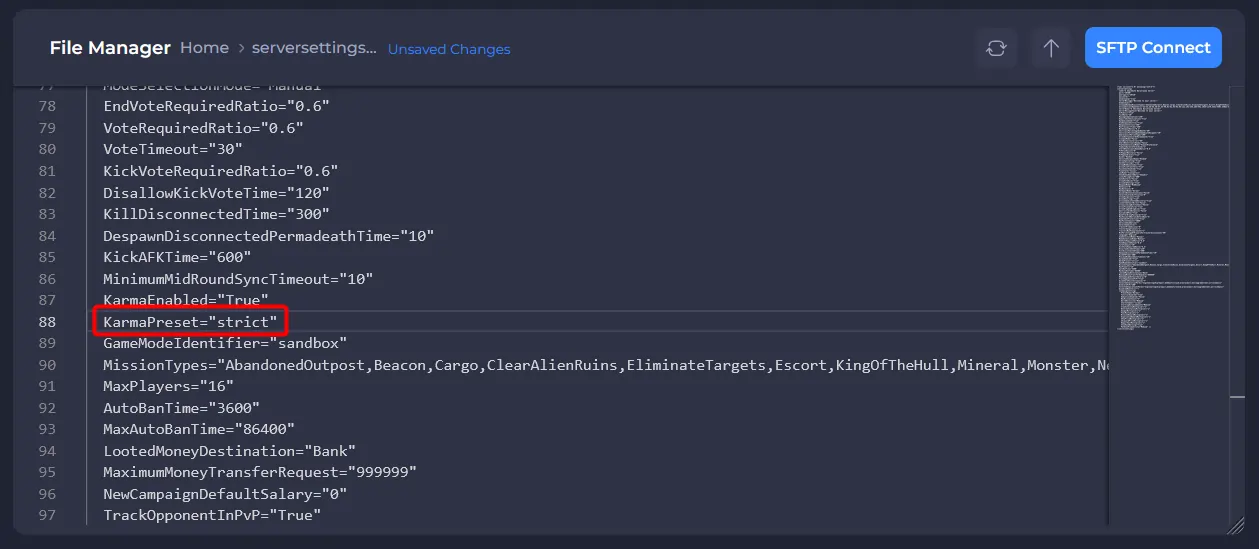
- To enable the Karma system, locate KarmaEnabled and set this to
True.
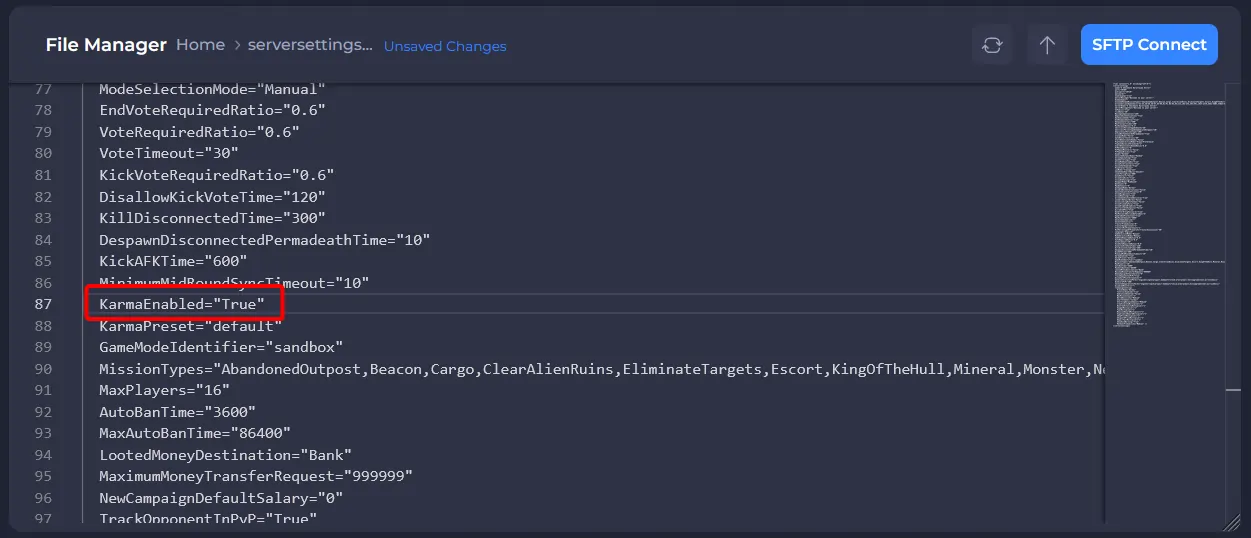
- To make the Karma system less forgiving towards players, simply find the KarmaPreset option and set it to
strict.
- Save the file, and restart your server.
To learn more about Barotrauma server hosting, you can browse our library of Knowledgebase articles here.