Still have questions?
Come chat with us and we will get back to you as soon as possible!

Ruben B
Partnership Manager

How to Find and Share Stardew Valley Error Logs (SMAPI Log Parser)
Stardew Valley
·Nov 14, 2024
·3 min read
Error logs can be difficult to read if you have inexperienced with them, however there are tools that can help you do this and our support are always there to help. SMAPI Log Parser allows you to enter a log file which indicates error messages.
#Finding Error Logs
Server Error logs can be found in your server's FTP.
- Access your control panel.
- Navigate to Files.
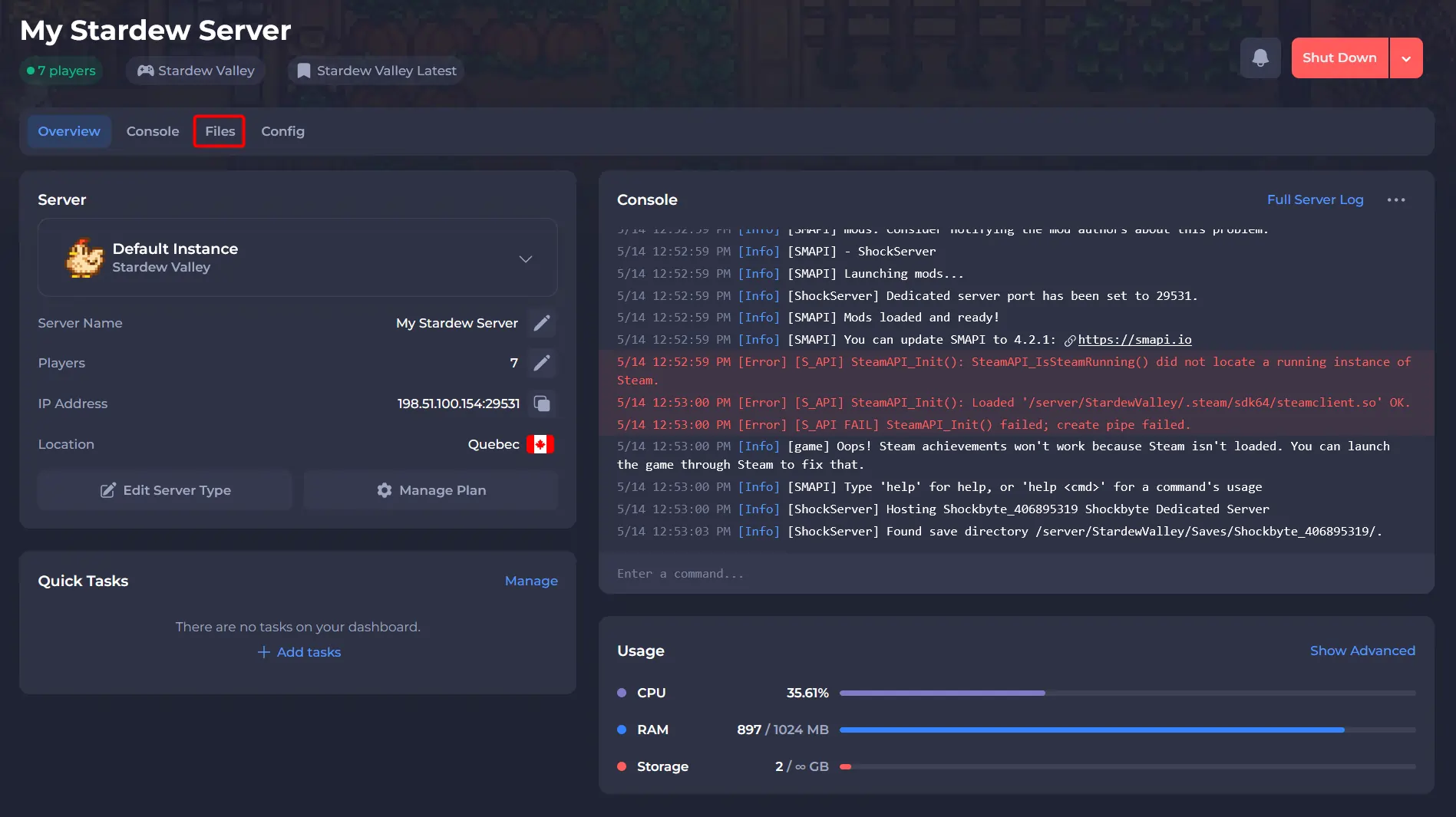
- Navigate to /StardewValley/ErrorLogs/ and click on
SMAPI-latest.txt.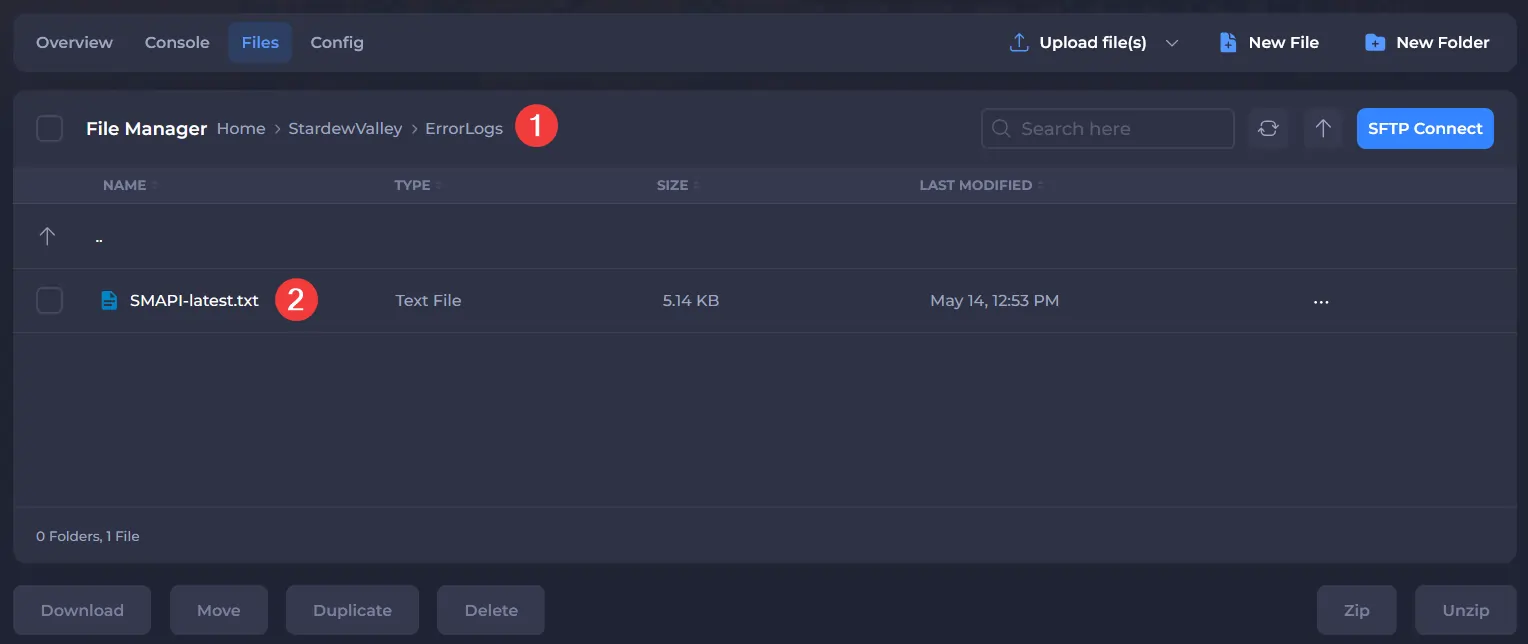
- Copy its content.
#Using SMAPI Log Parser
SMAPI Log Parser allows you to enter a log file, providing log information, or the ability to share it with others.
- Access SMAPI Log Parser.
- Under
How do I share my log?, paste the content of yourSMAPI-LASTEST.txt.
- Click save & parse log.

- The page will now update to provide you information of your log.
- If you wish to share with us the log parse, copy the share link.

- Provide this to our Support via a ticket.
To learn more about Stardew Server dedicated server hosting, you can check out our knowledgebase articles found here.