Table Of Contents
How to Increase Stack SizesStill have questions?
Come chat with us and we will get back to you as soon as possible!

Nathan Franklin
Game Experience Engineer

How to Increase Item Stack Sizes on your Abiotic Factor Server
By default, Abiotic Factor limits how many items can stack in a single inventory slot. Increasing stack sizes can improve inventory management, reduce clutter, and allow for easier resource gathering.
#How to Increase Stack Sizes
You can change item stack limits by modifying the SandboxSettings.ini file in your server configuration.
-
Navigate to the Shockbyte Panel.
-
Click Files.
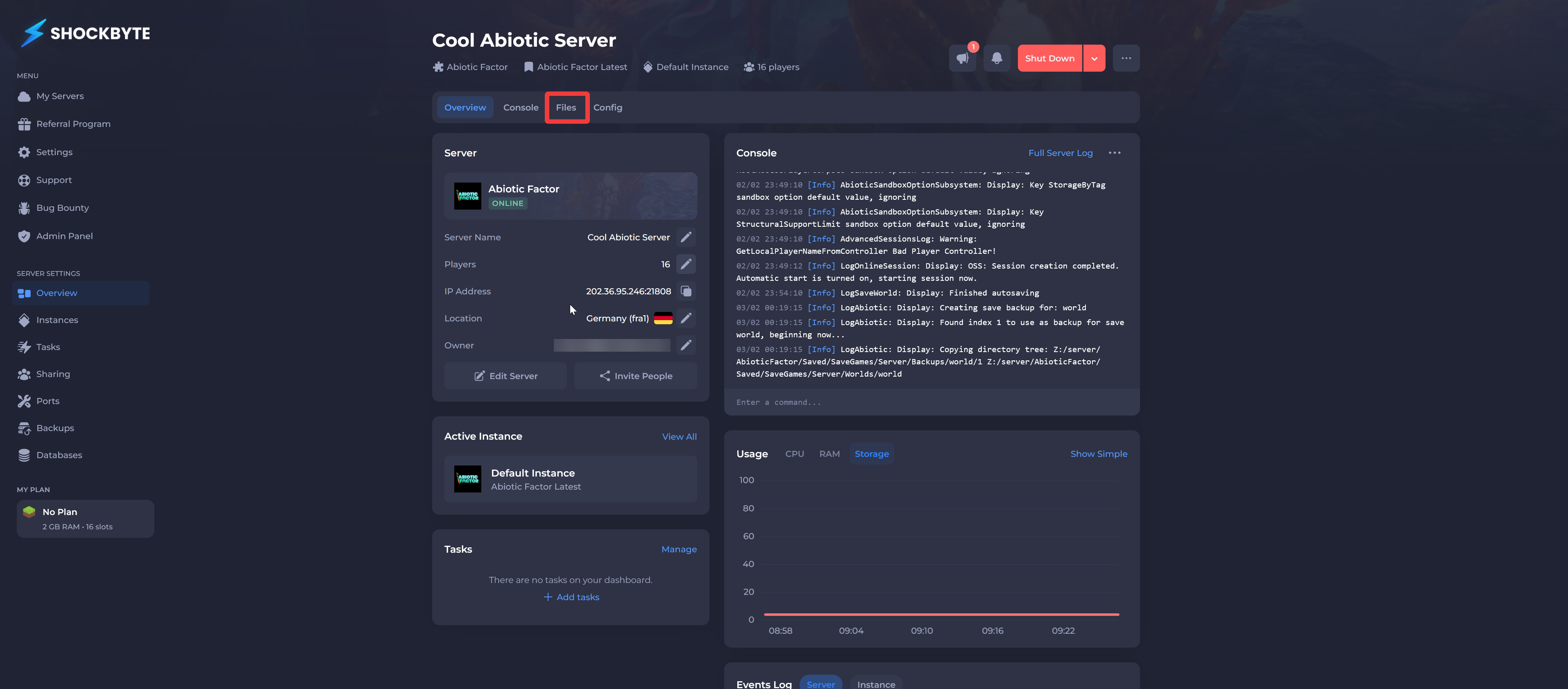
- Navigate to
AbioticFactor/Saved/SaveGames/Server/Worlds/<Your Save Name>.
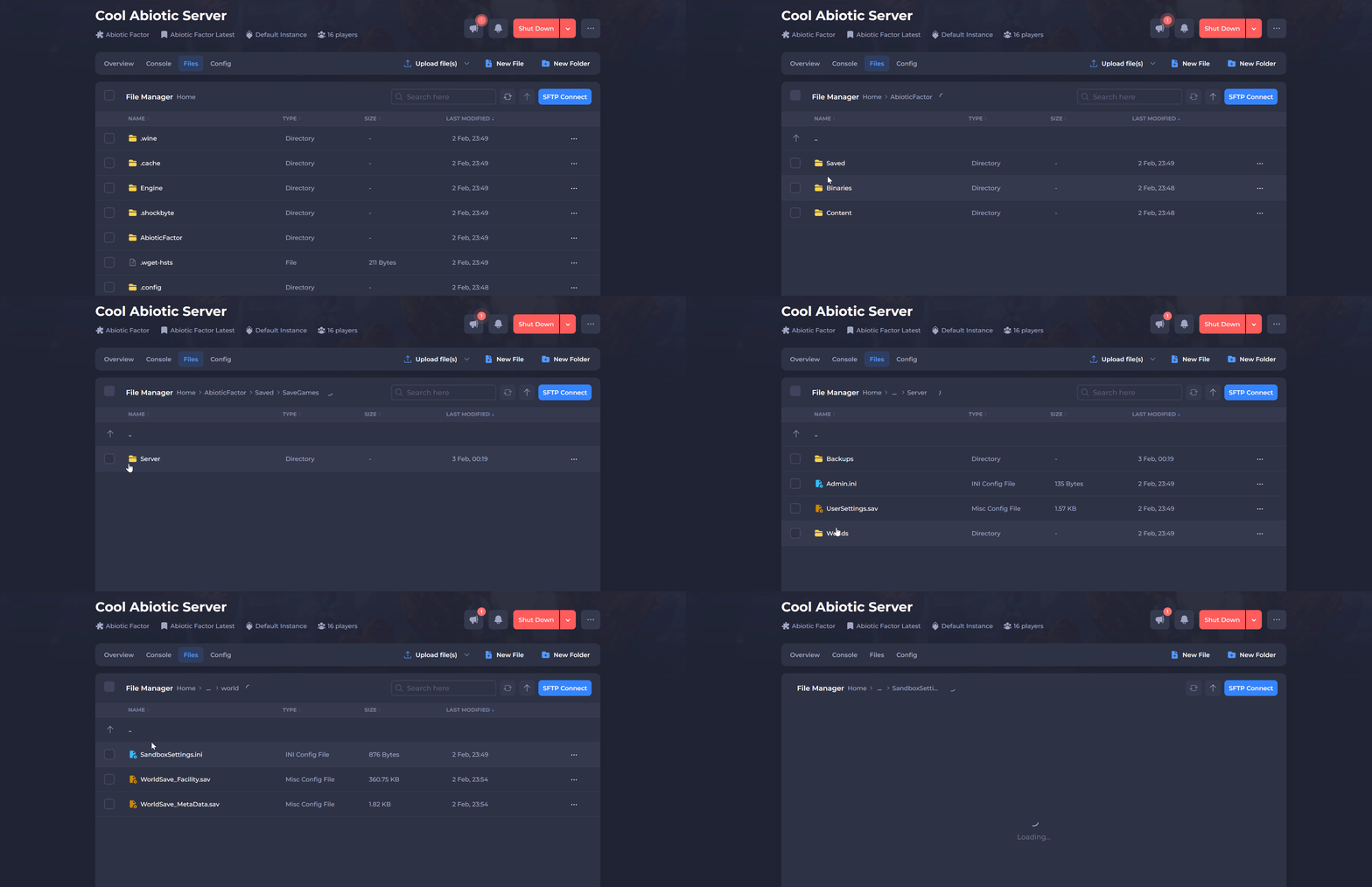
- Click SandboxSettings.ini.
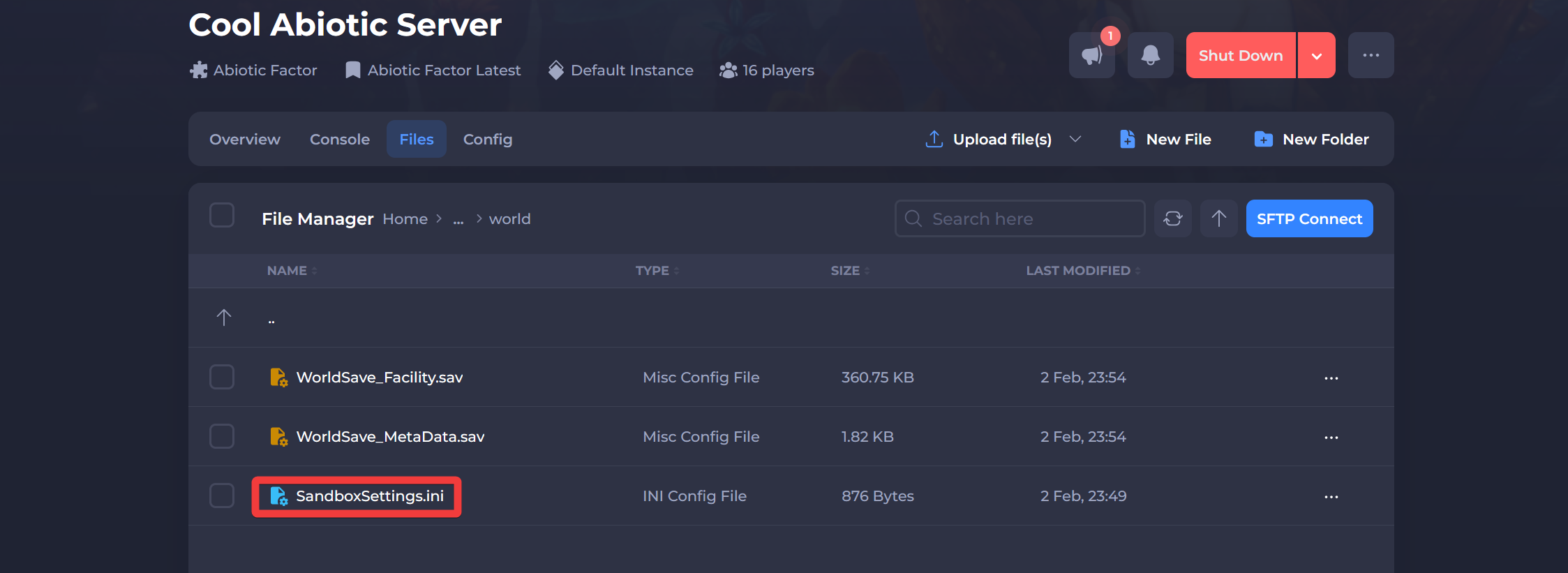
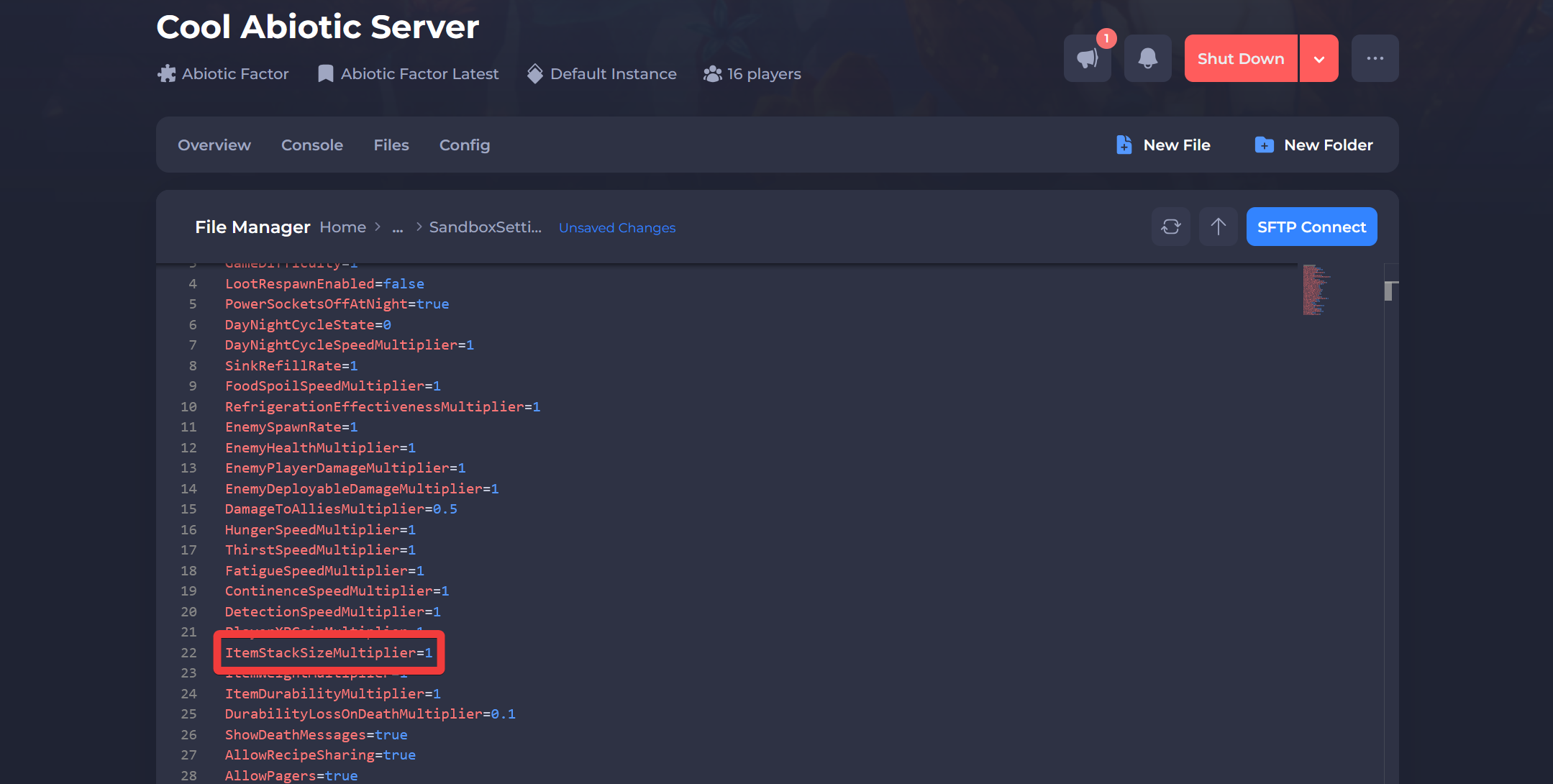
- Locate the ItemStackSizeMultiplier option and change the value to your desired stack multiplier:
-
Minimum Value:
1.0(default) -
Maximum Value:
30.0(stacks up to 30x normal size)
- Click Save and Restart your server.
Interested in purchasing an Abiotic Factor servers with instant activation, easy customisation, and great & extensive Knowledgebase articles? Click here to purchase one!
To learn more about Abiotic Factor Server Hosting, you can browse our Knowledgebase article library here.