Still have questions?
Come chat with us and we will get back to you as soon as possible!

Ruben B
Partnership Manager

How to Install Tractor Mod to your Stardew Valley Server
Adding the Tractor mod will allow your players to build a tractor garage and then a tractor to easily plant & harvest crops, more efficiently clear your farm and a few other helpful additions.
To build the tractor garage one of your players will have to visit Robin once the mod has been installed.
#Downloading Tractor Mod
Before installing the mod, you will first need to download it from Nexus Mods.
- Navigate to the Tractor Mod Nexus Mods page.
- Scroll down and select the Files tab.
- Select Manual Download > Download > Slow Download.
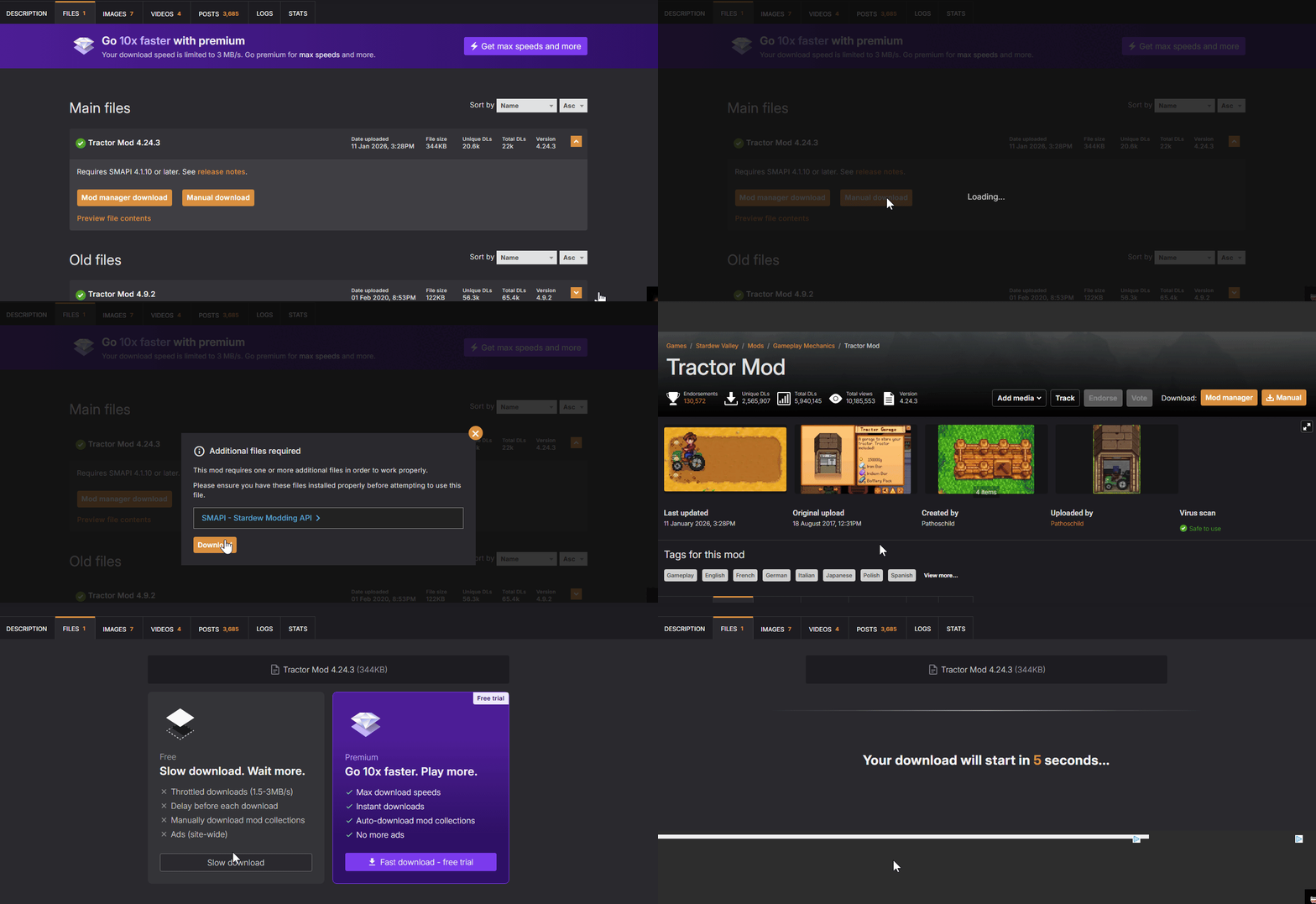
- Navigate to your downloads folder and extract the .zip file.

#Installing the Tractor Mod
Once you have the mod downloaded, you will need to upload it to your Stardew Valley server's /mods folder.
-
Open your Control Panel.
-
Stop the server and wait for it to go offline.
-
Navigate to Files and open
/StardewValley/Mods.
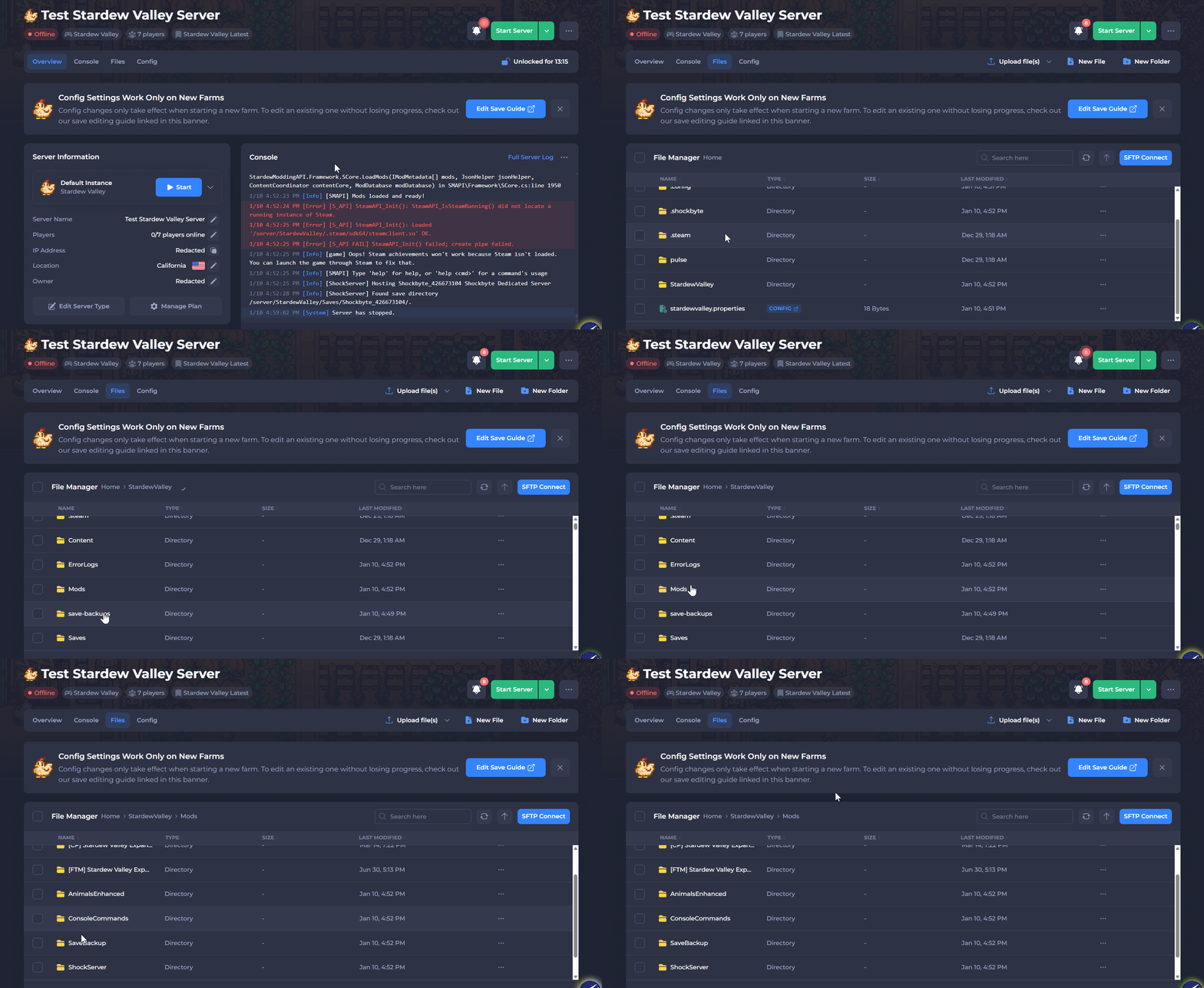
-
Upload the extracted TractorMod folder.
-
Start your server.
Although players are still able to join your server without the Tractor Mod installed. In order to use and see the Tractors on your server players will need to have the mod installed locally. We have another article that covers the process of installing mods locally here.