Still have questions?
Come chat with us and we will get back to you as soon as possible!

Shockbyte
Support Team

How to Set your Owner ID on your RuneScape: Dragonwilds Server
This guide explains how to set your Owner ID on your RuneScape: Dragonwilds server. The Owner ID is required for your server to appear in the in-game server list and ensures it is properly linked.
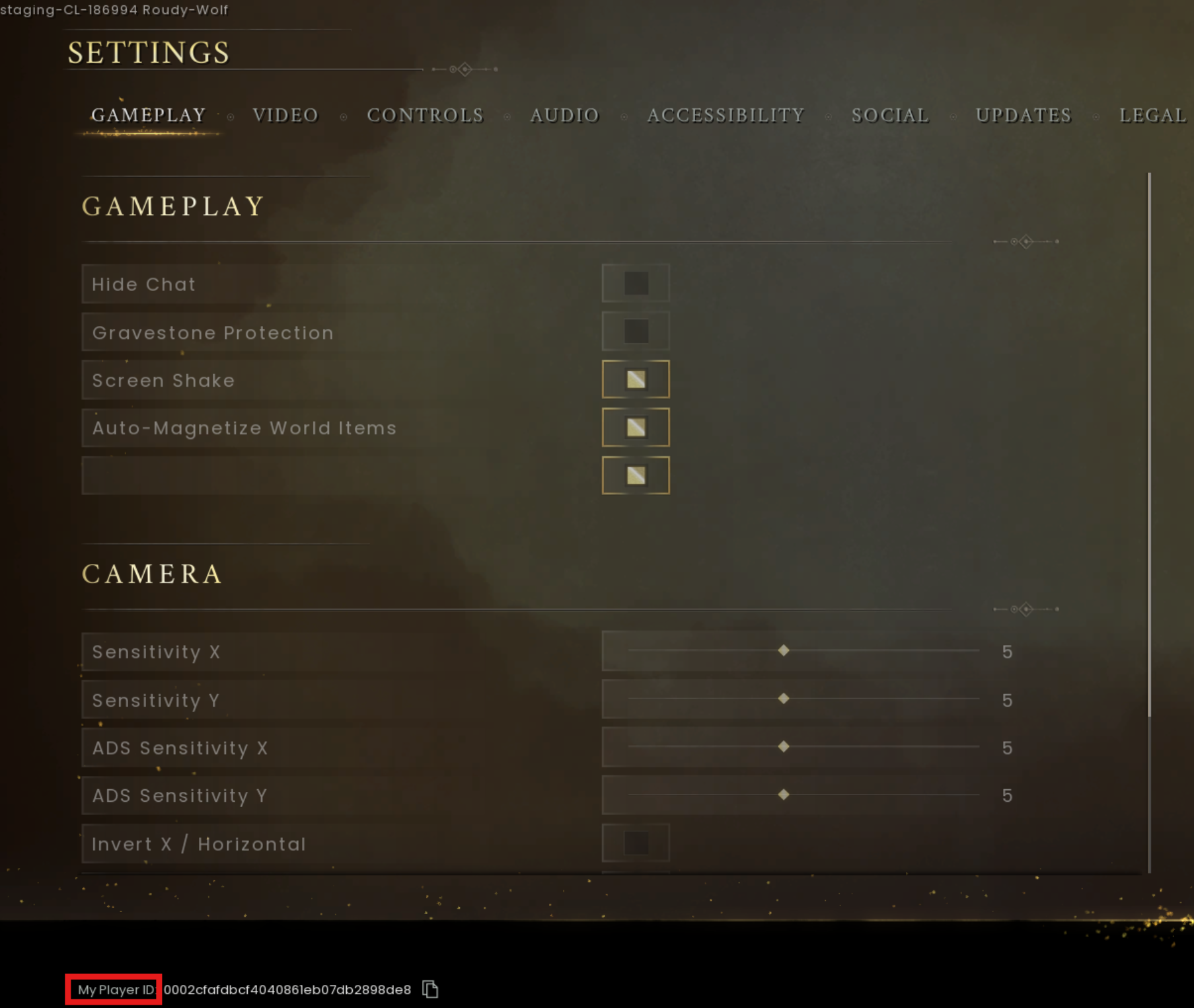
You can find your Owner ID in-game under Settings (bottom-left corner), then add it to your server’s configuration files through the panel. The steps below will walk you through locating and applying this setting correctly.
#Locating your Owner ID
To set your Owner ID, you will need to find this in-game under the Settings area.
-
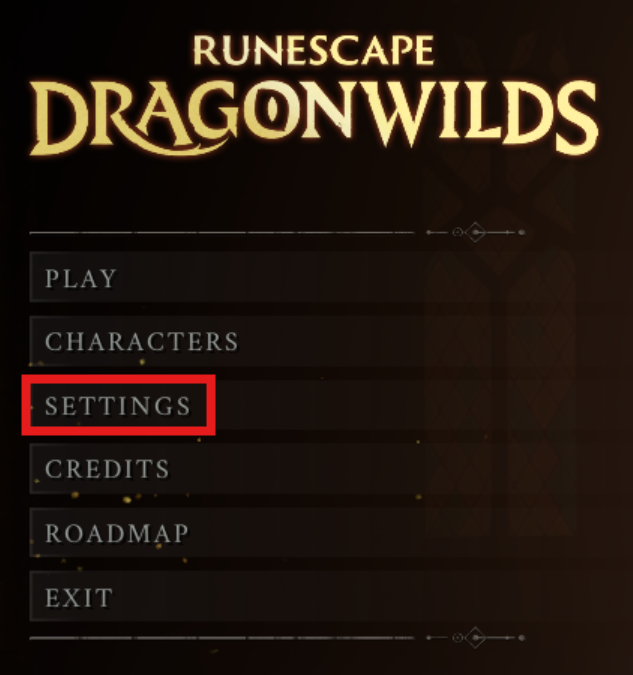
Launch RuneScape: Dragonwilds and select Settings.
-
At the bottom of the Settings area copy the Player ID.
#Adding your Owner ID in the Settings
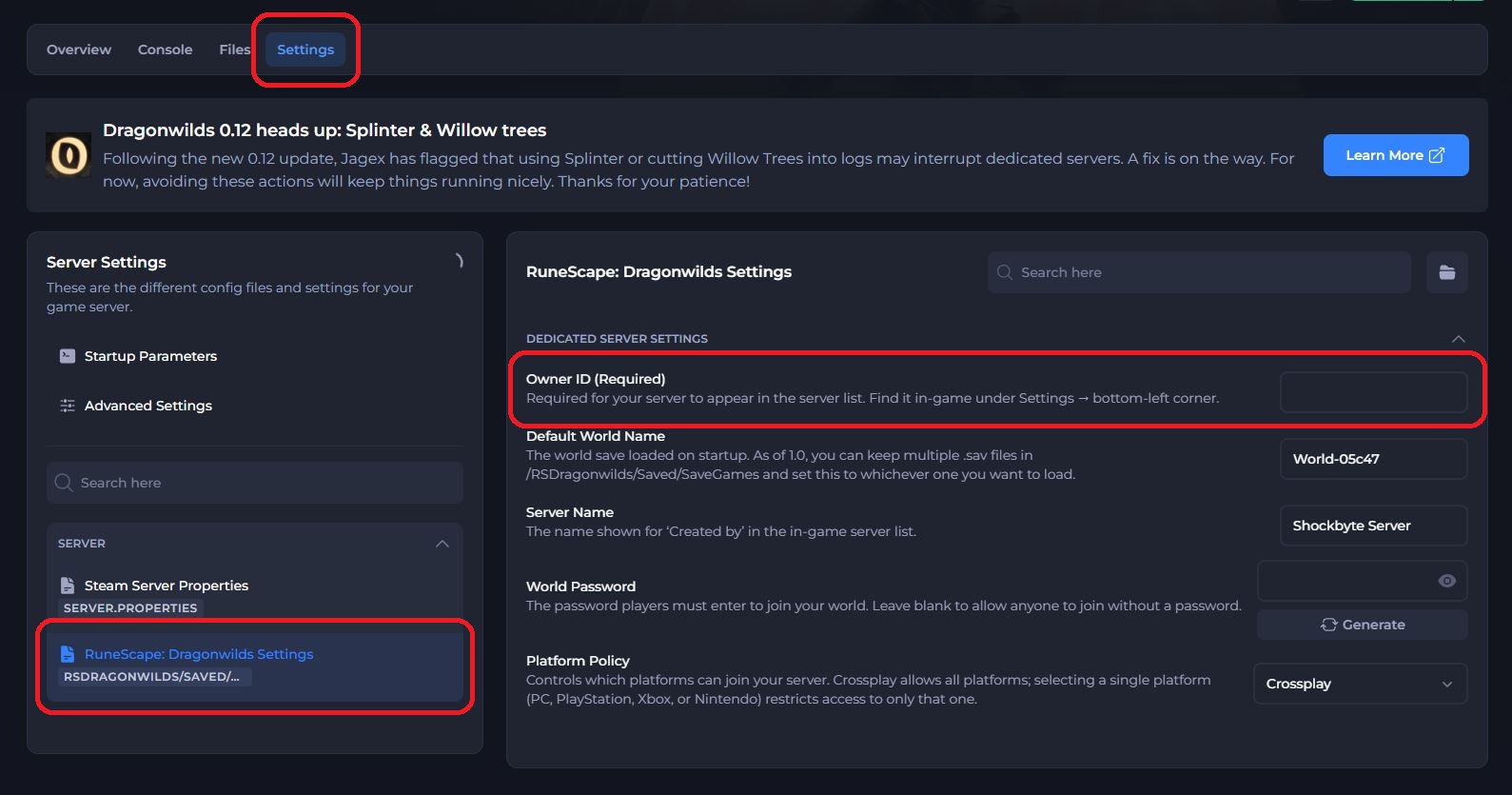
Once you have located your Owner/Player ID, you will need to set this in the Settings area of your panel.
- Access your Control Panel and Stop your server.
- Navigate to the Settings tab and select the
RuneScape: Dragonwilds Settingsfile. - Locate the
Owner IDoption. Paste the ID you copied earlier into this field.
- Save and restart the server to ensure the new changes apply.
If you require any further assistance, please contact our support at: https://shockbyte.com/billing/submitticket.php