Still have questions?
Come chat with us and we will get back to you as soon as possible!

Ruben B
Partnership Manager

How To Upload Or Download A Save From Your Satisfactory Server
If you already have an existing Satisfactory single-player world, you can upload this to your server to allow your friends to join. You can also download a world from the server to continue playing in your single-player game.
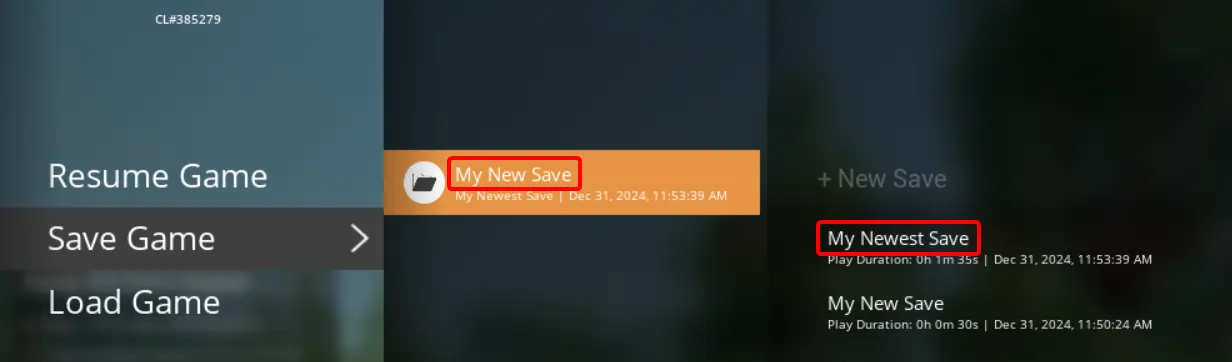
In this guide, you will need both the Session Name and File Name of a save. Each Session Name (e.g. ‘My New Save’) can contain multiple save files. Each save file will be listed within the session by its File Name (e.g. 'My Newest Save').
#Preparing a downloaded savegame
This section only needs to be followed if you are uploading a downloaded savegame. If you already have the world’s .sav file in single player, you can skip this step.
-
Download the .sav file you would like to use.
-
Go to the Satisfactory Save Games folder on your computer.
On Windows, press WINDOWS + R and then enter %appdata%\..\Local\FactoryGame\Saved\SaveGames.
On Linux, navigate to ~/.config/Epic/FactoryGame/Saved/SaveGames.
- Move the downloaded .sav save file within one of the subfolders.
#Uploading the save to your server
-
Open the menu by pressing Escape.
-
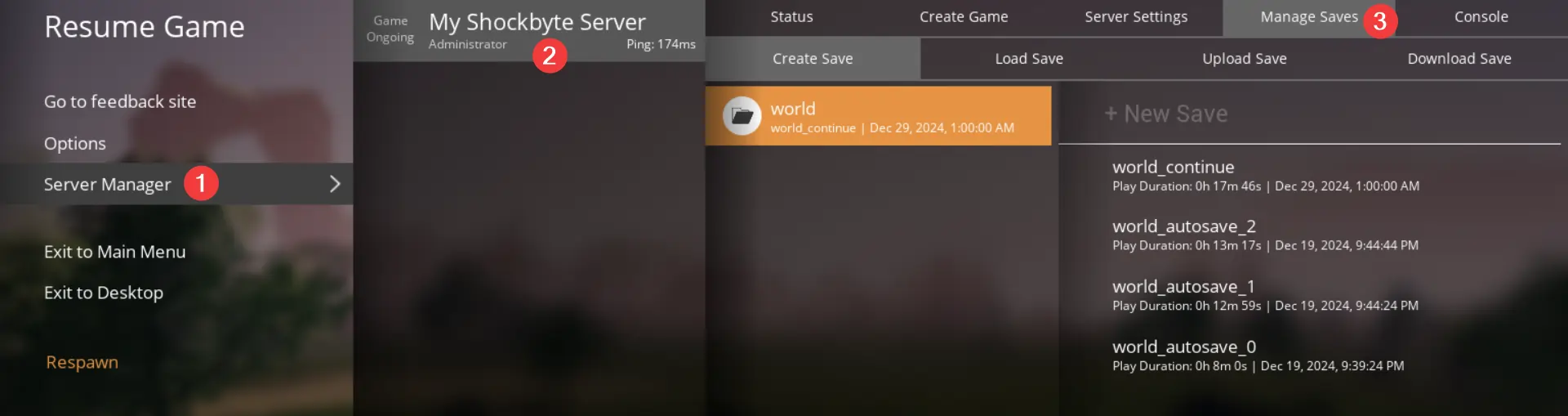
Click Server Manager, select your server, and click Manage Saves.
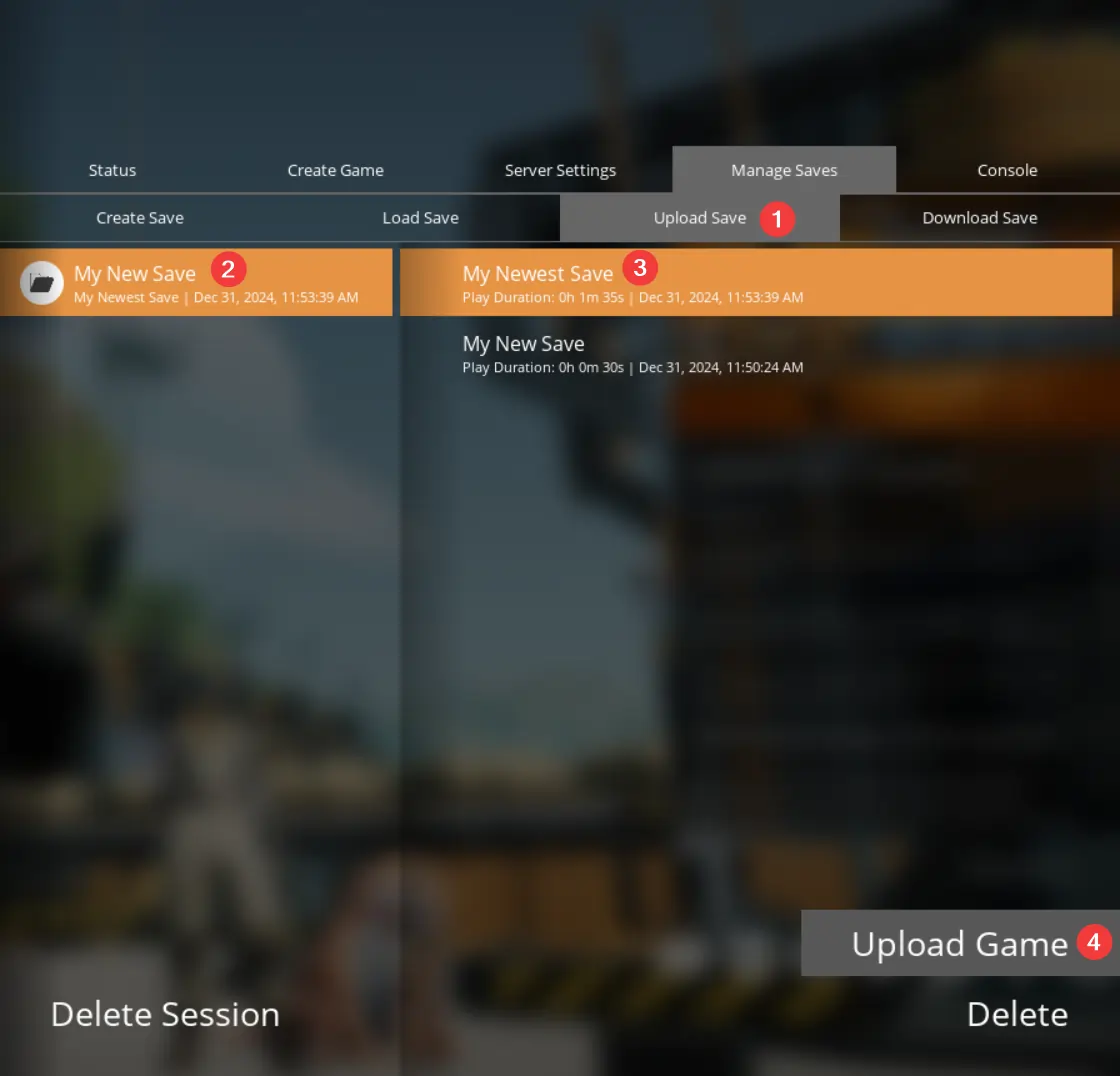
- Click Upload Save, select which session and save you would like to upload, and click Upload Game.
- You can now load the world using our How to Save or Load a Save guide.
#Downloading the save from your server
This section only needs to be followed if you want the downloaded savegame as a file. If you just wish to have it in single player, you can skip this step.
-
Open your server's file manager or an FTP client such as FileZilla.
-
Navigate to
/.config/Epic/FactoryGame/Saved/SaveGames/server.
Note
Some FTP clients may not show the .config folder by default. Either copy and paste the file path, or use the panel's File Manager.
- Download the .sav save file from the server to your computer.
#Importing a save to single-player
-
Open the menu by pressing Escape.
-
Click Server Manager, select your server, and click Manage Saves.
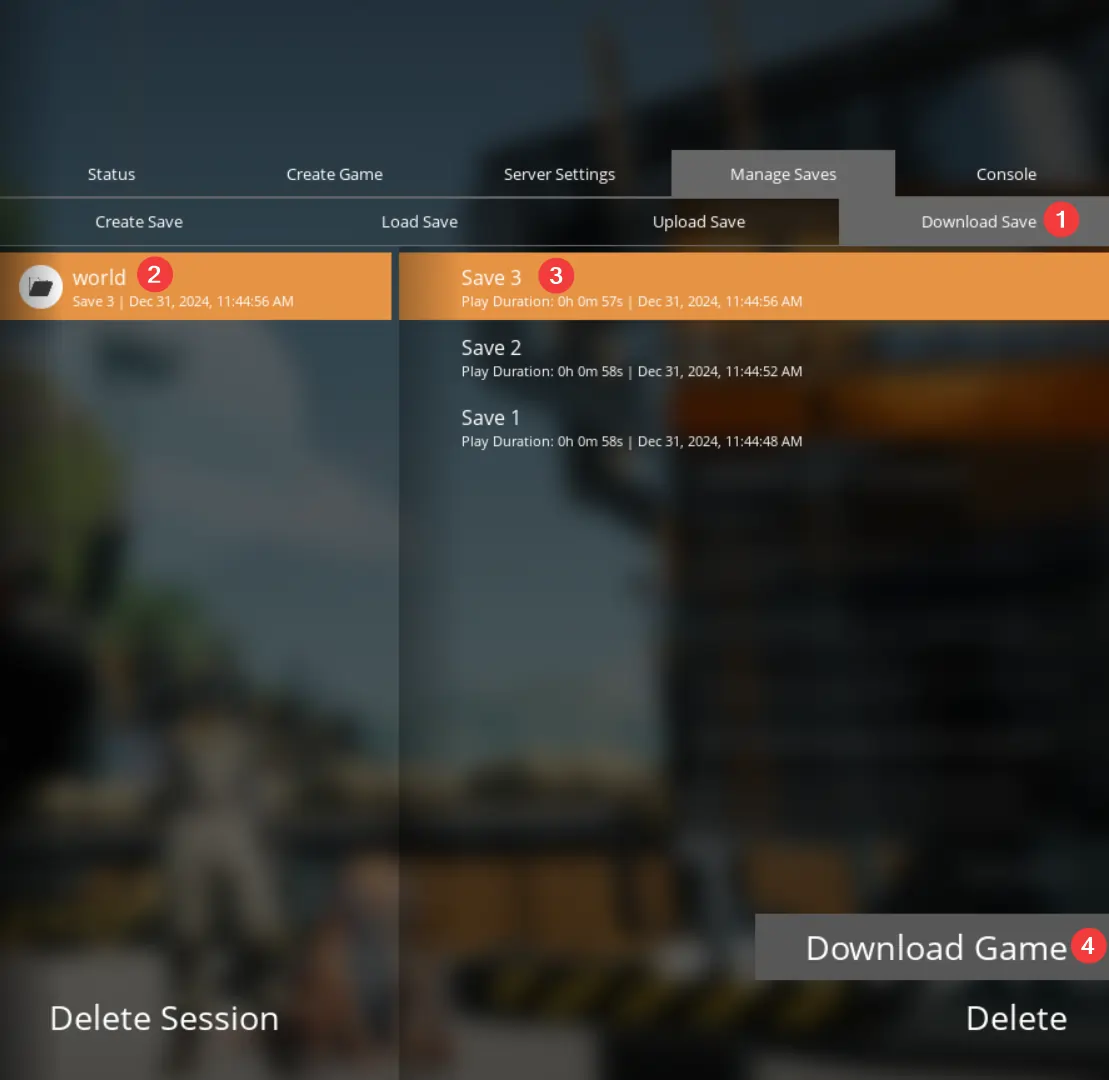
- Click Download Save, select which session and save you would like to download, and click Download Game.