How to Change your RuneScape: Dragonwilds Server Difficulty/World Settings
Table Of Contents
Editing your world saveStill have questions?
Come chat with us and we will get back to you as soon as possible!

Shockbyte
Support Team

How to Change your RuneScape: Dragonwilds Server Difficulty/World Settings
RuneScape: Dragonwilds server difficulty and world settings usually can't be changed after you create a world, unless you use 3rd-party tools to edit the save. You can now edit these world settings directly from the Settings tab of your server's control panel.
The steps below walk you through changing your world settings with our built-in world save editor.
Important
When you switch to a different difficulty or world type, you will need to create a brand new character to match it. For example, you will not be able to use your Normal difficulty character on a Custom difficulty world.
#Editing your world save
Note
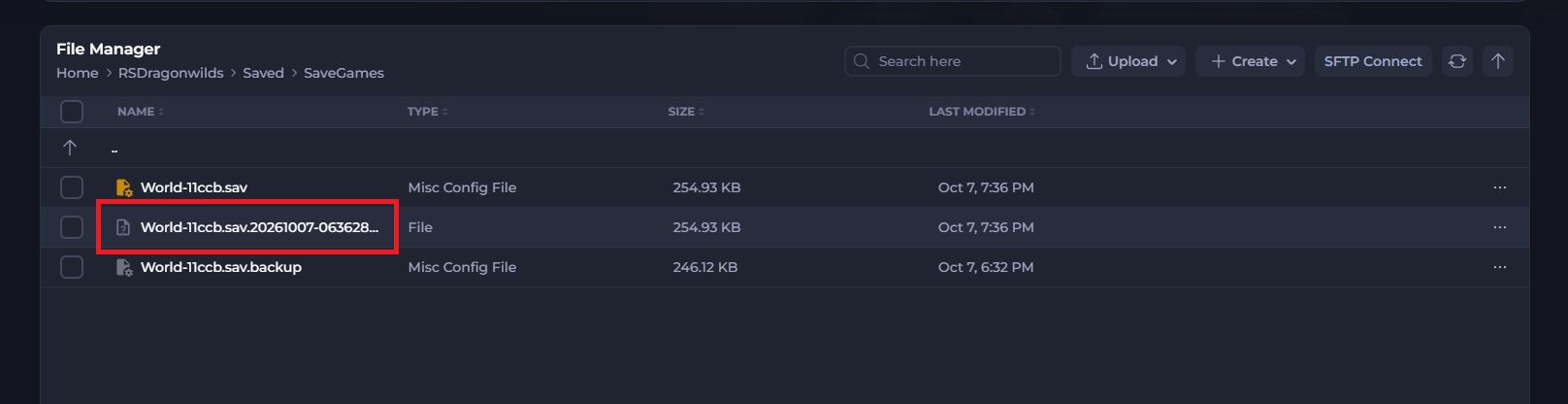
As this save editor is still experimental, we automatically create a backup before any changes are saved and store it in the Save Games folder.
-
Navigate to the Shockbyte Control Panel and open your RuneScape: Dragonwilds server.
-
Stop your server and Select the Settings tab.
-
Under the Worlds section, select your world.
Each world shows its name and save file, separate from configs such as Steam Server Properties and RuneScape: Dragonwilds Settings.
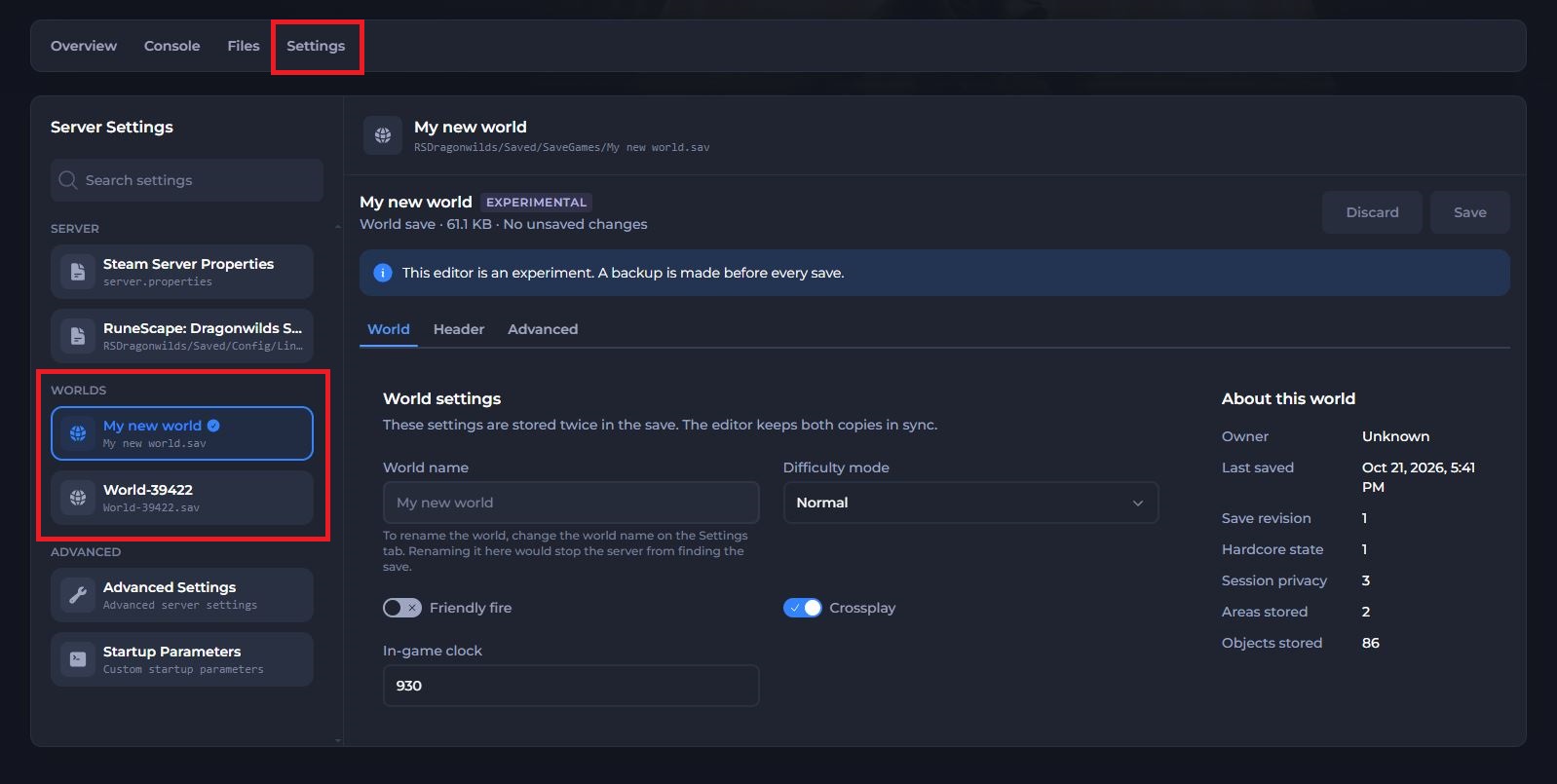
The World tab of the editor shows common settings such as the Difficulty mode, the Friendly fire and Crossplay toggles, and the In-game clock. The About this world panel on the right shows details about your save, such as when it was last saved.
The World name field shows the name embedded in the save when the world was created, and you can't edit it here. To rename your world, change the world name in the RuneScape: Dragonwilds Settings config instead. Renaming it in the save would stop the server from finding the save.
-
Saves start on
Normaldifficulty by default. To unlock all the available world settings, change theDifficulty modetoCustom.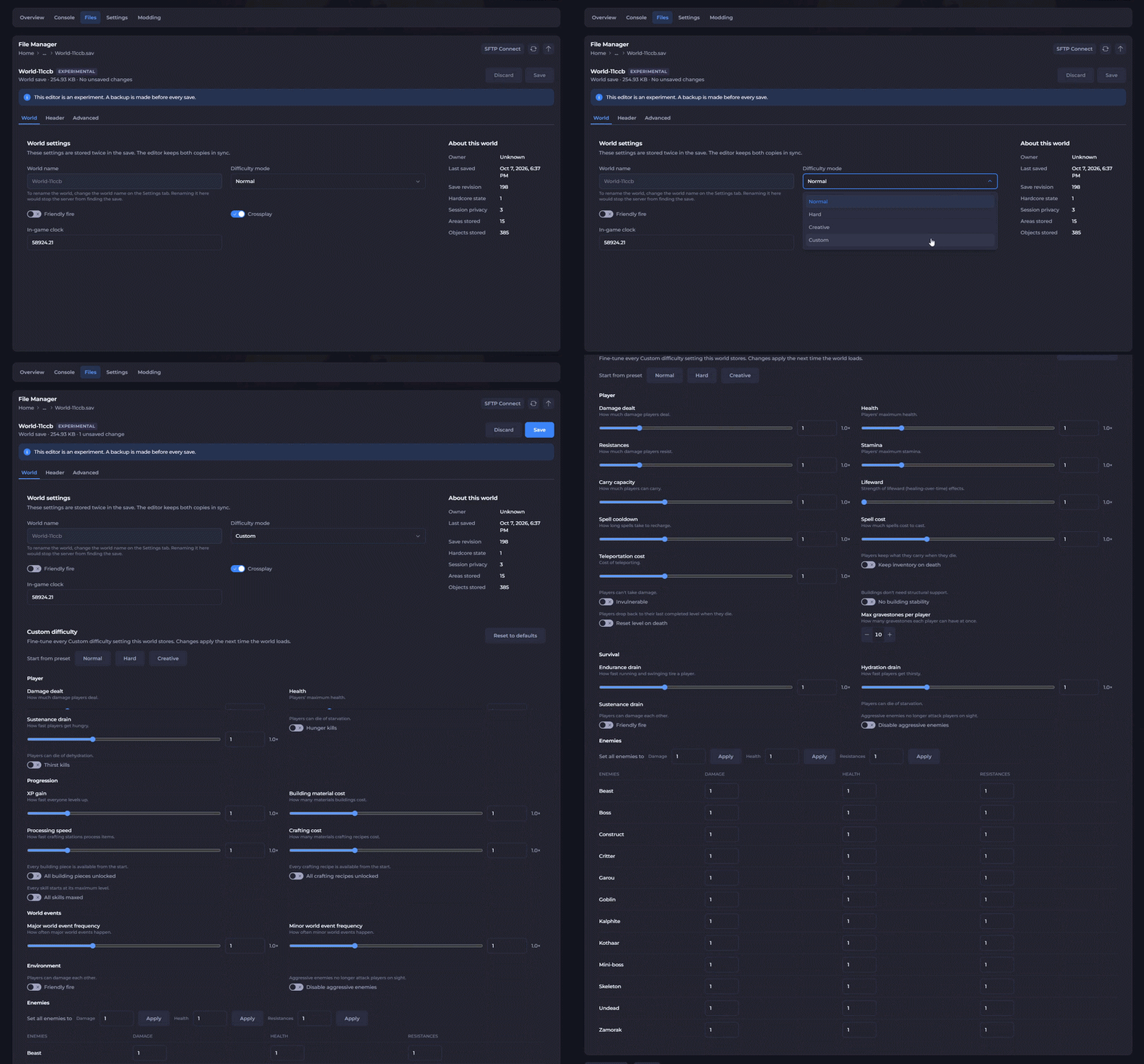
-
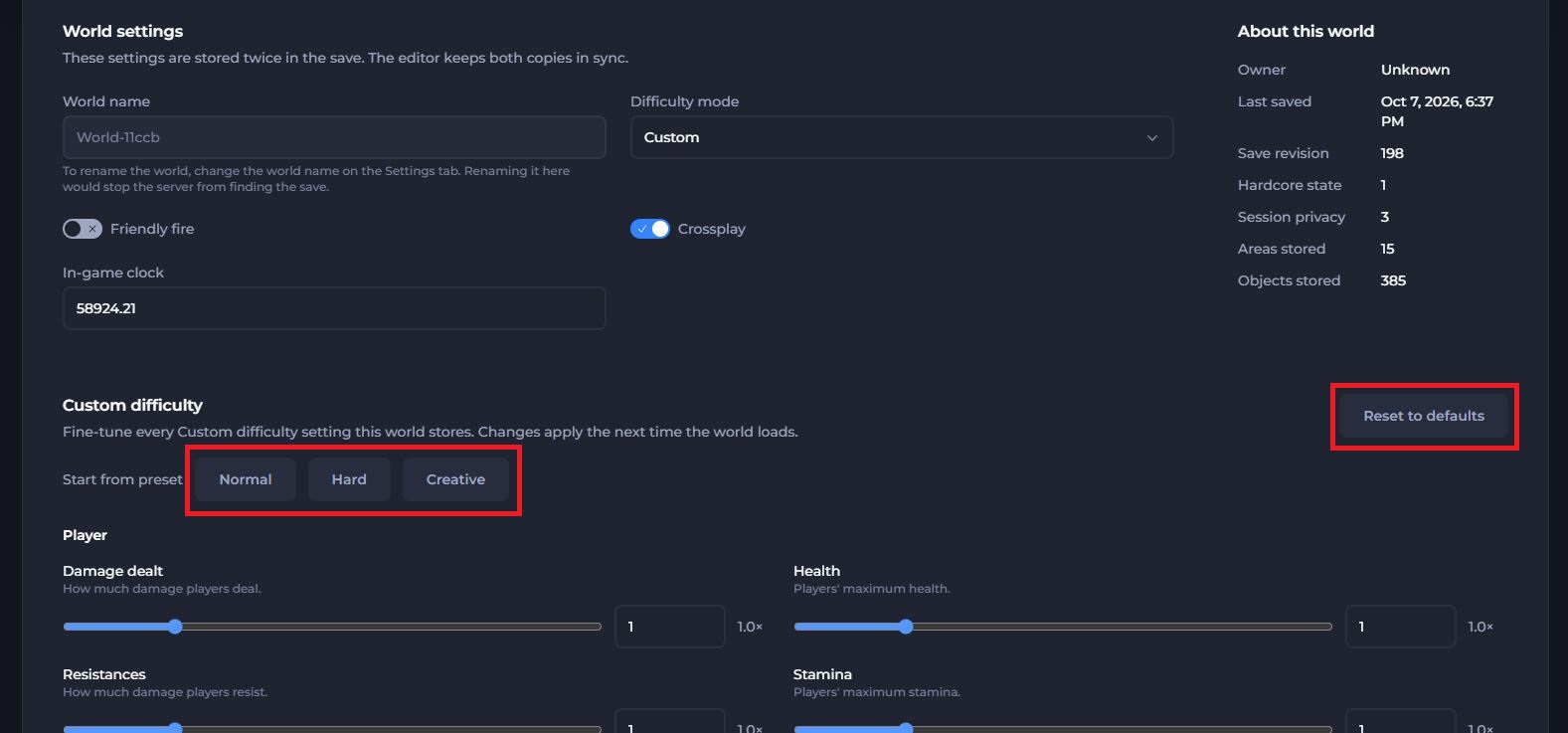
To start from a specific preset, select one of the
Normal,HardorCreativepreset buttons under Custom difficulty.
This changes the settings below to match your selected preset, and you can edit them further if you want.
You can also reset any custom settings back to the default preset with the Reset to defaults button.
-
Scroll through the list of settings and set any custom world settings you want to use.
-
Once you have chosen your settings, click Save at the top.
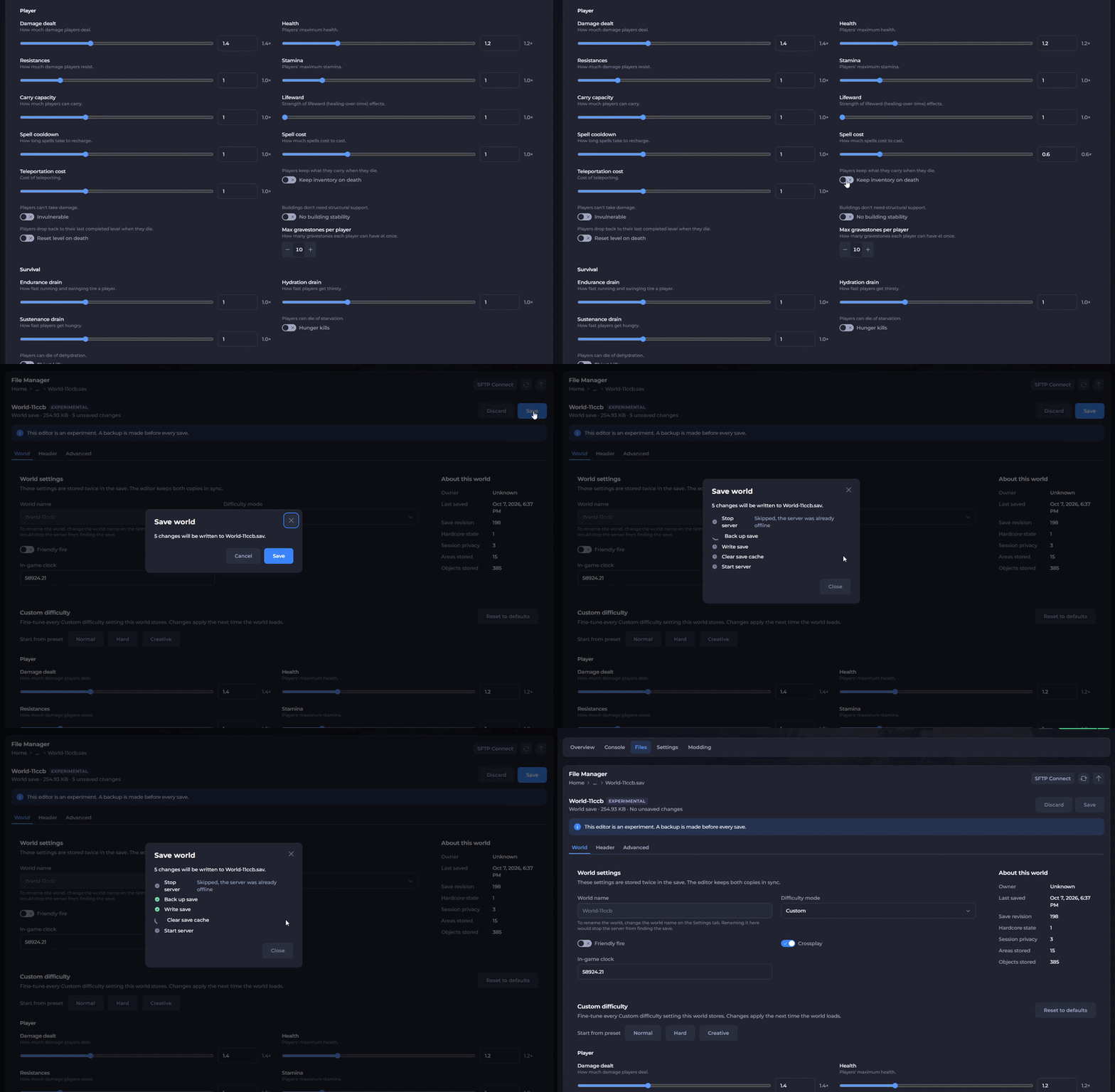
We automatically create a backup of your world before your changes are saved. The backup name contains the date we created it, and you can find it in the Files tab under RSDragonwilds/Saved/SaveGames.
- Start your server, and your custom world settings will now apply.
If you still need help, contact our support team and we'll take a look for you.