Table Of Contents
Installing a Custom JARStill have questions?
Come chat with us and we will get back to you as soon as possible!

Jay Miller
Game Engineer
How to Install a Custom JAR (Custom Server Type)
A server type allows you to select the JAR file that your server will run on startup; for example, PaperSpigot, Bukkit, and Forge are all different types of JARs/server types.
Although we offer built-in support for many different server types using our server type selector, it is possible to install any server type or modpack on your Shockbyte server. To do this, you will need to install it as a custom JAR by following the steps provided in this article.
Important
Forge versions 1.17.1 and newer can only be installed using our server type selector, a custom jar will not work. Contact our support team if one of these versions are unavailable.
#Installing a Custom JAR
To install a custom JAR file, you must select the appropriate server type, upload your custom JAR file, and rename the file to custom.jar.
-
Access your control panel and Stop your server.
-
Navigate to the Choose a Server Type window at the top of the control panel.
If you want to create a new instance for your server type, you can find a guide for this here.
- Click on Custom Jar and then click Next Step.

- Select the correct Java version for the Custom Jar depending on which Minecraft version you wish to use and click on Next Step.
| Minecraft Version | Recommended Java Version |
|---|---|
| 1.8 to 1.11 | Java 8 |
| 1.12 to 1.16.4 | Java 11 |
| 1.16.5 | Java 16 |
| 1.17 - 1.20.4 | Java 17 |
| 1.20.5+ | Java 21 |
Note: Minecraft versions between 1.17 - 1.20.4 may run on Java 18, but it is not officially recommended. For stability and compatibility, Java 17 should be used for these versions.
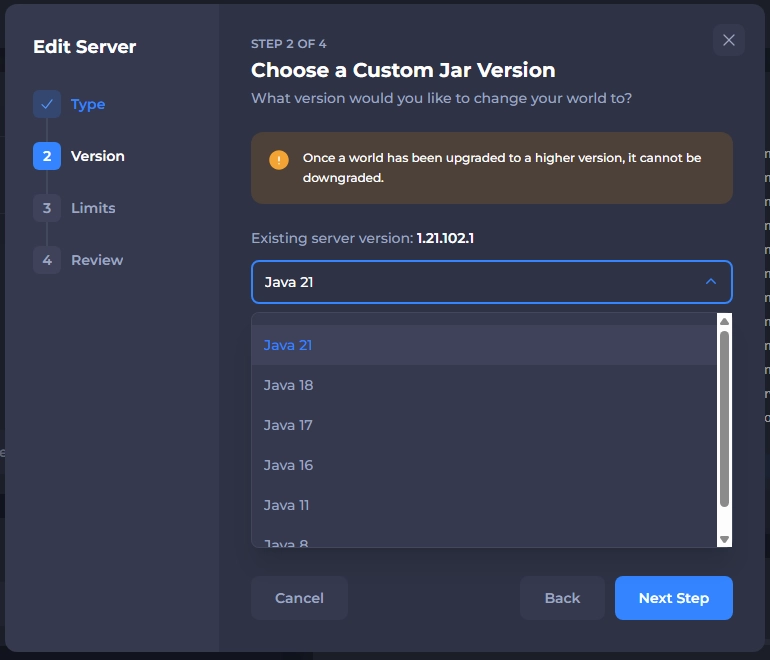
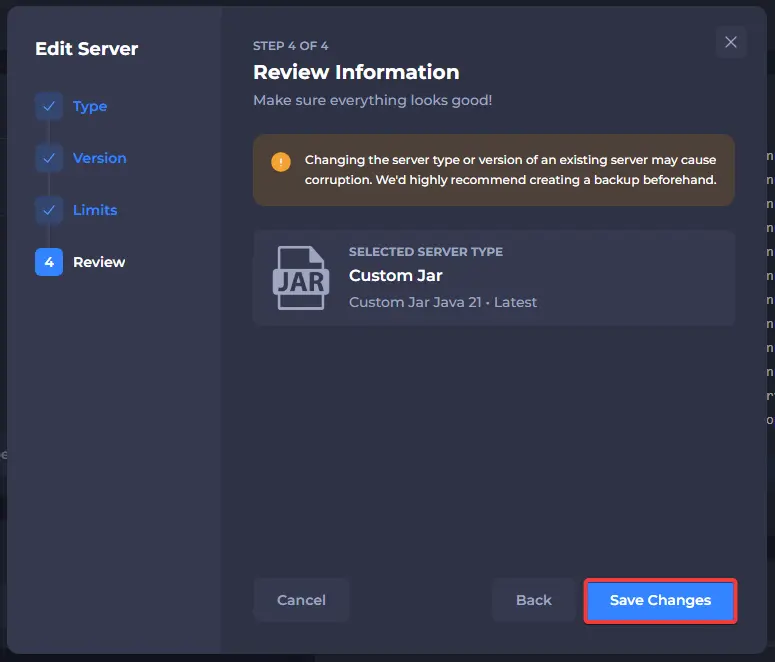
- Once you have chosen the Custom Jar you wish to use, click on Save Changes.
-
Navigate to your server Files.
-
Upload your desired server JAR to the base directory of your server files.
Note: The installer file (e.g., forge-1.20.1-installer.jar) and the server executable file (e.g., forge-1.20.1-server.jar or server.jar) look very similar, but serve completely different functions.
Installer File: Used only once to unpack, download, and construct the server environment. It cannot be used to run the server.
Server Executable File: The actual .jar file generated by the installer that boots and runs your Minecraft server and is used for the custom jar.
Setting the installer file as your custom jar will cause the server to crash or fail to start. Always ensure you use the server executable file as opposed to the installer for your custom jar.

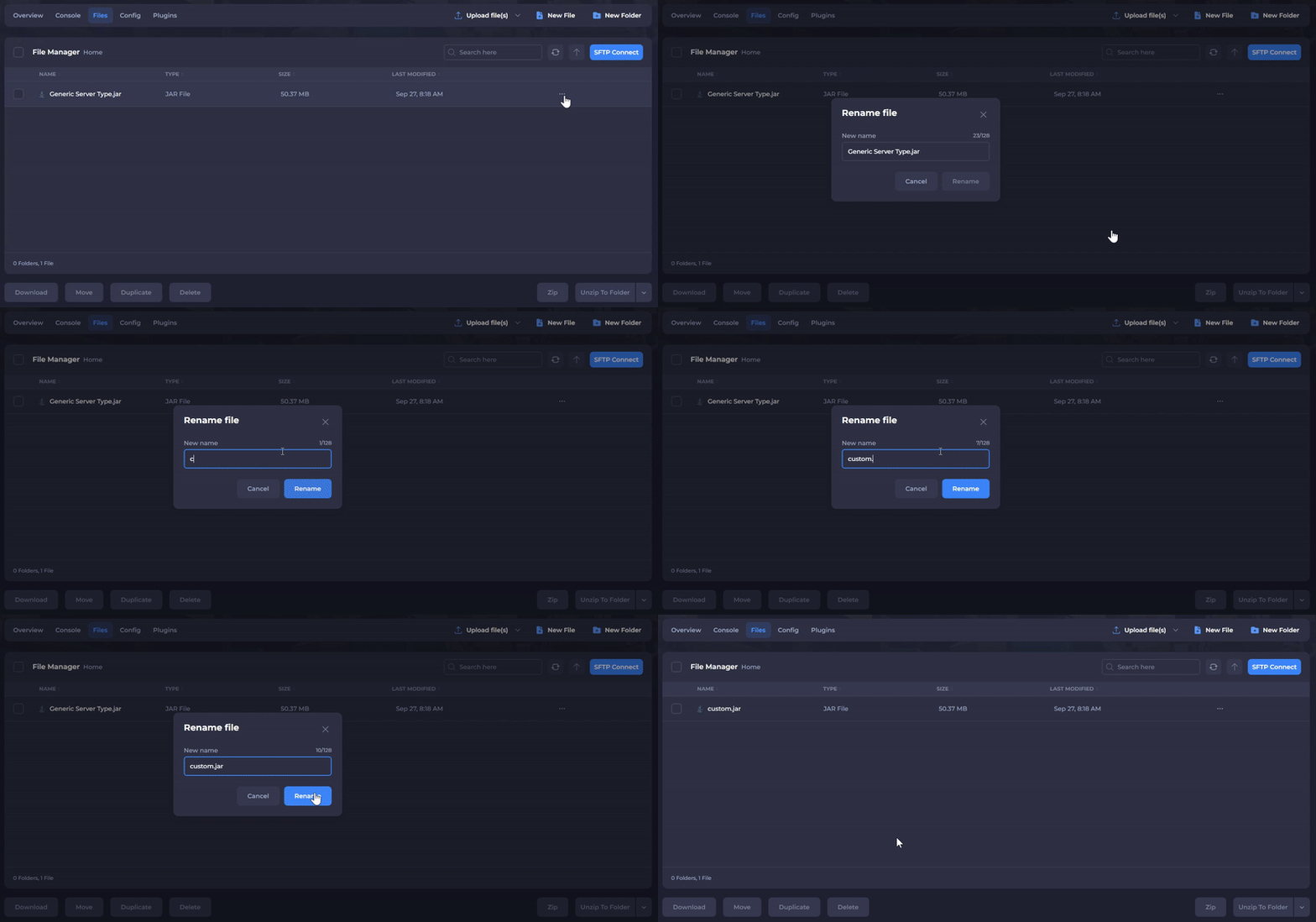
- Rename the server JAR file to
custom.jar. Make sure that it is in lowercase; otherwise, it will not load properly.
- If you're installing a server type that requires extra files (usually additional libraries) such as Forge, SpongeForge or any modpack, you will also need to upload these. These are generally generated by running the installer for a server type on your own computer, and then uploading the files it downloads onto your computer.
That's all! Once you restart your server, it will begin loading your custom server JAR.