Still have questions?

Nuno Paiva
Game Integration Specialist @ Shockbyte

How To Join Your SCUM Server
Jumping into your SCUM server lets you and your friends experience the thrill of survival, exploration, and base-building in a shared open world. You can join your server through SCUM’s in-game browser or by connecting directly with your server’s IP and port.
It is also useful to know your server's name as defined in the Config files. We have a great guide on how to set your server name here.
Note
SCUM uses a port offset of +2. This means if your server panel shows port 24039, you’ll actually need to use port 24041 when connecting.
#Method 1: Direct IP Connect
This method gives you the most consistent way to join your server.
- Launch SCUM via your Steam Library.
- From the main menu, select Multi Play.
- Look to the left side of the screen for the Direct Connect field.
- Enter your server’s IP and port, remembering to add +2 to the port number.
- Example: If your panel shows
192.168.1.100:24039, enter192.168.1.100:24041.
- Example: If your panel shows
- Click Connect.
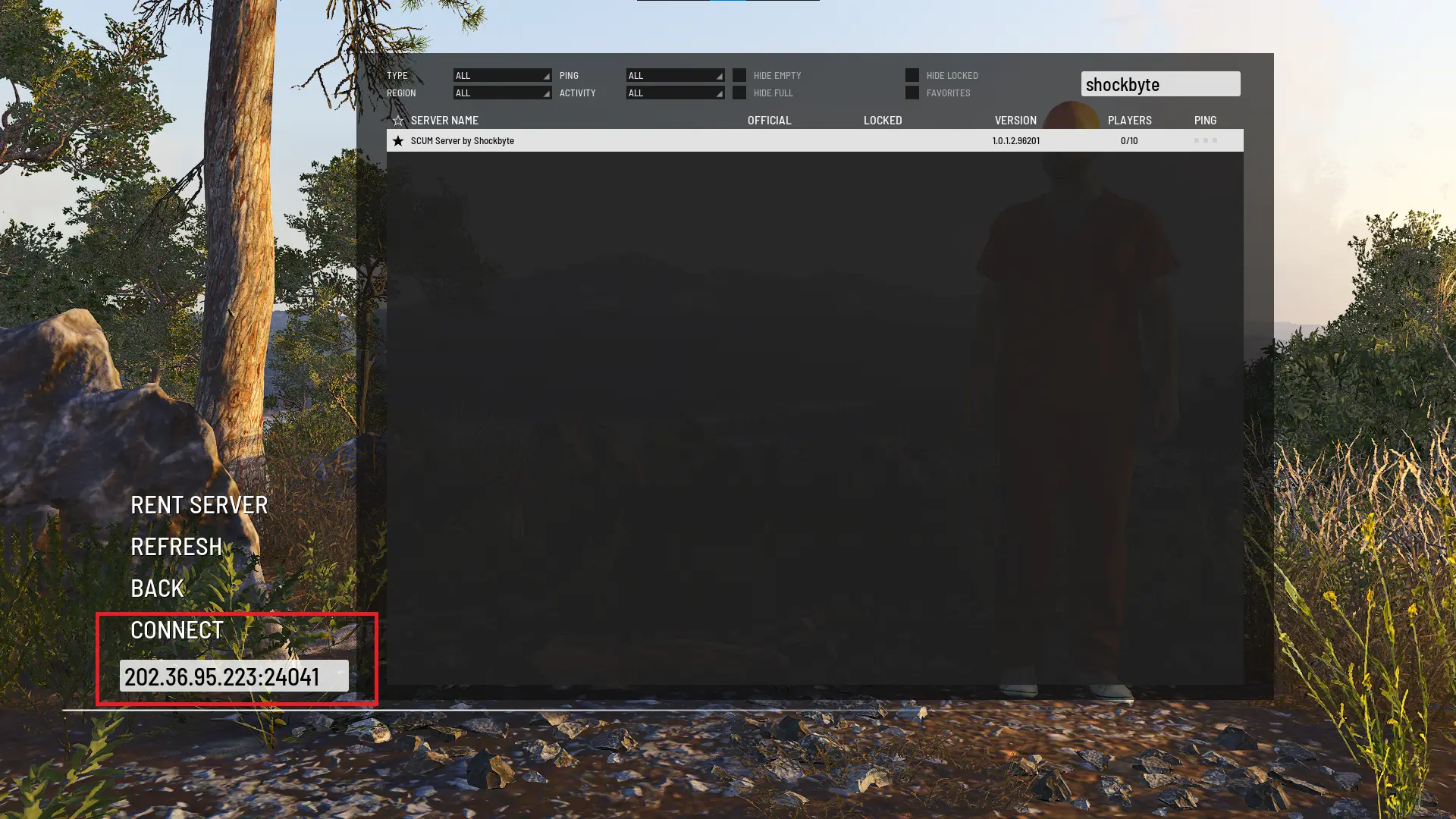
- Create your character and begin playing.
#Method 2: Using the In-Game Server List
You can also use SCUM’s built-in server browser to find and join your server.
- Open SCUM.
- From the main menu, select Multi Play.
- Use the search bar to enter your server’s name.
- When your server appears in the list, select it.

- Click Connect.
- Enter your server password if prompted.
Note
It can take a few minutes for your server to show up in the list—if it doesn’t appear, try using Direct Connect instead.
You can also explore more SCUM hosting tips and guides in our Knowledgebase here.