Still have questions?
Come chat with us and we will get back to you as soon as possible!

Jay Miller
Game Engineer

How to Setup Rust RCON
There are multiple tools you can use to set up RCON with a Rust server; however, we recommend using RustAdmin.
#How to find your RCON information
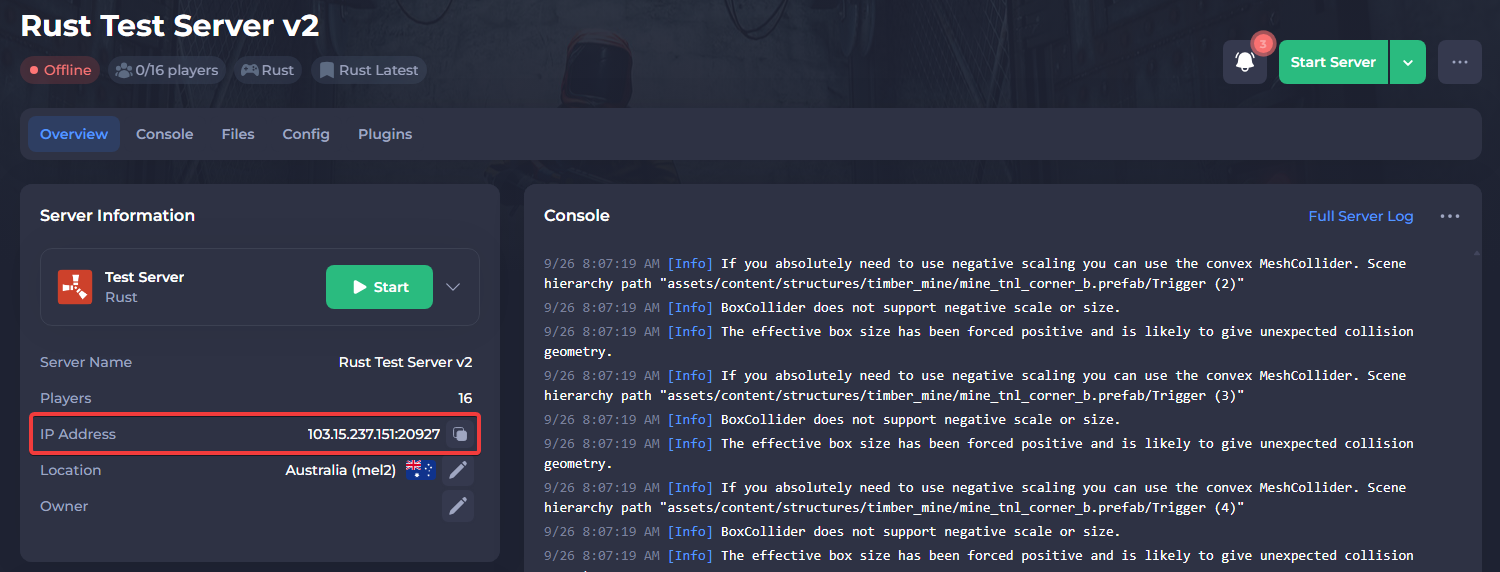
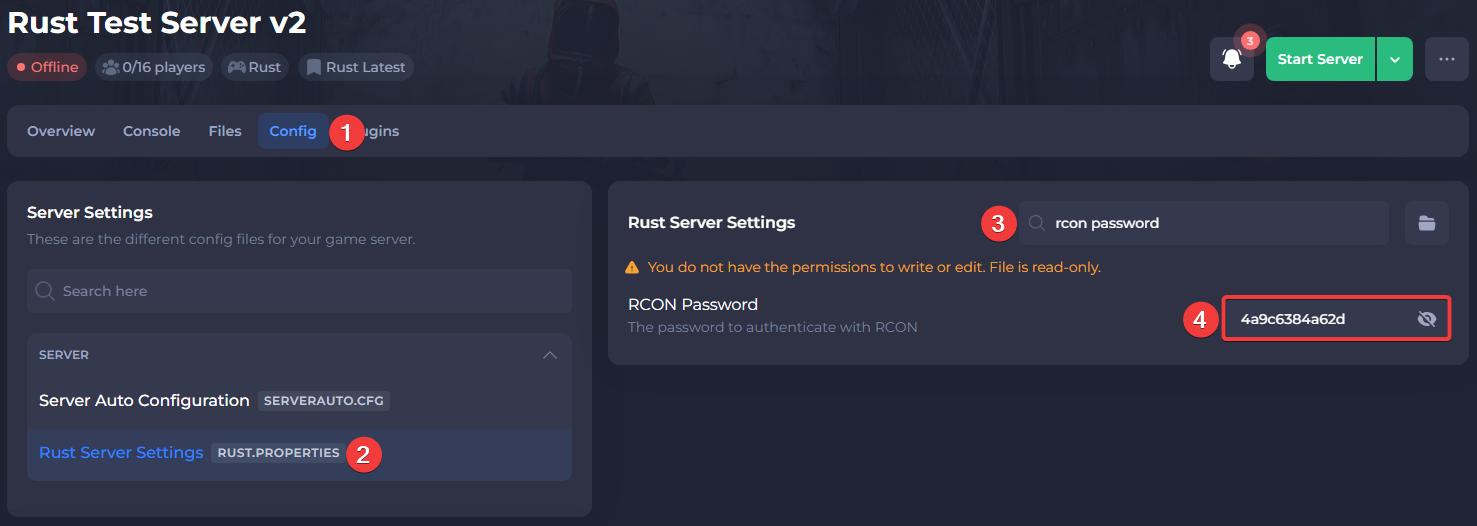
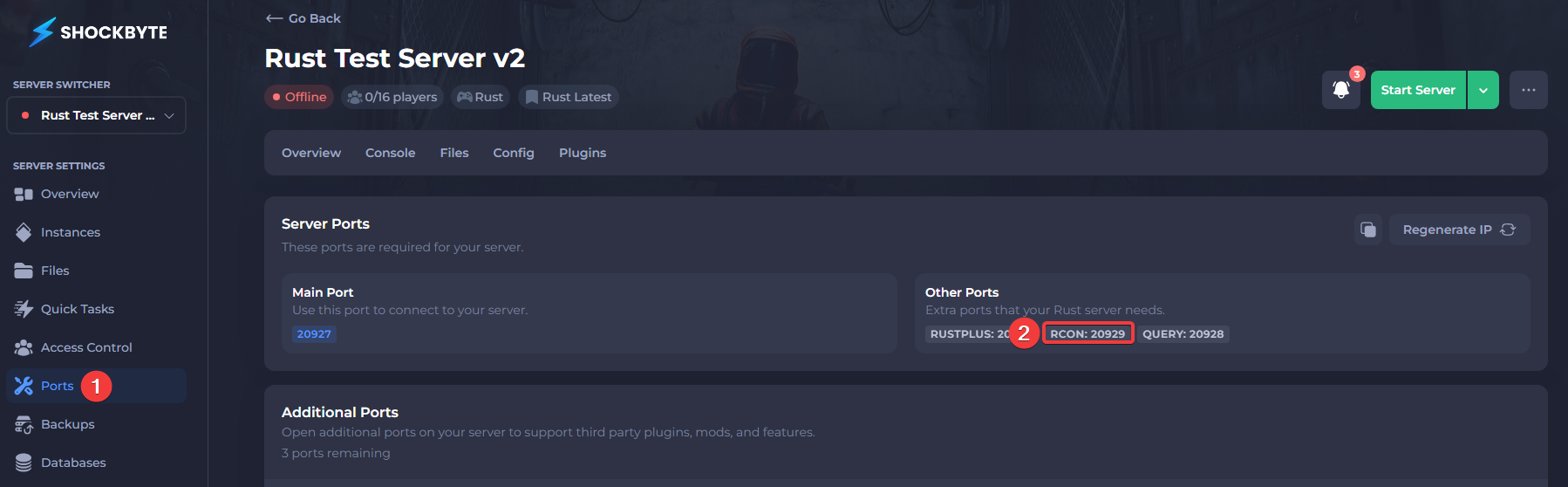
You will need to take note of your server IP, RCON password, and RCON port before you can connect to RCON.
- Open your server's control panel.
- Find your server IP and port.
- Find your RCON password in your Rust Server Settings.
- Find your RCON port in the Ports tab of the control panel.
#Setting up Rust RCON
To set up RCON using RustAdmin, you can follow these steps:
- Download the RustAdmin Desktop Client, located here.

-
Once RustAdmin is downloaded, extract the ZIP file and run RustAdmin.exe.
-
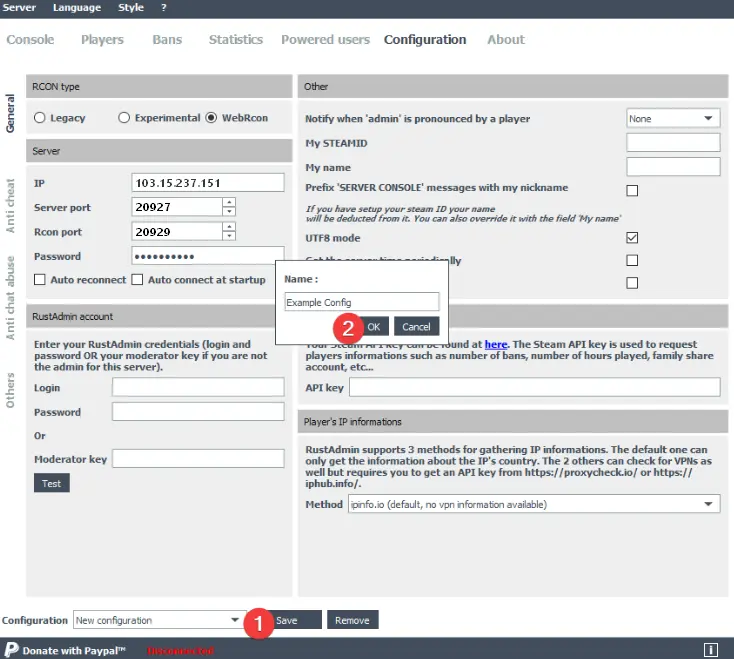
Switch to the Configuration tab and set the following properties with the information you found earlier:
-
IP: <YourServerIP> -
Server port: <YourServerPort> -
Rcon Port: <YourRCONPort> -
Password: <YourRCONPassword> -
RCON type: WebRcon
- At the bottom, next to the dropdown that says New Configuration, press Save and pick a name for your configuration when prompted.
- At the top, press Server and click Connect. You should now be connected to your server.
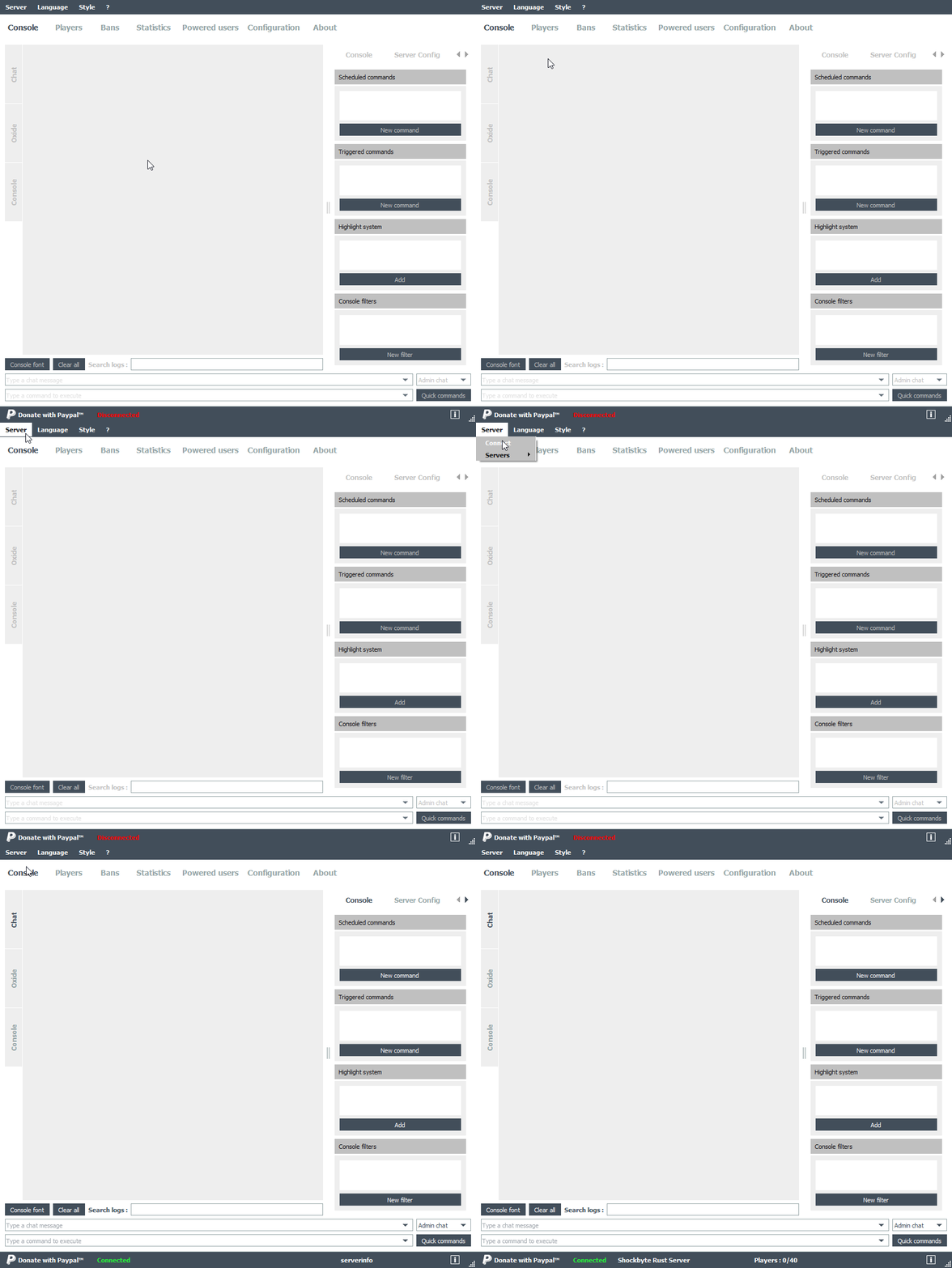
It is important to note that Shockbyte's Rust servers do not use the default RCON port; instead, they use the server's port.