Still have questions?
Come chat with us and we will get back to you as soon as possible!

Shockbyte
Support Team
Installing ULX & ULIB Admin System to your Garry's Mod Server
ULX is a mod that offers an administration system to your server. This is used for the ban, kick and mute up to voting, freeze and blind commands.
#Installing ULX
You can install ULX via the Steam Workshop or manually. To use the Steam Workshop, you will also need to have a Steam Web API Key. If you don't have this, you will need to manually install ULX.
#Steam Workshop Install
Simply install the mods ULX (557962280) and ULib (557962238) by adding their Workshop IDs to the server config using our guide on How to Add a Steam Workshop Collection to Your Garry's Mod Server.
#Manually Installing to the Server
-
Head over to Downloads - Ulysses - Striving for Simplicity and download
ULib 2.x (.zip)andULX 3.x (.zip)(Requires ULib v2.x+). -
Access your Control Panel and Stop your server.
-
Navigate to the Files tab. Open the
garrysmod/addonsfolder. -
Create the folders:
ulxandulib.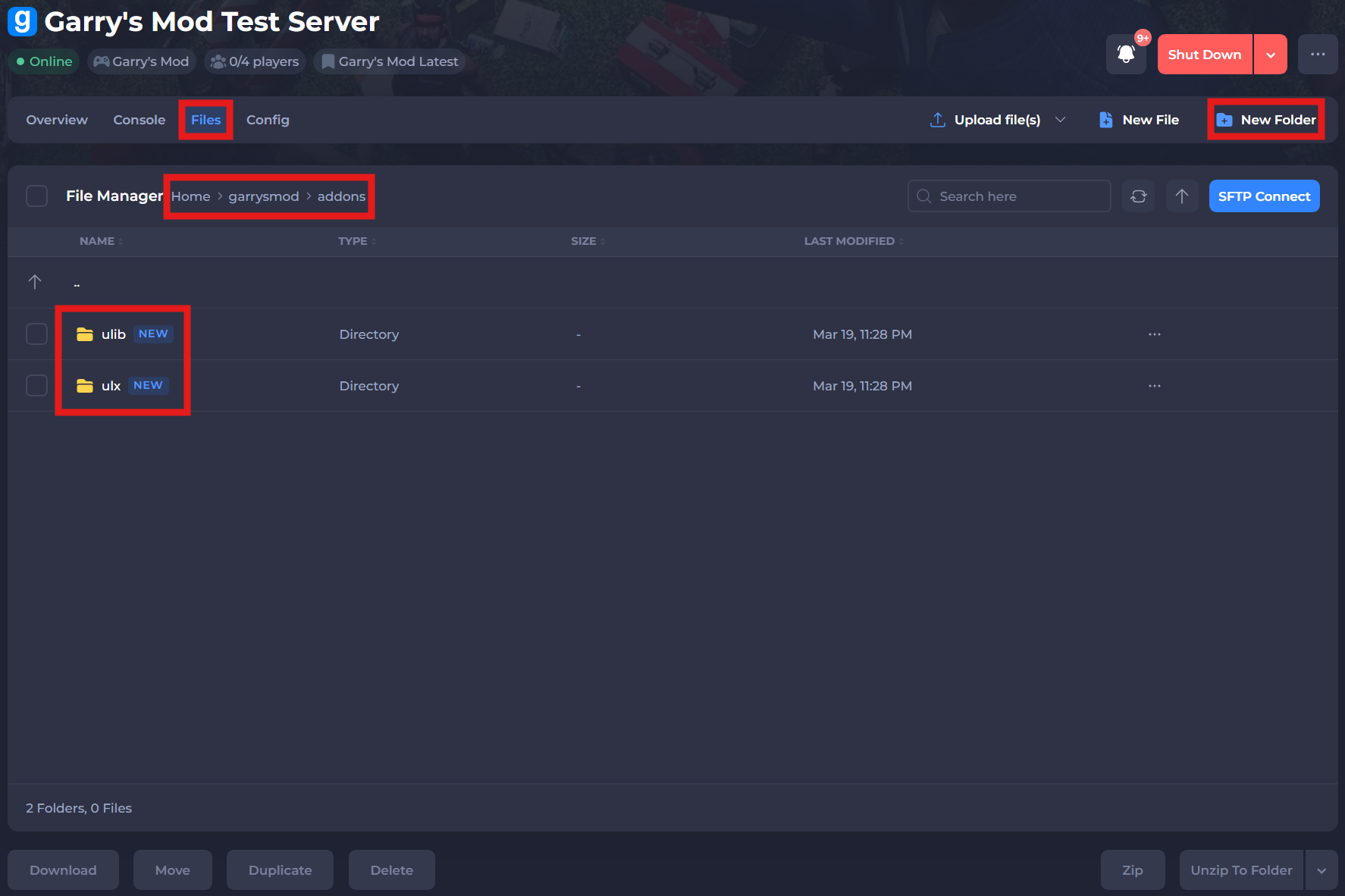
-
Extract and upload
ulx-x.zipto theulxfolder. Do same the same withulib-x.zipin theulibfolder. -
Save and restart your server to ensure the changes apply.
-
Enter
ulx adduser [username] superadmininto your panel's console. This will give you the necessary permissions.
If you require any further assistance, please contact our support at: https://shockbyte.com/billing/submitticket.php