Table Of Contents
Using CommandsStill have questions?
Come chat with us and we will get back to you as soon as possible!

Zach Lowery
Game Experience Engineer

How to Change the Difficulty of Your Minecraft Server
Minecraft servers have 4 levels of difficulty you can choose from, which are: Peaceful, Easy, Normal, and Hard.
Here’s a brief summary of each difficulty level and the differences between them:
-
Peaceful: Hostile mobs can not spawn naturally, except for a select few that do not deal damage to a player. Hostile mobs that try to spawn are removed from the game instantly. When switching to this difficulty level from any other level, all hostile mobs despawn. Player health is also restored much more rapidly at this level.
-
Easy: Hostile mobs will spawn at this level, but they’ll do less damage than they would at the Normal level. Player health will not decrease if they are starved.
-
Normal: Everything is standard at this level. Hostile mobs deal the standard damage, players’ health will deplete to 1 heart when they are starving, and villagers have a 1 in 2 chance of becoming a zombie when they are killed by one.
-
Hard: Hostile mobs cause more damage than they would at the Normal level, players can starve to death, and villagers will become zombies when they are killed by one. In addition, zombies can break through wooden doors and spawn more zombies when attacked by players.
Hardcore
If you're looking to change your server to hardcore, the steps will differ. See our guide on this here: How to enable hardcore on your server
You can adjust your server's difficulty based on what you prefer. Below are the ways to do this.
#Using Commands
The recommended method of changing your server's difficulty is by using commands, as this updates the world's difficulty in real time.
#Console Command
This can be done in the Console tab of our control panel.
difficulty- View the current difficulty set for the world.

difficulty <difficulty_level>- Change the difficulty of the server.

#In-Game Chat Command
The difficulty command can be used in-game as well. Do note that you must be a server operator to use the command in-game.
/difficulty- View the current difficulty set for the world in-game.
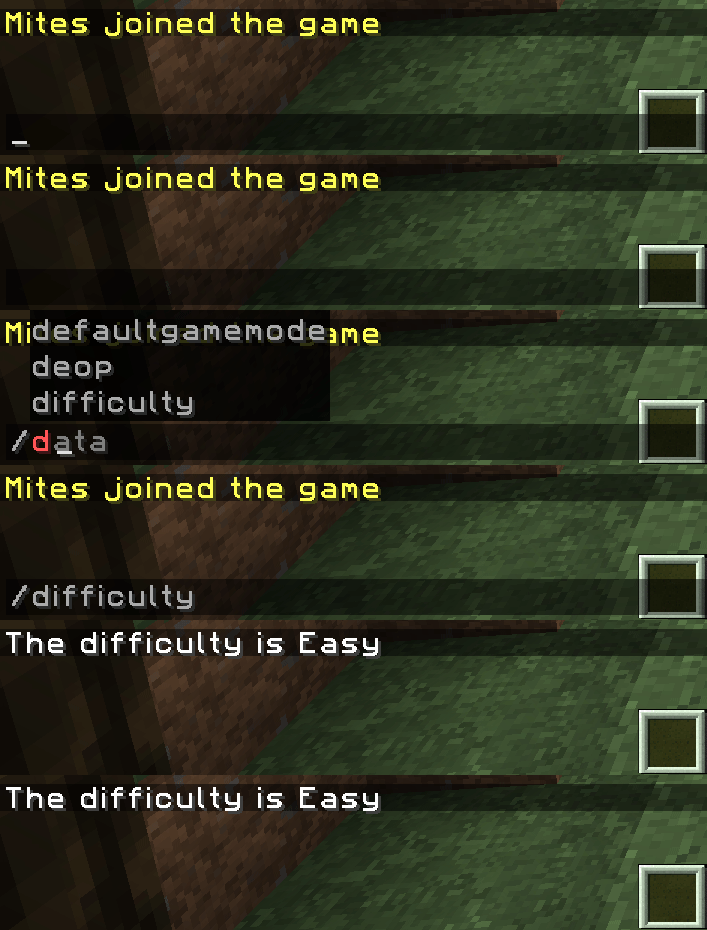
/difficulty <difficulty_level>- Change the difficulty of the server from in-game.