How to Set your Euro Truck Simulator 2 Server to Private (ETS2 & ATS)
Table Of Contents
Setting A PasswordStill have questions?
Come chat with us and we will get back to you as soon as possible!

Ruben B
Partnership Manager

How to Set your Euro Truck Simulator 2 Server to Private (ETS2 & ATS)
Creating a private server allows you to control and monitor who is connected to your Truck Simulator server. Allowing a server owner to provide private server details to players they trust.
Note
This article applies to both Euro Truck Simulator 2 and American Truck Simulator servers.
#Setting A Password
A password can be added to your ETS2 or ATS server in the Truck Simulator Server Settings section of your server's control panel.
-
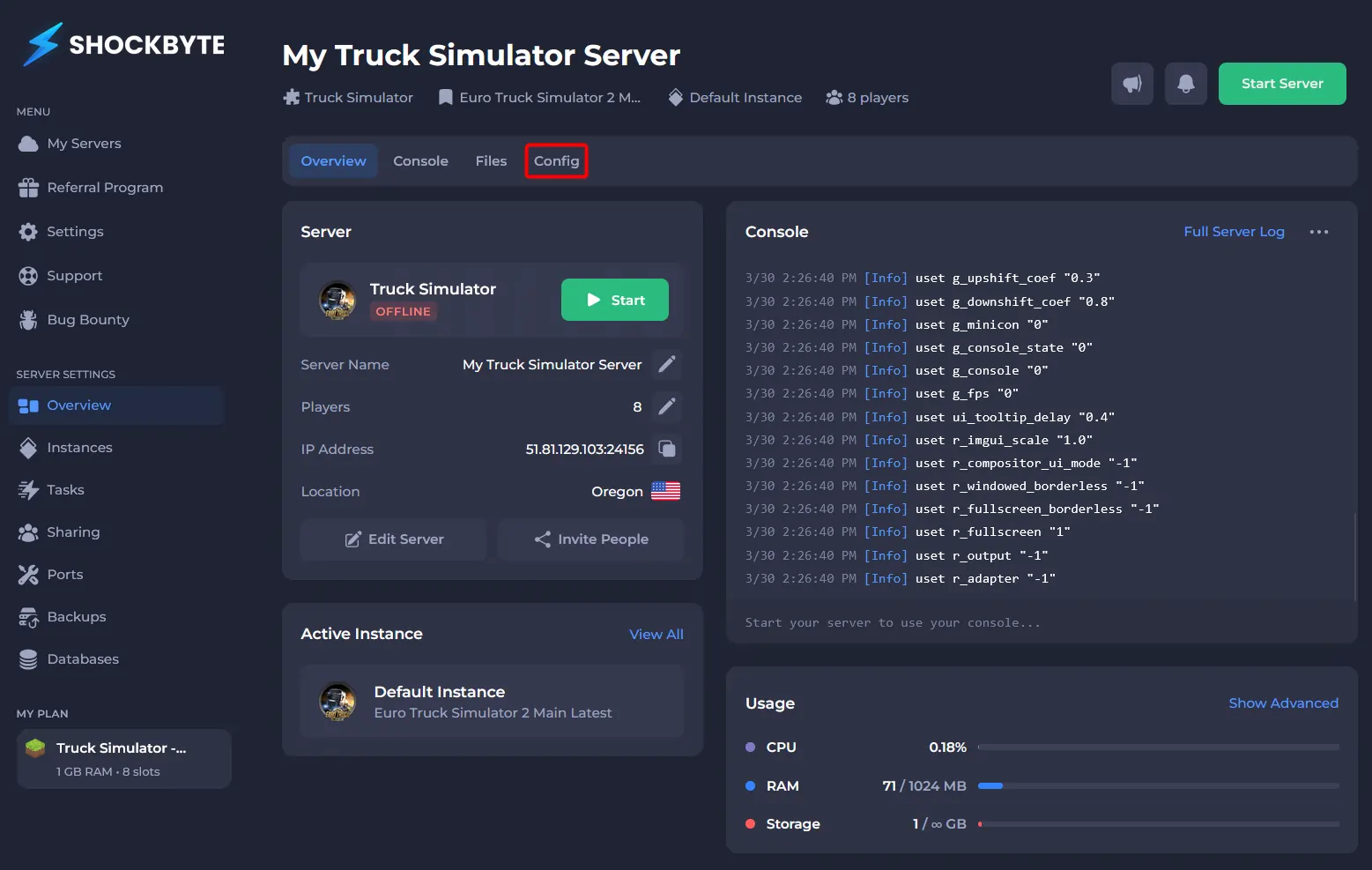
Access your control panel.
-
Navigate to Config.
-
Click Truck Simulator Server Config.
-
Locate the Server Password field, and enter your desired password.
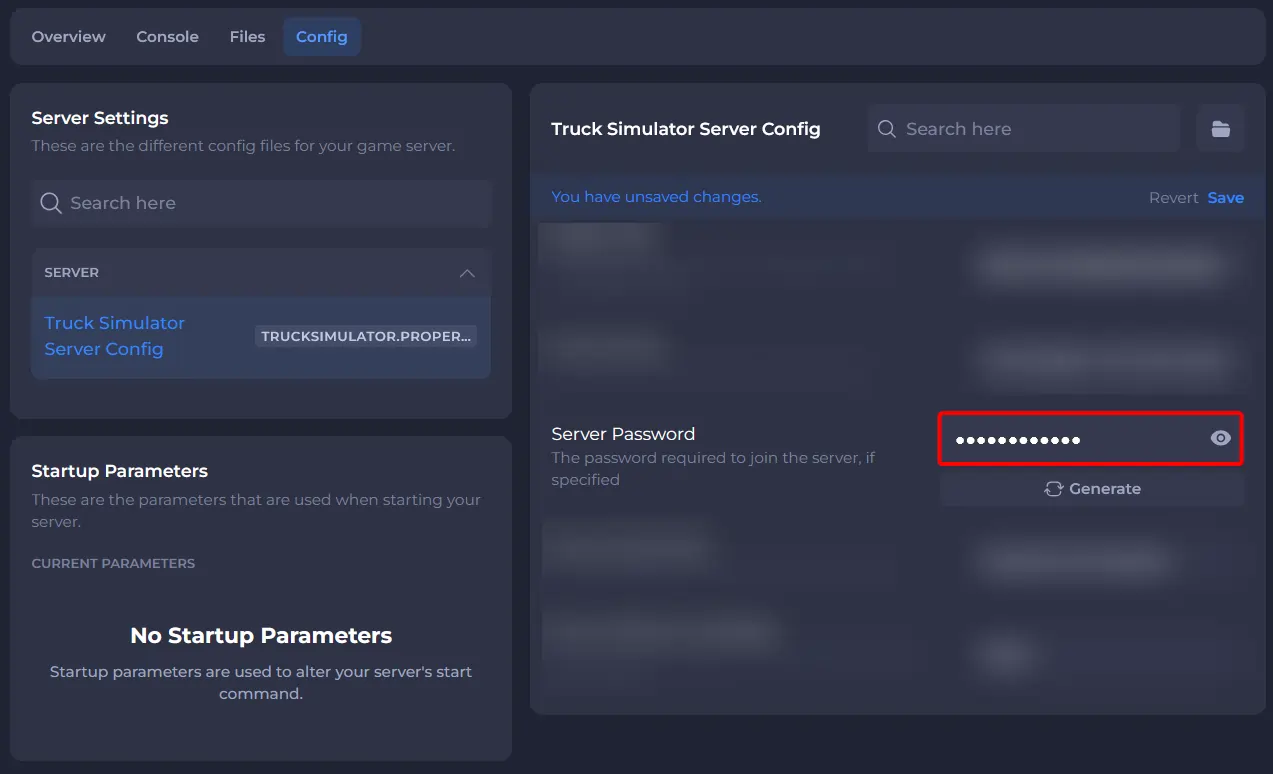
- Save and Start your server.
If you would like any additional information or have any more questions about configuring your Euro Truck Simulator 2 (or American Truck Simulator) server, you can find our other articles here.