Table Of Contents
How To Agree To Your Server's EULAStill have questions?
Come chat with us and we will get back to you as soon as possible!

Jay Miller
Game Engineer
How to Agree to Your Minecraft Server's EULA
Server Errors & Troubleshooting
·Oct 26, 2024
·2 min read
Sometimes, when booting up a Minecraft Java Edition server, you will get the error message:
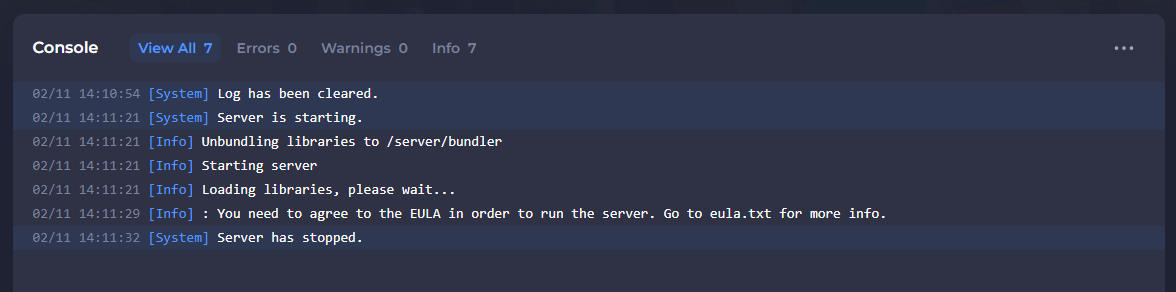
Minecraft’s EULA (End-user license agreement) impacts all servers and clients, including Bukkit, Spigot, and Forge servers. The full EULA can be found here.
Please also note that, as per our Terms of Service, if your server is found to be in violation of Mojang's EULA, your server may be suspended until you have removed the violating content from your server.
#How To Agree To Your Server's EULA
You can agree to your server EULA within the eula.txt file.
- Make sure that your server is stopped using the Stop button
- Navigate to the Files tab.
- Locate and open the
eula.txtfile.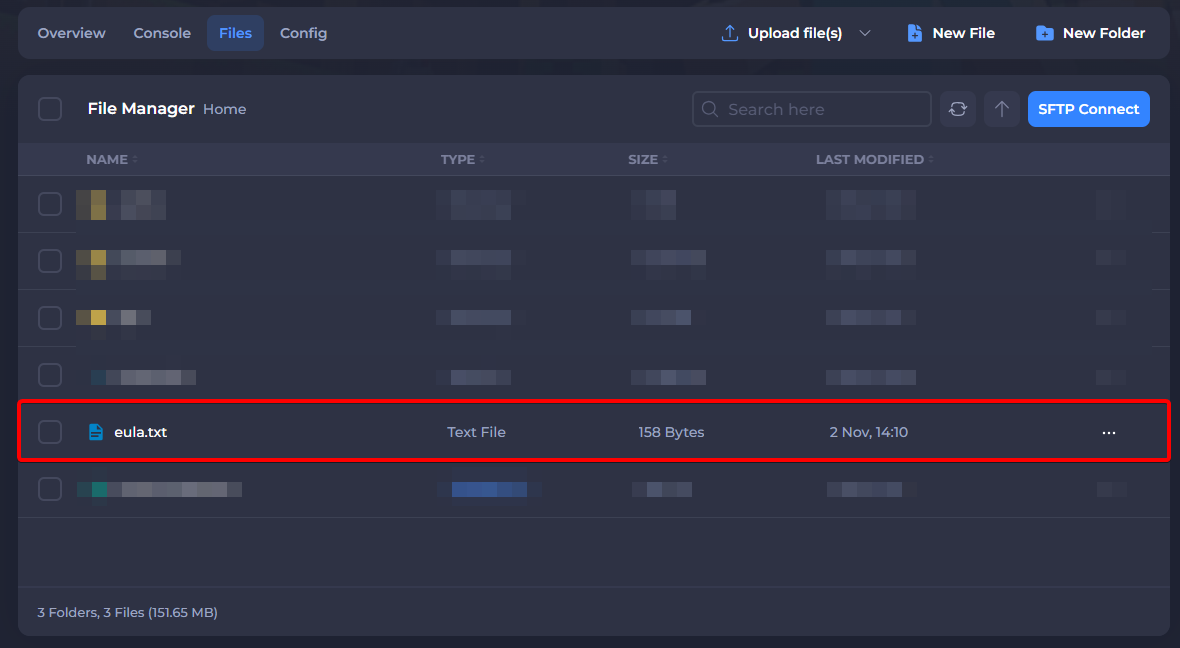
- Fully read the EULA before changing
eula=falsetoeula=true.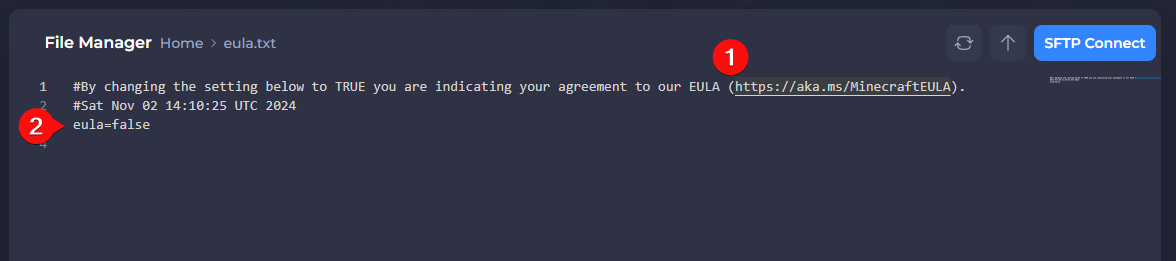
- Click on Save & Exit.
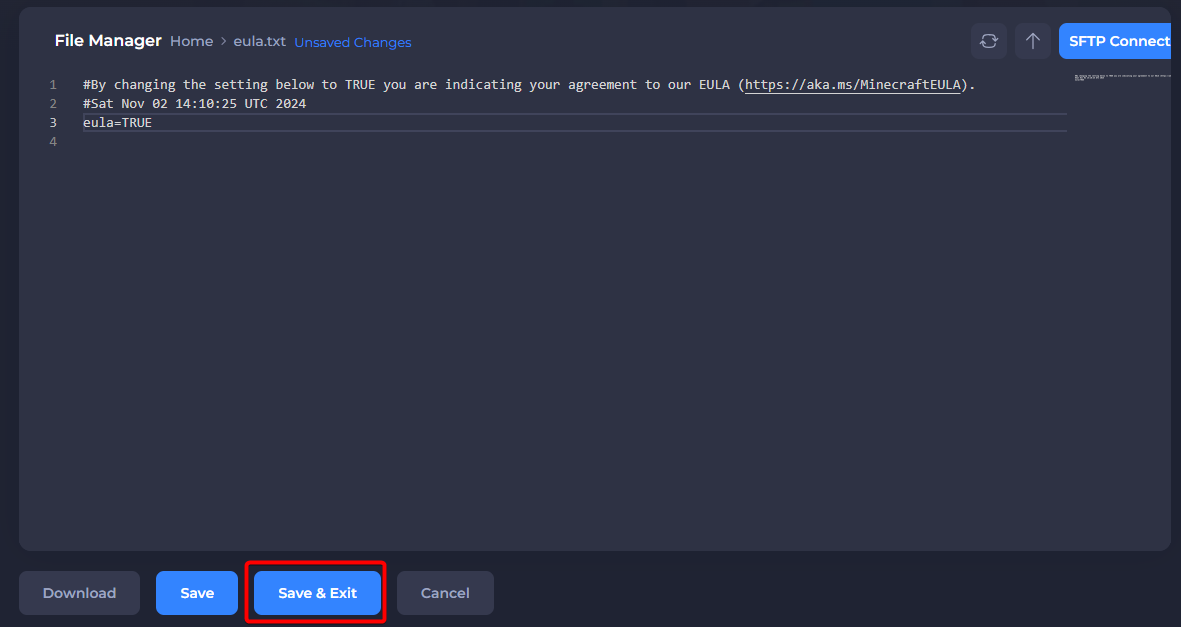
- Start your server.
You should now be able to start your server without experiencing any additional EULA related issues.