Still have questions?
Come chat with us and we will get back to you as soon as possible!

Jay Miller
Game Engineer

How To Change Your Visible Server Region In Conan Exiles
It is possible that your server is displayed in the Conan Exiles server list as being located in a different region than the one you selected when ordering. This is due to the serverRegion= setting rather than the actual location of your server.
Important
Changing your server's region in settings, will not change the physical location of your server.
#Setting your Server's Region
There are 6 possible regions to choose from:
-
0- Europe -
1- North America -
2- Asia -
3- Australia -
4- South America -
5- Japan
#Changing Visible Server Region
Your server's region can easily be updated in the ServerSettings.ini file on your server.
-
Go to your control panel and Stop your server.
-
Navigate to your Server Files.
-
Navigate to the
/ConanSandbox/Saved/Config/WindowsServerdirectory and Open the serversettings.ini file.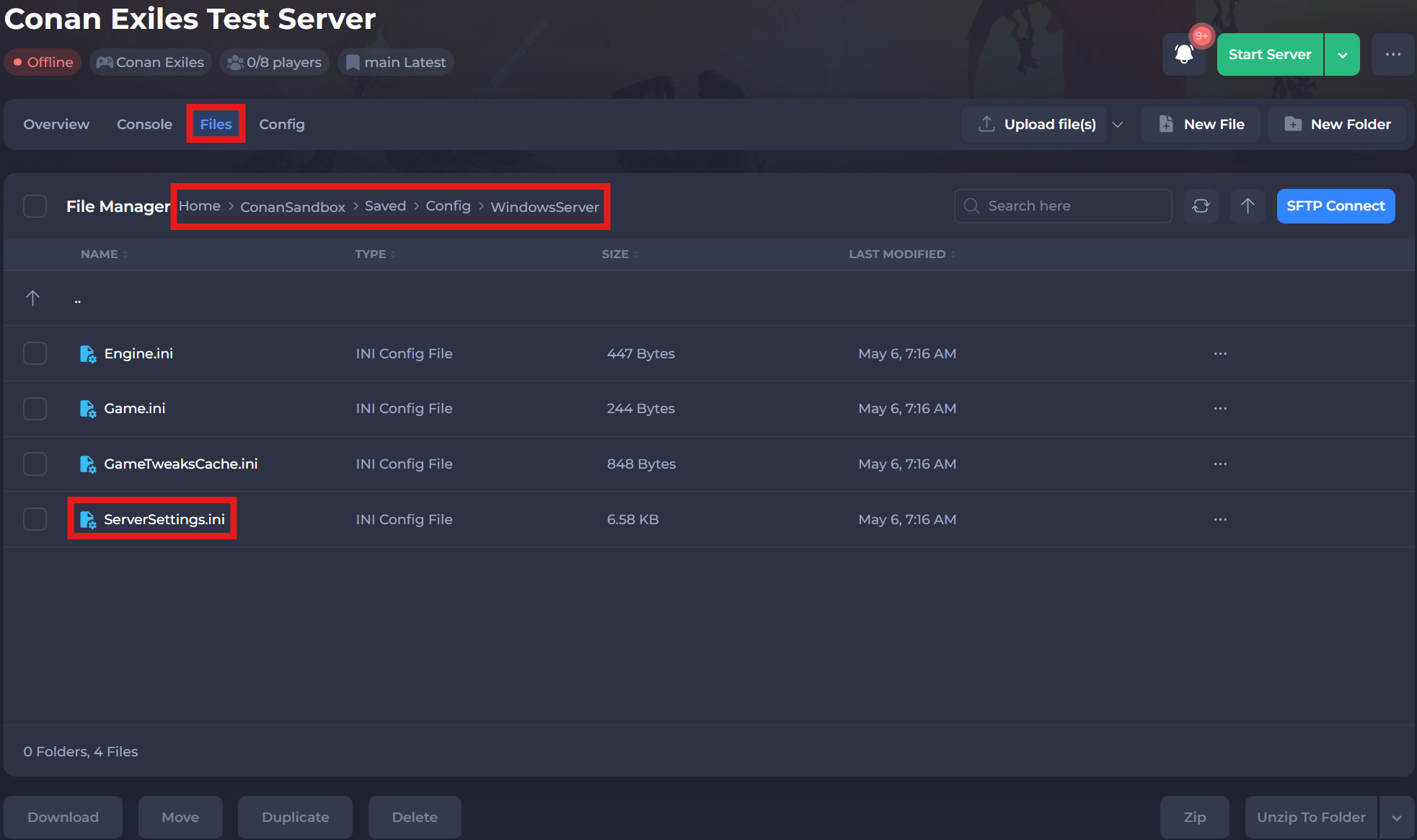
-
Locate
serverRegion=and set it to your chosen region.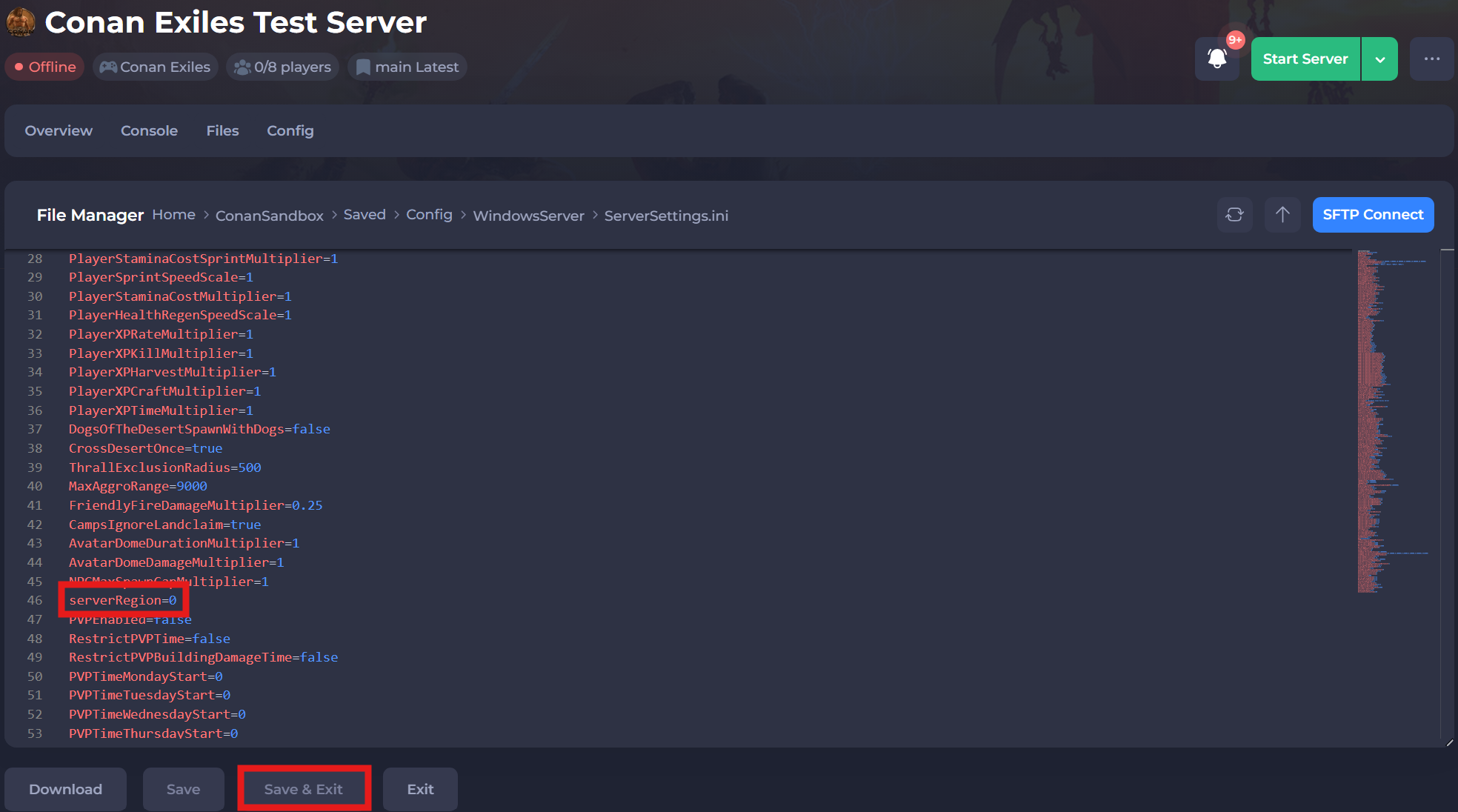
-
Click Save & Exit and Start your server.
If you would like any additional information or have more questions about configuring your Conan Exiles server, you can find our other articles here.