Still have questions?
Come chat with us and we will get back to you as soon as possible!

Ruben B
Partnership Manager

How to Configure your Icarus Server
Most Icarus server settings are located inside the Icarus Server Settings file in your server's control panel. It is possible to update settings such as the Server Name, Admin Password, Server Password, etc.
Note
Before making any changes to your server config, ensure that you Stop your server, and then start it again once the change has been made.
#Accessing your Server Settings
Your primary server settings can easily be accessed using the Config section of your server's control panel.
- Access your control panel.
- Navigate to Config.
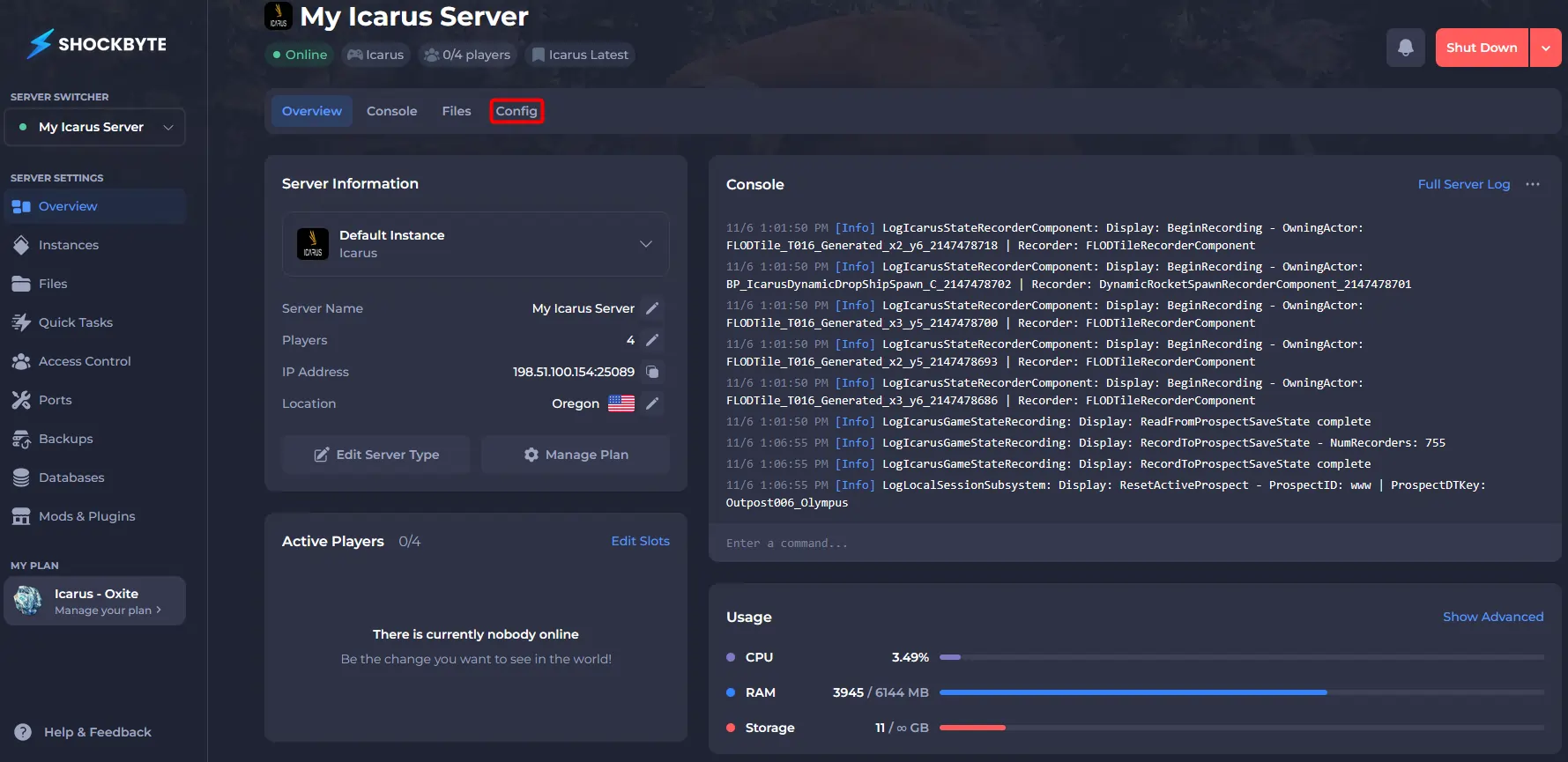
- Open Icarus Server Settings.
#Configuring your Server Settings
Once you have access to your server settings, you can make any required changes. The table below lists all of the available server settings.
| Option | Description |
|---|---|
| Automatic Steam Updates | Determine whether to automatically update the game files via Steam on server startup. It is recommended to keep this setting set to enabled. |
| Server Name | Sets the name on the server displayed on the in-game Icarus server browser. |
| Server Password | Sets a password to connect to your server. |
| Admin Password | Sets a password allowing players to become an admin. |
| Non-Admin Delete Prospect | If this is enabled, players without administrator permissions can delete prospects while in the server lobby. |
| Non-Admin Launch Prospect | If this is enabled, players without administrator permissions can load or starts prospects while in the server lobby. |
| Last Prospect Name | This will be set to the last Prospect running on the server before shutdown or restart. This can be changed manually, however, will be automatically set to the most recent Prospect by the server on shutdown. |
| Resume Prospect | If this is set to enabled, the last prospect played (if incomplete) will resume on server startup. |
| Create Prospect | If a Prospect ID is defined here, a new instance of that Prospect will be loaded on every server startup. |
| Load Prospect | If a Prospect ID is defined here, that Prospect will be loaded on every server startup. |
| Shutdown If Empty For (In Seconds) | If the server has no connected players for X seconds, it will shut down. |
| Shutdown If Not Joined For (In Seconds) | If no players join the server after startup for X seconds, it will shut down. |
| Steam Beta | Enter any desired Steam beta codes here. Leave this empty if you are not intending to play using an Icarus public Steam beta build. |
If you would like any additional information or have any more questions about configuring your Icarus server, you can find our other articles here.