Table Of Contents
Creating a New WorldStill have questions?
Come chat with us and we will get back to you as soon as possible!

Nathan Franklin
Game Experience Engineer
How to Create a New World on Your Abiotic Factor Server
Creating a new world on your Abiotic Factor server allows you to start fresh with a brand-new lab.
This is useful when you want to explore different strategies, start over with new settings or play with a new group of players.
#Creating a New World
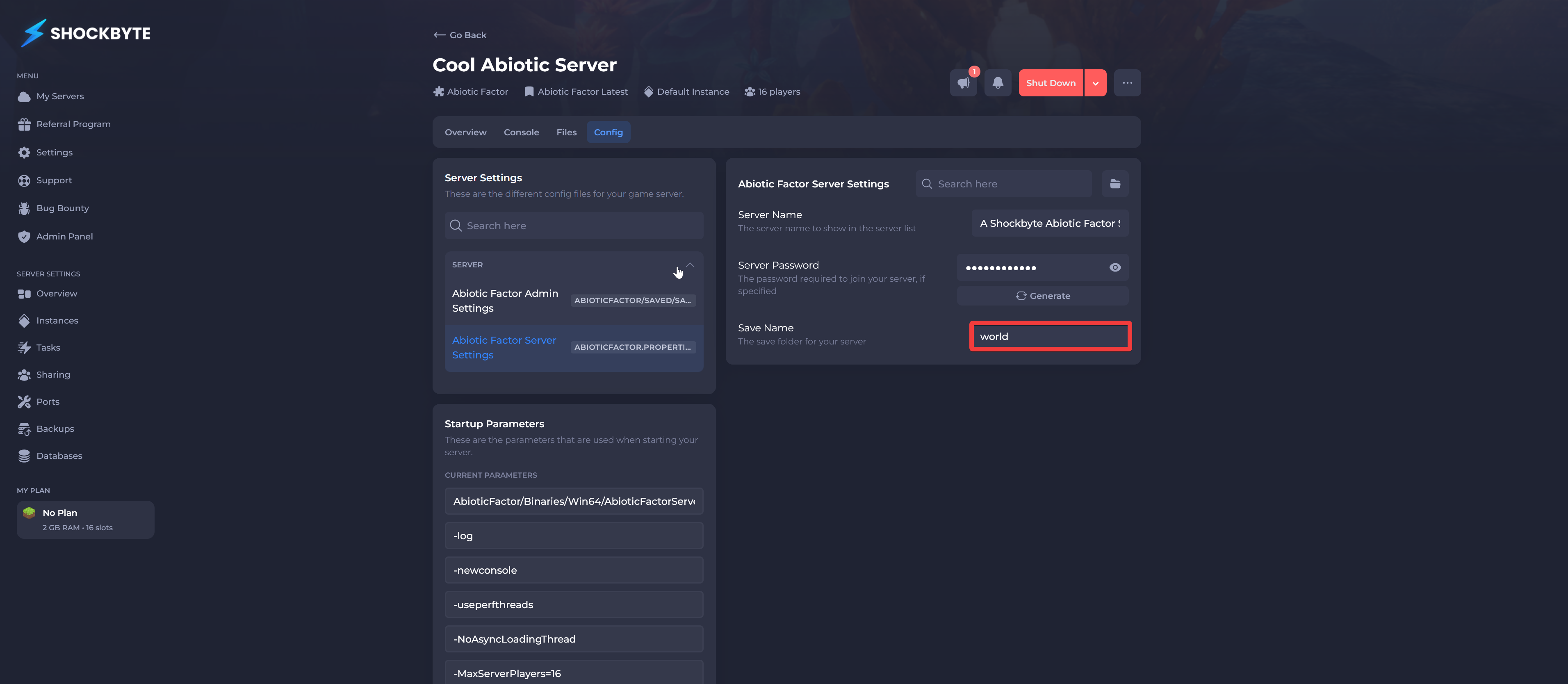
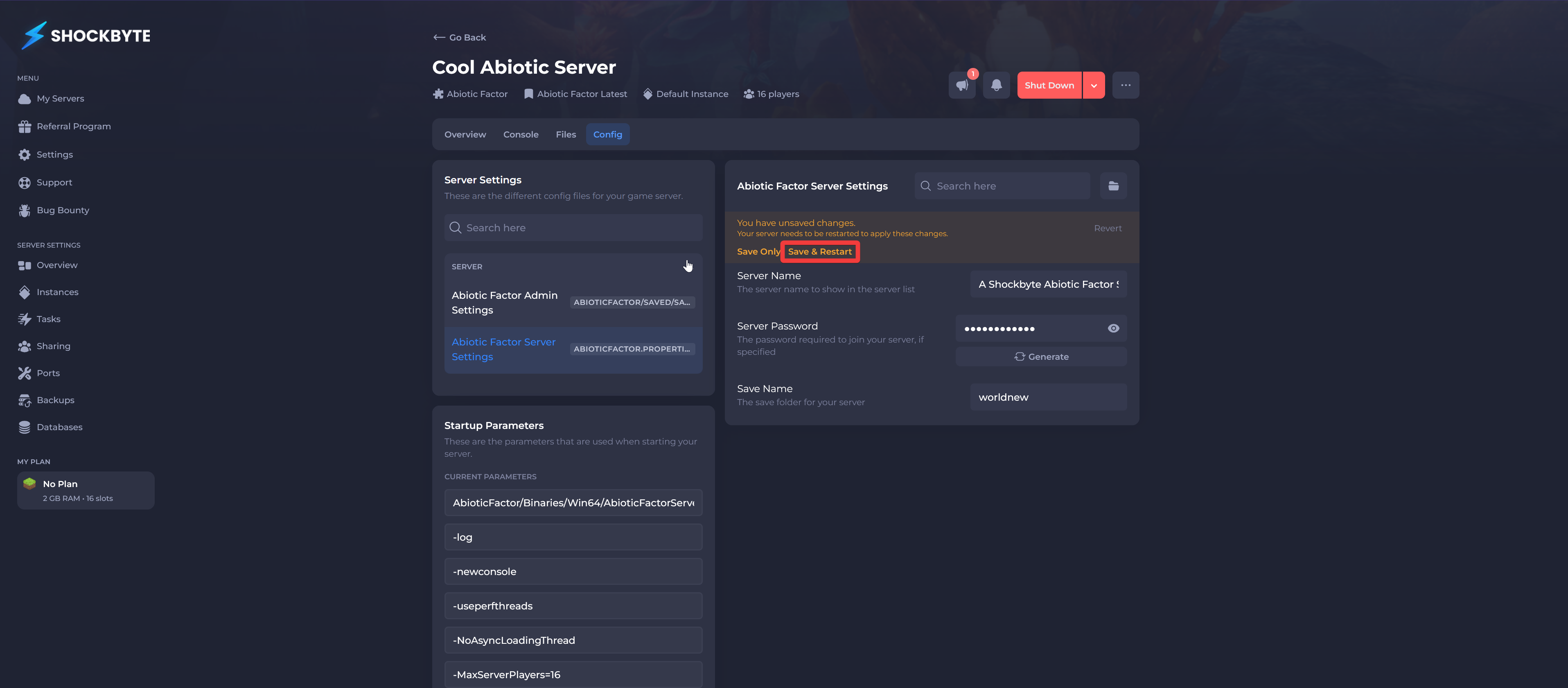
Your server’s world can be reset by updating the Save Name in the Abiotic Factor Server Settings section of the Shockbyte Panel.
-
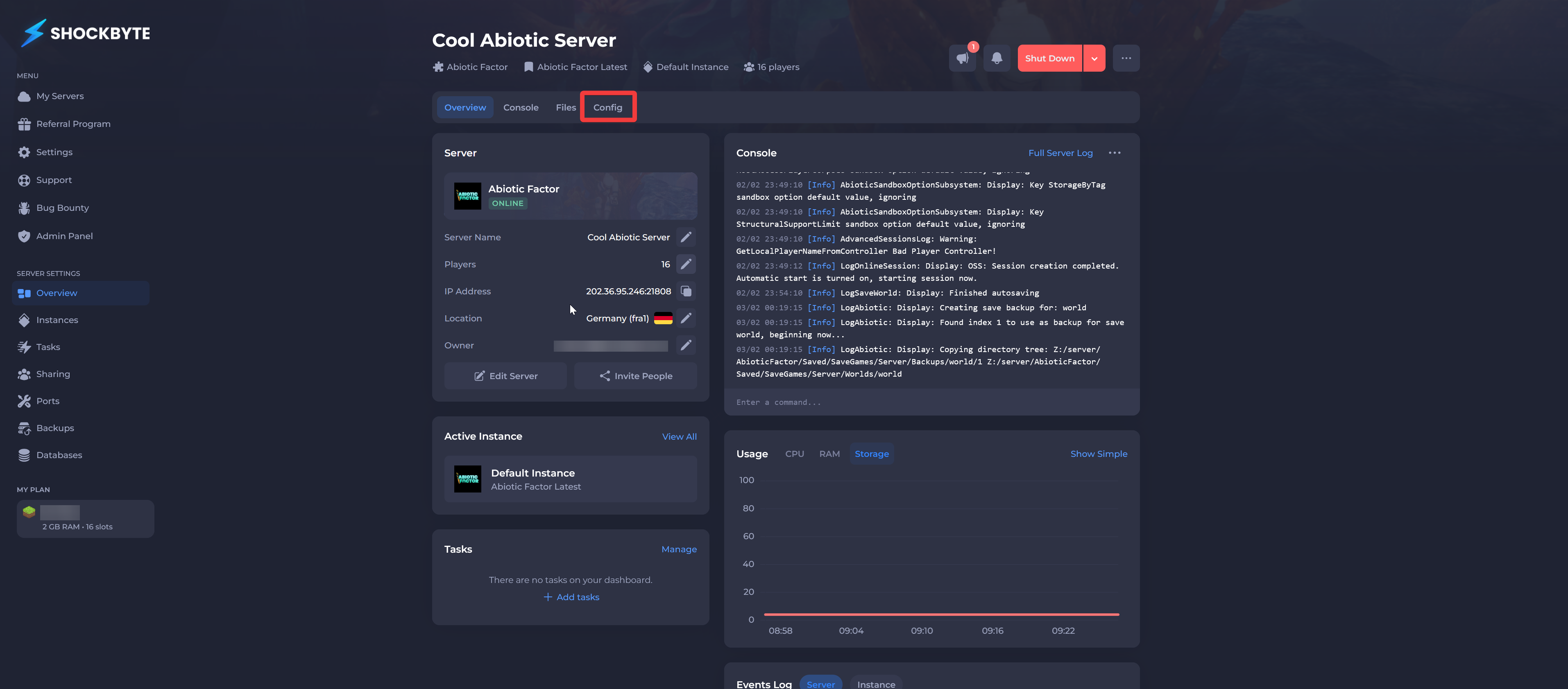
Navigate to the Shockbyte Panel.
-
Click Config.
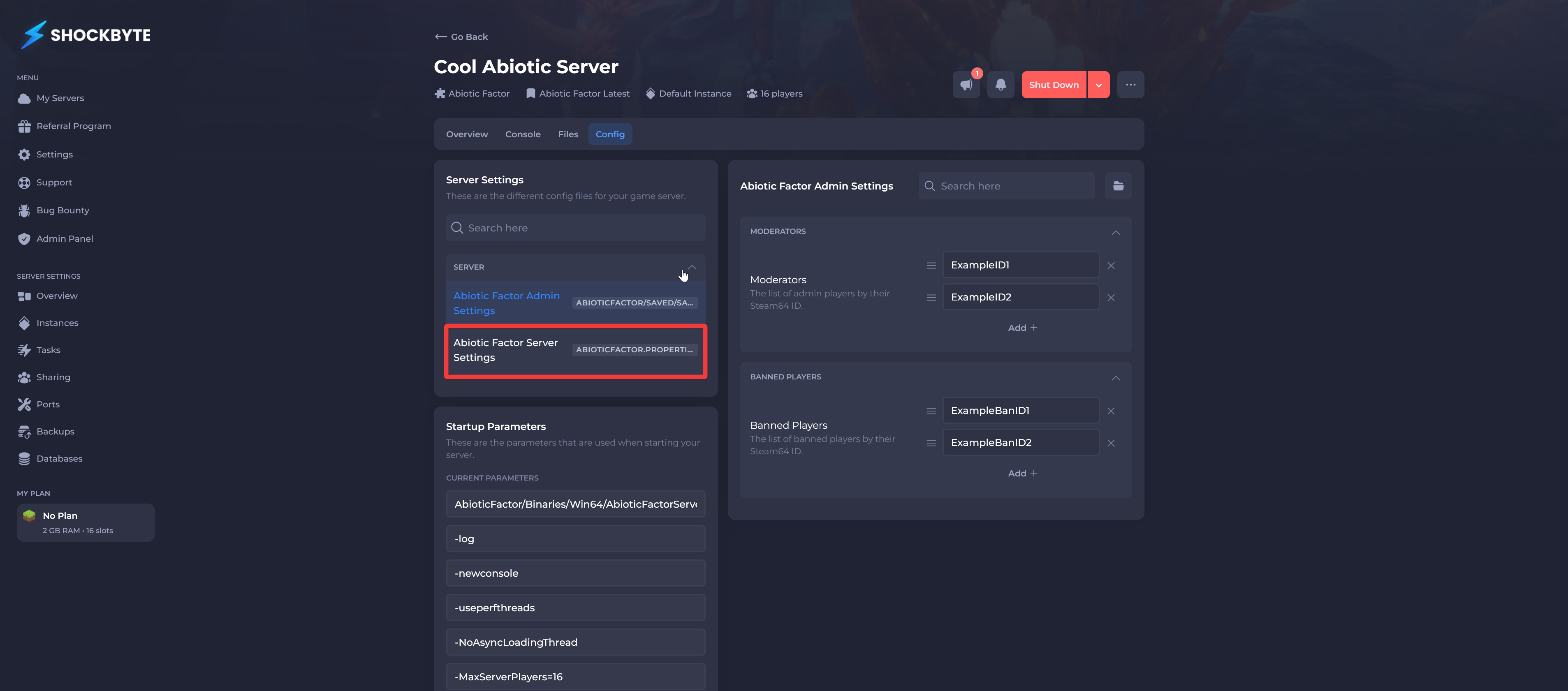
- Click Abiotic Factor Server Settings.
- Locate the Save Name field and enter a new name.
- Click Save & Restart.
Interested in purchasing an Abiotic Factor servers with instant activation, easy customisation, and great & extensive Knowledgebase articles? Click here to purchase one!
To learn more about Abiotic Factor Server Hosting, you can browse our Knowledgebase article library here.