Still have questions?
Come chat with us and we will get back to you as soon as possible!

Shockbyte
Support Team

How to Install Mods on your Factorio Server
Installing mods is a great way to customize your gaming experience. You can install simple mods that will add items to the game or install complex mods that alter how the game works. This guide will show you how to install mods on your Factorio server easily.
#Uploading the Mods to your Server
Note
Factorio mods will not work if you unzip the files. Be sure to upload .zip files only.
-
Find the mod you’d like to use on the Factorio Mod Portal.
-
Click Download.
-
Access your Control Panel and Stop your server.
-
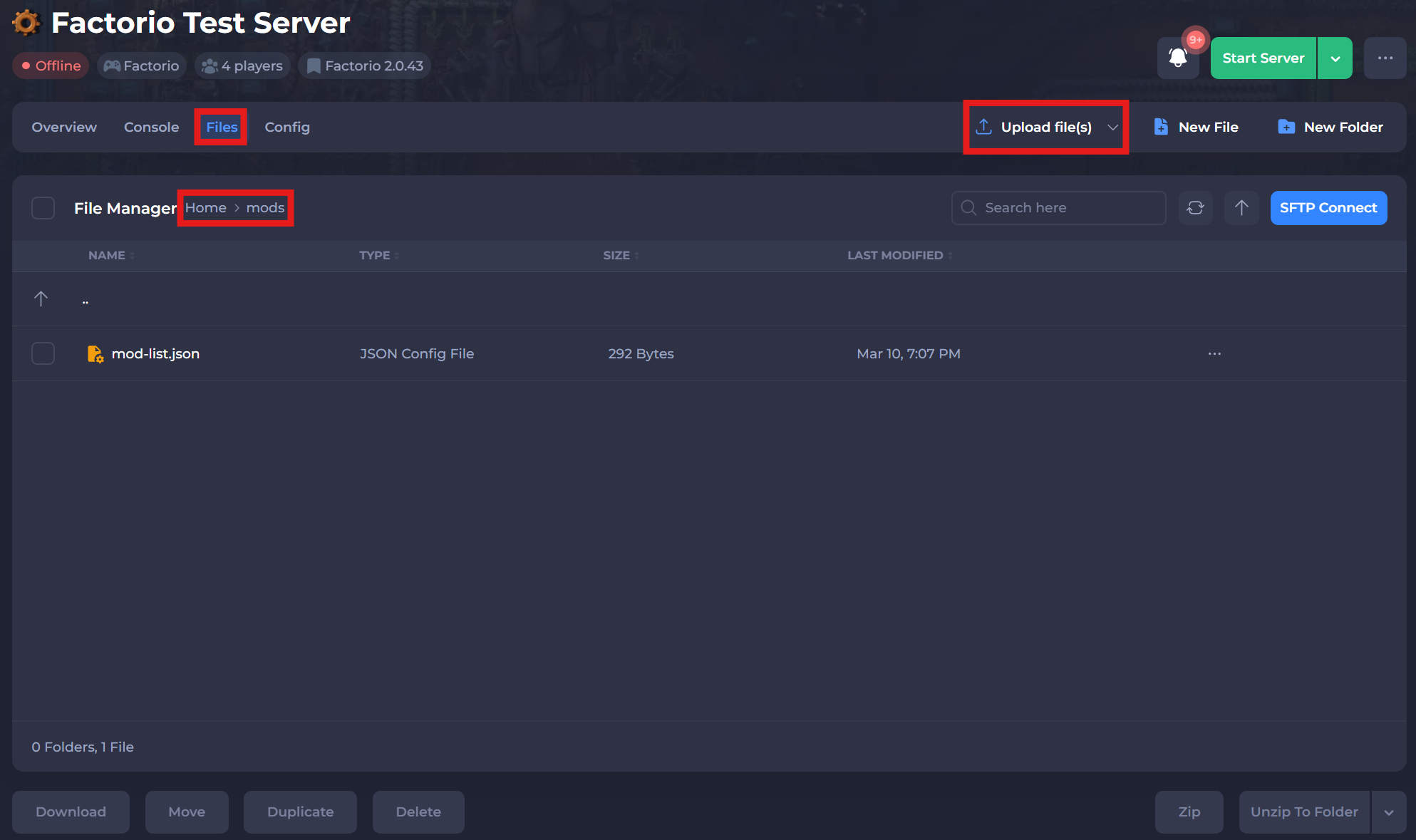
Navigate to the Files tab and open the
/modsdirectory.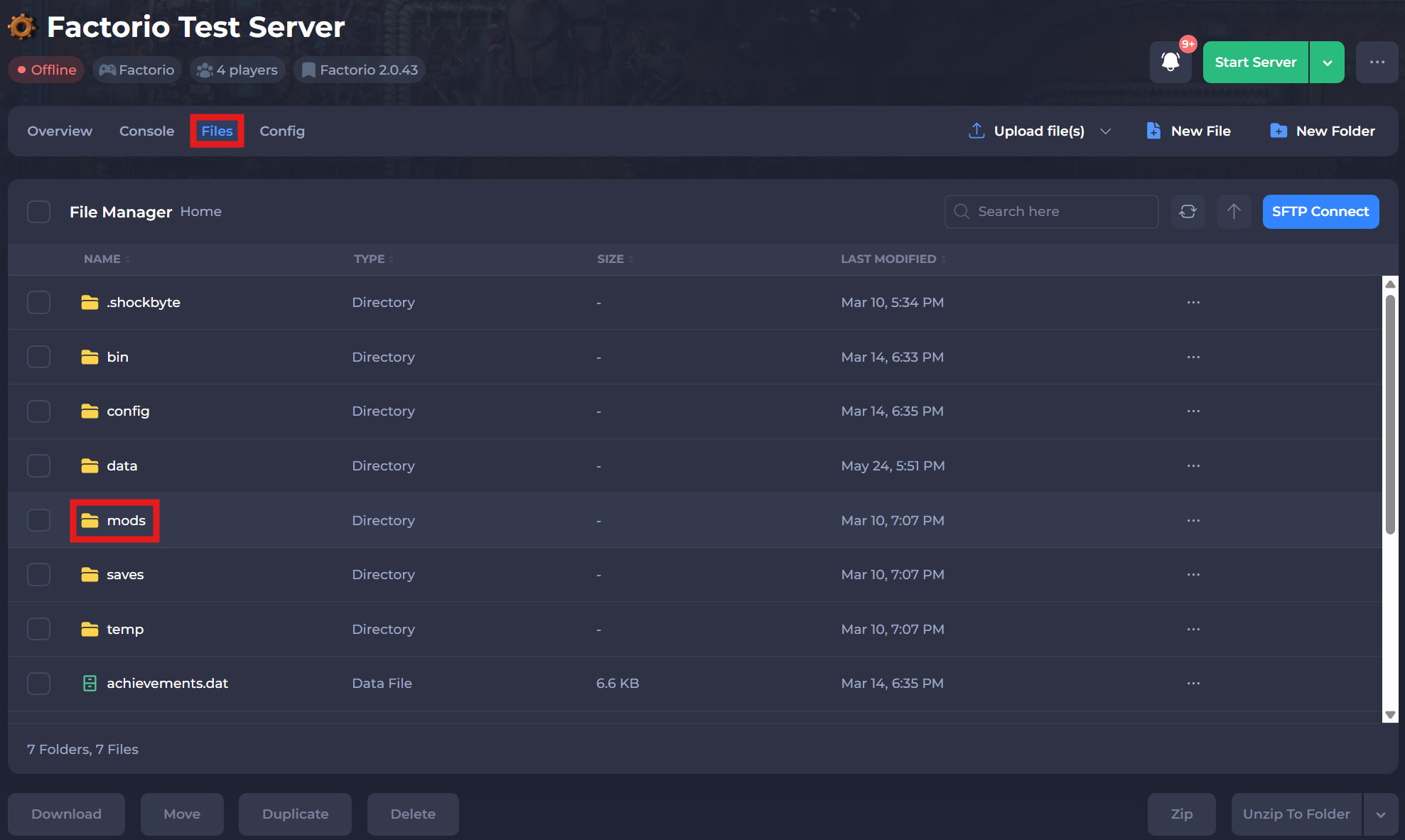
-
Select the Upload File(s) button and upload your mods.
-
Restart your server to ensure the changes apply.
#Installing Mods to your Client
- Download your mod of choice from the Mod Portal.
- Open the app’s mod folder. The location of this folder depends on your current operating system:
For Windows: C:/Users/Username/AppData/Roaming/Factorio/mods/
For Linux: ~/.factorio/mods/
For Mac OS X: ~/Library/Application Support/factorio/mods/
-
Drag the zipped
.zipfile into the folder.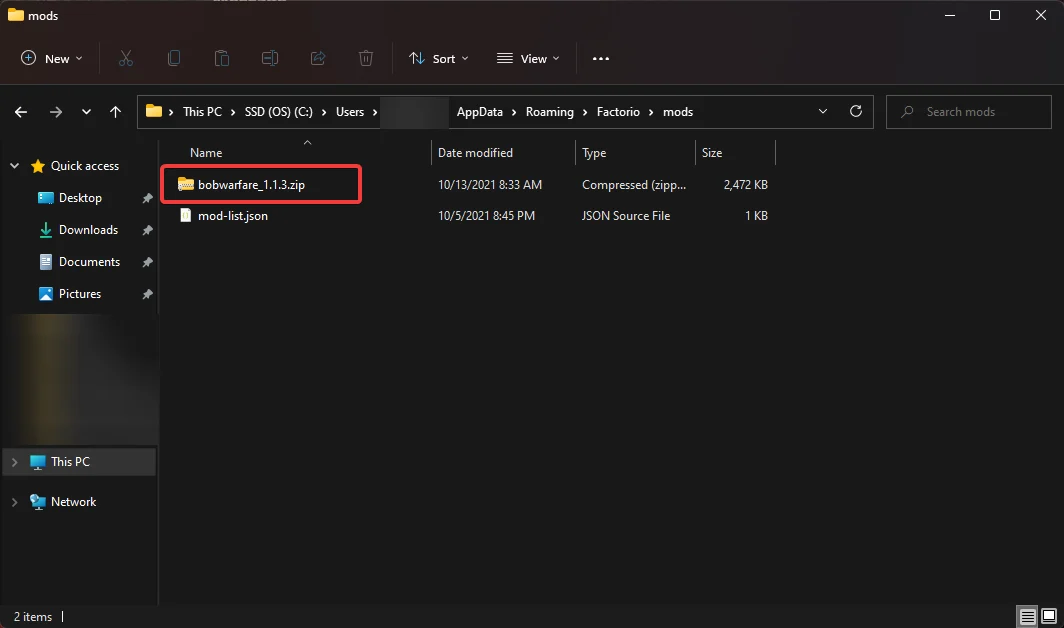
-
Relaunch your game.
If you require any further assistance, please contact our support at: https://shockbyte.com/billing/submitticket.php