Still have questions?
Come chat with us and we will get back to you as soon as possible!

Ruben B
Partnership Manager

How to Install Mods on Your Satisfactory Server
Satisfactory
·Oct 2, 2025
·3 min read
Installing mods allows you to expand your server's functionality be adding new features, and gameplay mechanics.
In this guide, we will make use of the Satisfactory Mod Manager to install mods on your server.
#Installing the Satisfactory Mod Manager
The Satisfactory Mod Manager allows you to easily install mods, their dependencies, and the Mod Loader (SML) with minimal hassle.
- Download the Satisfactory Mod Manager: https://smm.ficsit.app/
- Open the .exe file, and follow the steps to install the program.
#Adding Your Server to the Satisfactory Mod Manager
After installing the Satisfactory Mod Manager, we can add the server.
- Access the Control Panel.
- Navigate to Files.

- Click on SFTP Connect, and note down your connection details.
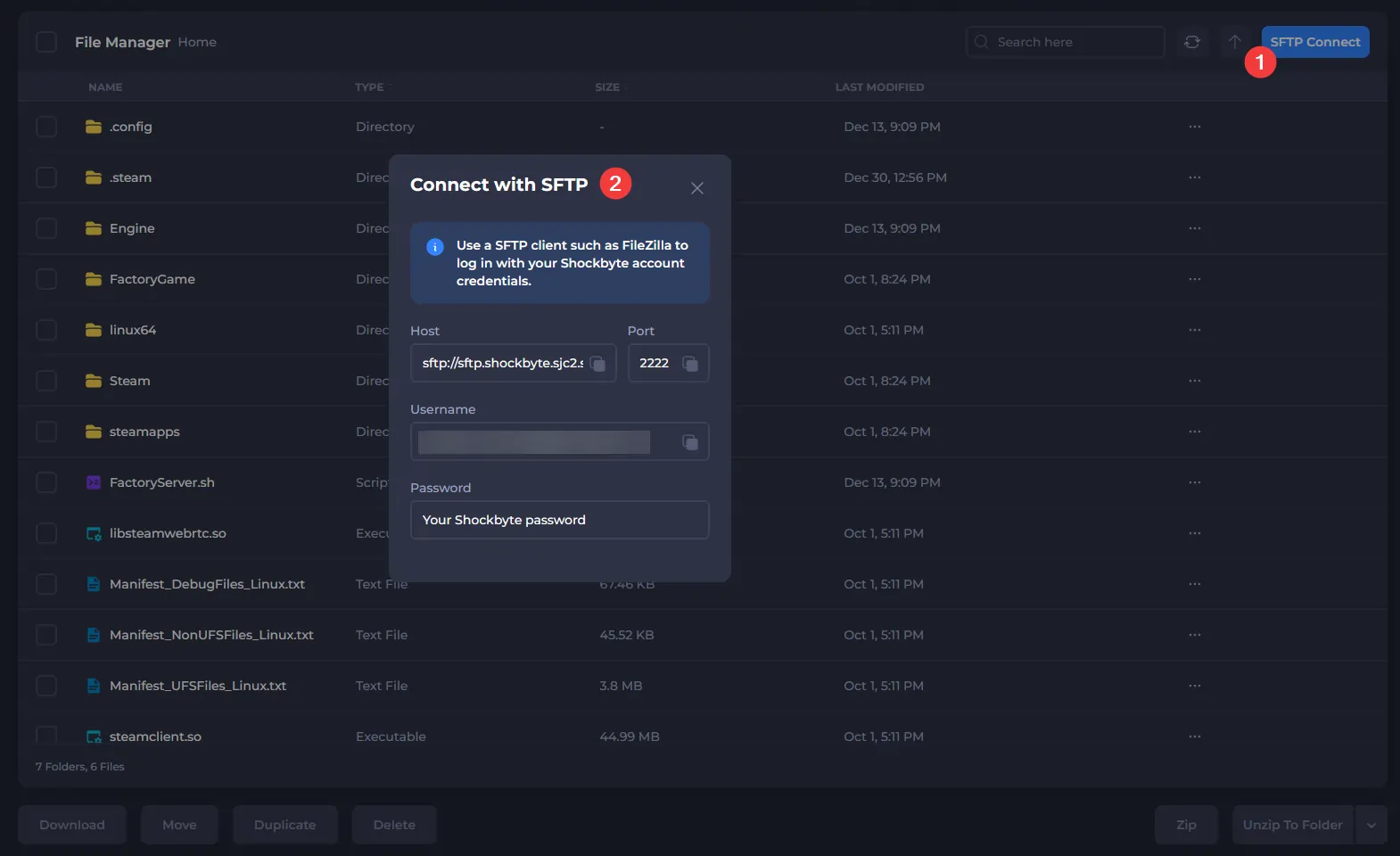
- Connect to your server via SFTP using this guide, and note down your server directory. Most of the time, this will be something like:
1. Your Server's Name.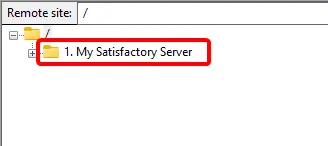
- Open the Satisfactory Mod Manager.
- Click on Manage Servers.
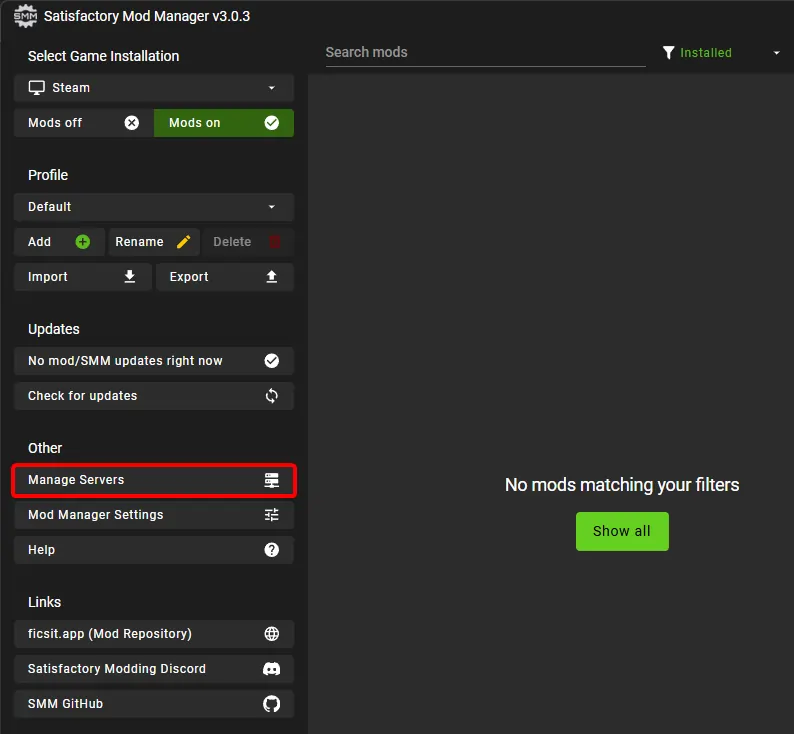
- Change the Manage Server menu to advanced mode.
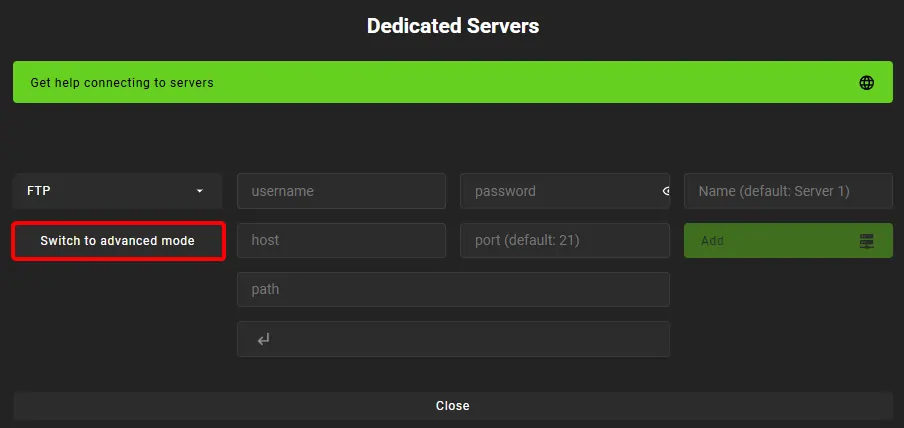
- Set the connection mode to SFTP, and enter the connection string in the following format:
<username>:<password>@<hostWithoutPrefix>:<Port>/<ServerDirectory>
john.doe@email.com:MySecurePassword@sftp.shockbyte.sjc2.shockbyte.host:2222/1. My Satisfactory Server
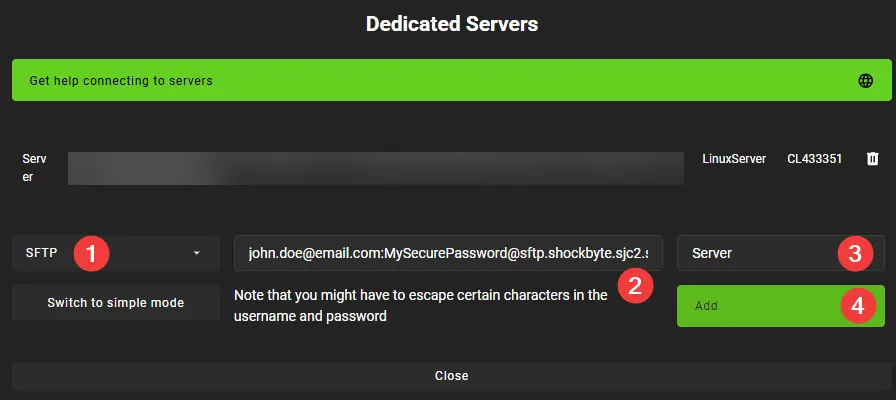
The server has now been added to the Satisfactory Mod Manager.
#Installing a Mod on Your Server
With the server added, you can now install mods on your server.
- Select your server as the active Game Installation.
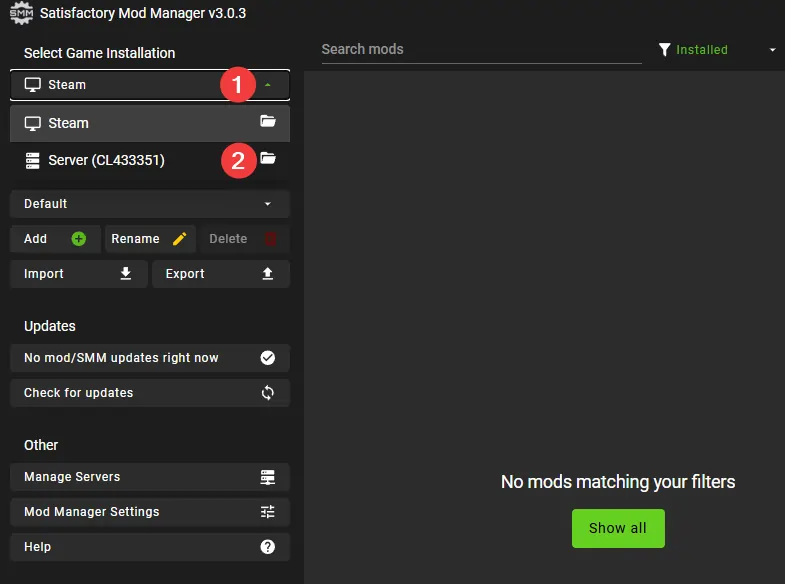
- Start the download of the mod you wish to use.
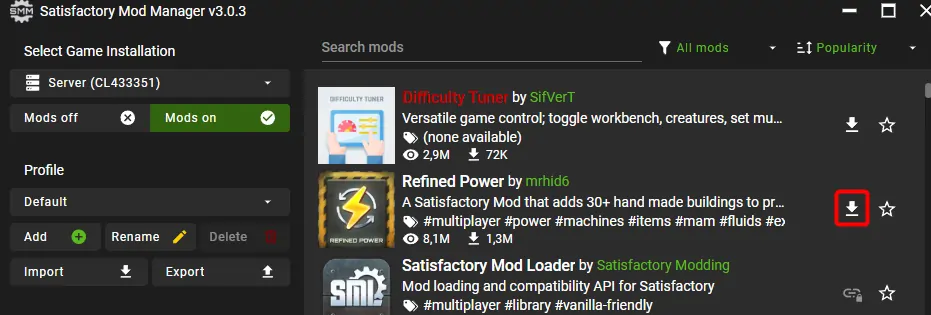
- Wait for the mod to be downloaded to your server.
- Restart your server for the mod to be loaded.
You have now successfully installed the mod on your server.