Table Of Contents
Linking Dynmap with NamecheapStill have questions?
Come chat with us and we will get back to you as soon as possible!

Jay Miller
Game Engineer

How to Link a Custom Domain to Dynmap
Managing Your Server
·Sep 11, 2024
·2 min read
Having your own custom domain linked to Dynmap allows you to hide your IP address, whilst having a direct link to your Dynmap can be much easier for players to access.
#Linking Dynmap with Namecheap
You can link Dynmap to Namecheap by setting up a URL redirect record. You must have an active domain to do this.
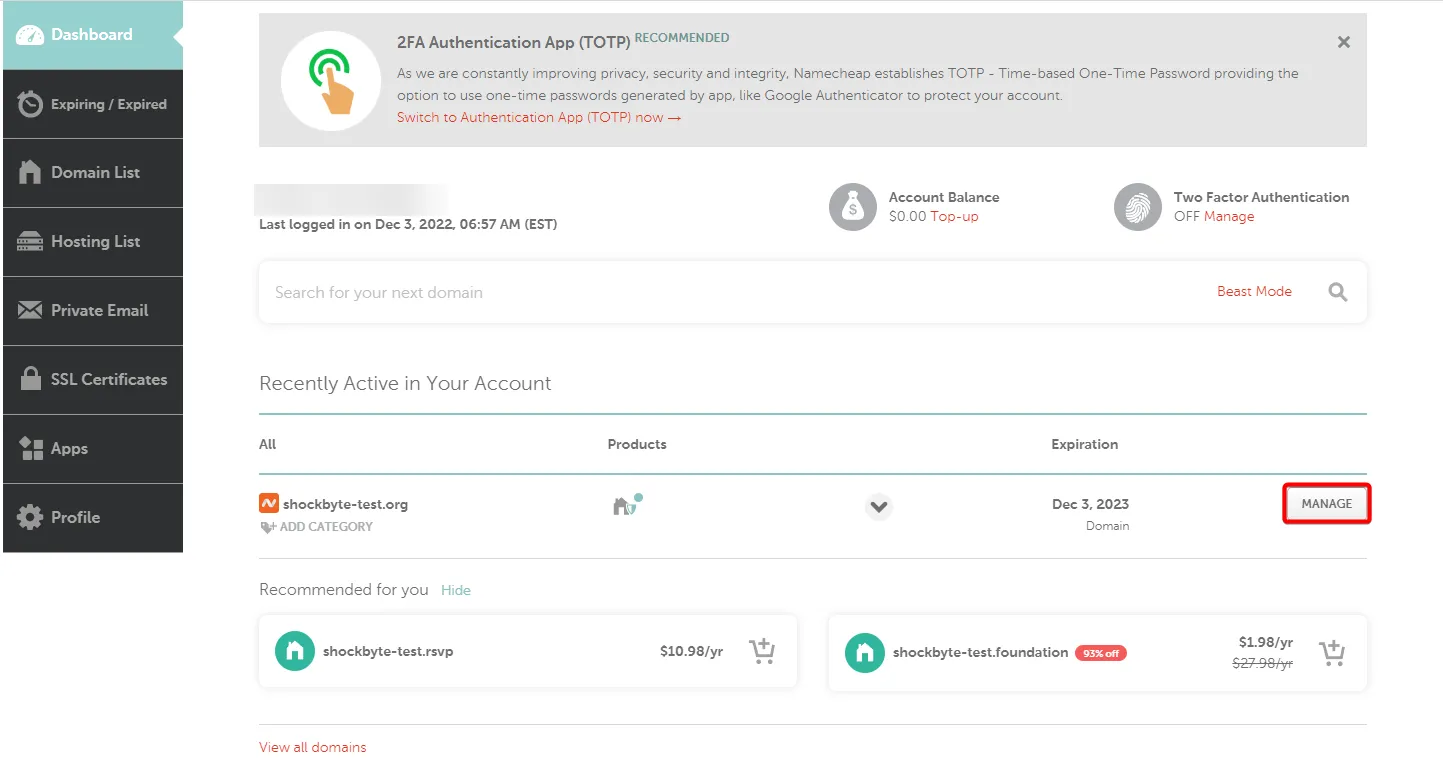
- Access Namecheap and navigate to Account > Domain List.

- Locate the domain you wish to use, and click Manage.
- Select Advanced DNS.
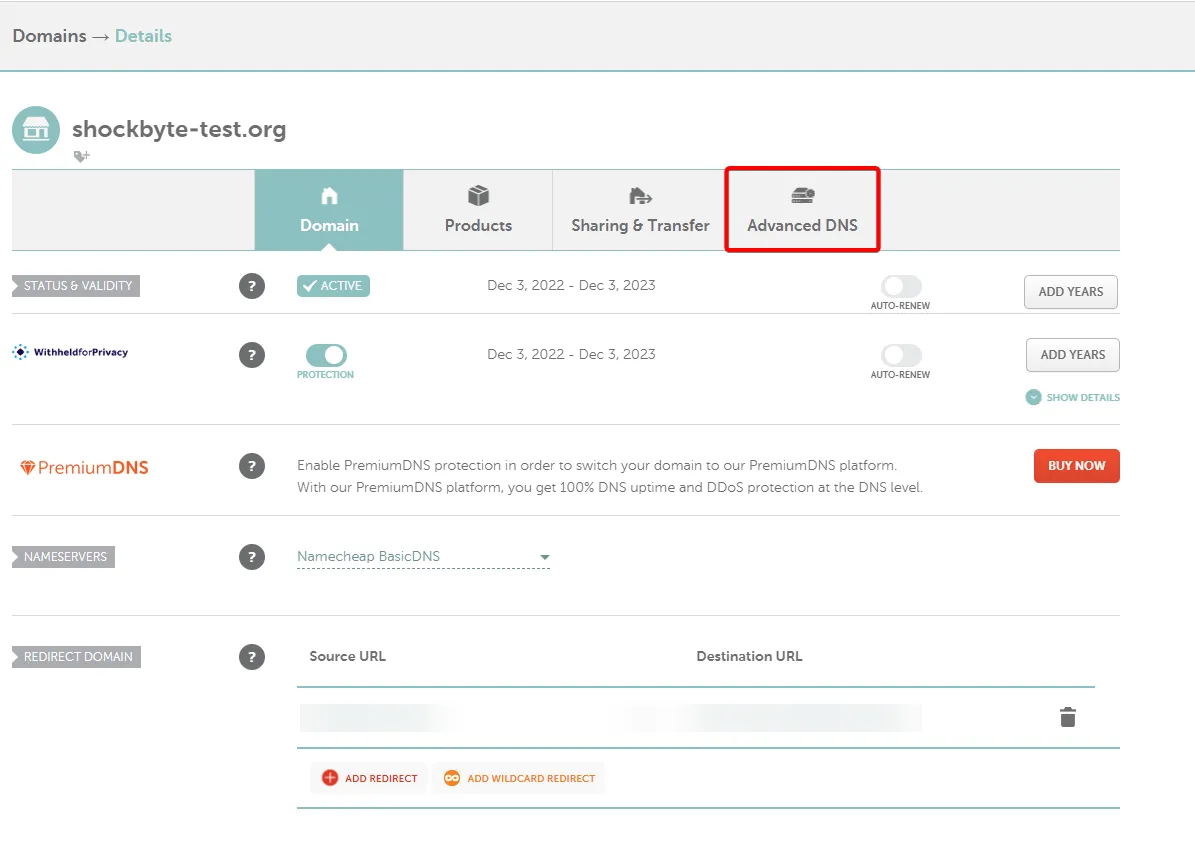
- Under Host Records, click Add New Record.

- Enter the following details based on the heading:
- Type = URL Redirect Record
- Host =
@ - Value = Enter your Dynmap URL, e.g. http://123.45.67.89:1234
- Set to Unmasked.

-
Click Save All Changes.
-
You can now access your Dynmap using your new domain, by entering your domain, such as --
http://shockbyte-test.org
To learn how to set up Dynmap on your server, you can check out our knowledgebase article found here.