Still have questions?
Come chat with us and we will get back to you as soon as possible!

Shockbyte
Support Team

How to Make Your Factorio Server Publicly Visible
Factorio
·Nov 9, 2024
·2 min read
Before you can make your server public, you will need a Factorio account and an authentication token.
Important
To get started, make an account on https://factorio.com if you haven’t already. The account will be used to authenticate your server with Factorio. If you purchased your game from steam, it's very simple to link your account once logged into https://factorio.com/profile.
#Finding Your Authentication Token
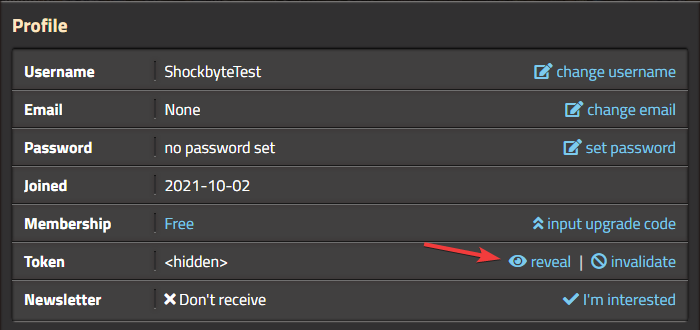
- Go to https://factorio.com/profile.
- Next to Token you’ll notice your token is hidden. Go ahead and reveal this and copy the token.
#Adding the Key to your Server
- Access your Control Panel and Stop your server.
- Locate the
Factorio Username,Factorio Password, andAuthentication Tokensettings. - Input your Factorio username into the
Factorio Usernameoption. - Either enter your Factorio password or your authentication token, not both.
- Enter your Factorio password into the
Factorio Passwordfield. - Enter your Factorio authentication token into the
Authentication Tokenfield.
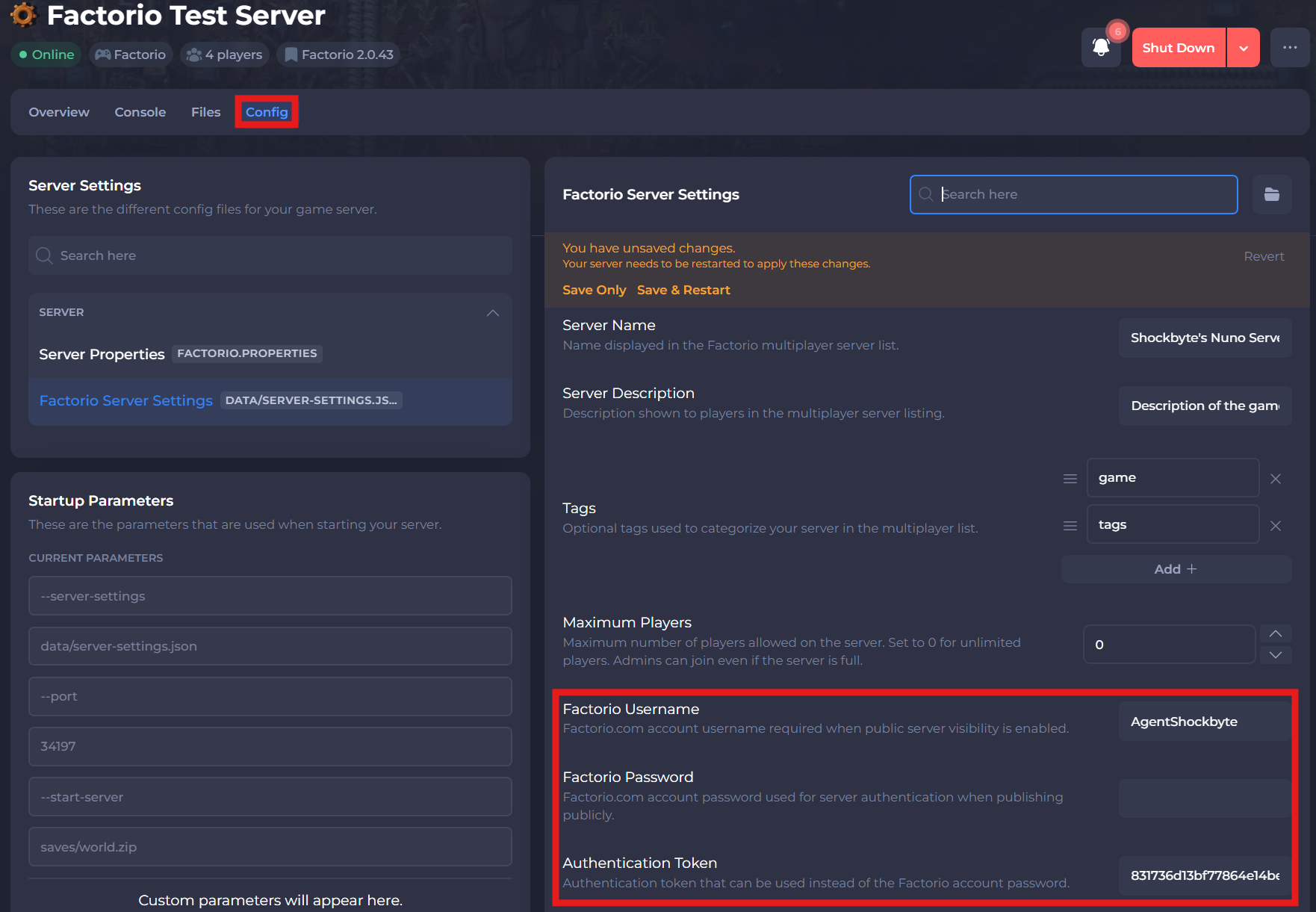
- Save and restart your server to ensure the changes apply.
If you require any further assistance, please contact our support at: https://shockbyte.com/billing/submitticket.php