Still have questions?
Come chat with us and we will get back to you as soon as possible!

Ruben B
Partnership Manager

How to Set a Server Admin Password on Your Ark Server
ARK: Survival Evolved
·Nov 10, 2024
·2 min read
Setting a Server Admin Password on your ARK Server allows you to become an admin on your server and use cheat commands. By default, there is no password set.
You can set a Server Admin Password with the following steps:
-
Access your Control Panel and Stop your server.
-
Navigate to Config.

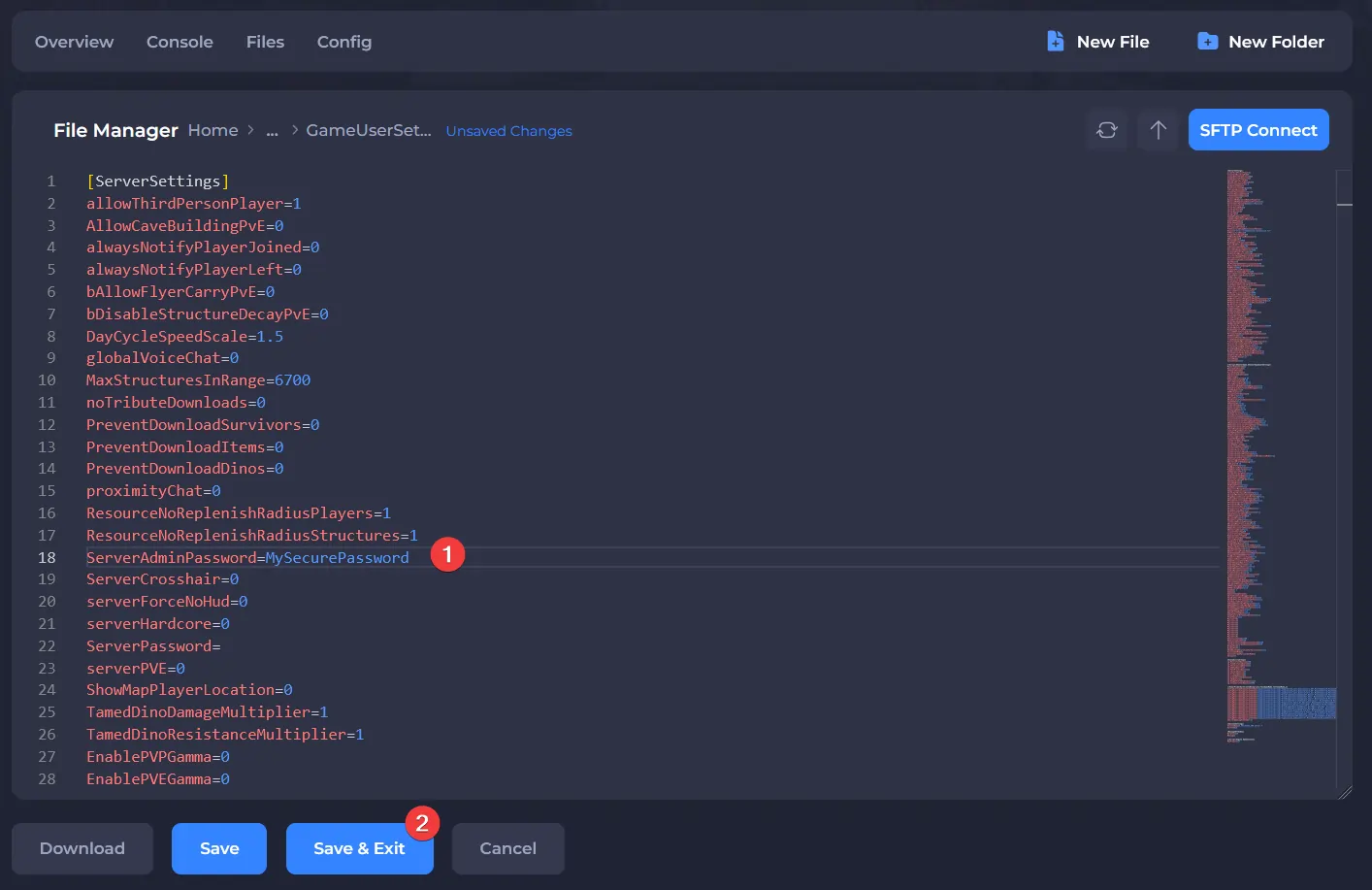
- Open GameUserSettings.ini.

- Set
ServerAdminPasswordto the desired password, and save the file.
- Start the server.
Once your server restarts, you can become an admin on your server by entering the following command in-game (press tab): enablecheats <your password>
A full list of commands you can use as an admin can be found on the ARK Wiki.