Table Of Contents
Using your Server Control PanelStill have questions?
Come chat with us and we will get back to you as soon as possible!

Jay Miller
Game Engineer

How To Set The Game Type For Your Left 4 Dead 2 Server
By default, your server will start with the Co-op game type enabled. It is possible to change the default game type in your server's server.cfg file. There are currently game types available for Left 4 Dead 2 servers. Below is a list of all available game types along with a short description.
| Game Type | Description |
|---|---|
| Co-op | Up to four players work together to try and reach the end of the campaign by fighting their way past large numbers of AI-controlled Infected. |
| Realism | Realism can be played on any difficulty setting. This mode removes the Survivor auras usually shown around players through walls. Also, halos for items or weapons range is reduced. |
| Survival | The point of Survival Mode is to hold out for the longest time, with times being saved and virtual medals being awarded for surviving for certain amounts of time |
| Versus | Versus is the basic competitive mode for the Left 4 Dead series: two separate teams of four players take turns playing as the Survivors and the Infected competing for the most points. |
| Scavenge | Round-based gamemode in which Survivors have a limited amount of time to find gas cans to fuel up a generator while fighting against player-controlled Special Infected. |
| Dash | Players must move between different waypoints, with a horde and Specials spawning after each waypoint is activated. |
| Holdout | Players will hold out in a certain location until rescue arrives, against multiple waves of zombies. |
| Shootzones | Players must stand in specific 'shootzones' (gravestones) in order to deal damage. Only Common Infected spawn in this mode. |
#Using your Server Control Panel
Your server's game type can easily be updated by accessing the Left 4 Dead 2 server settings file in your control panel.
-
Access your control panel and Stop your server.
-
Navigate to the Files tab.
-
Locate and Open the
server.cfgfile.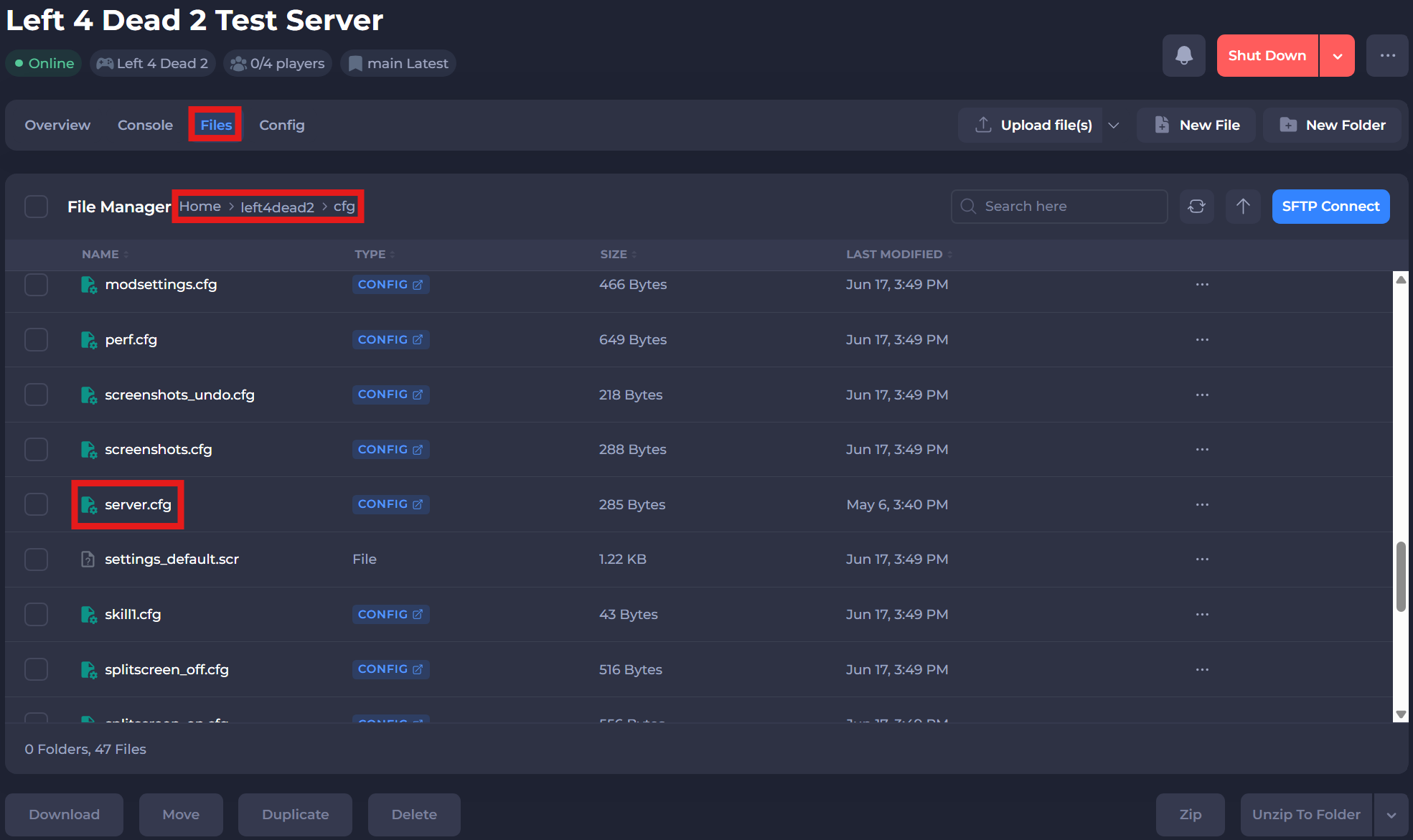
-
Enter your chosen game type next to
sv_gametypes.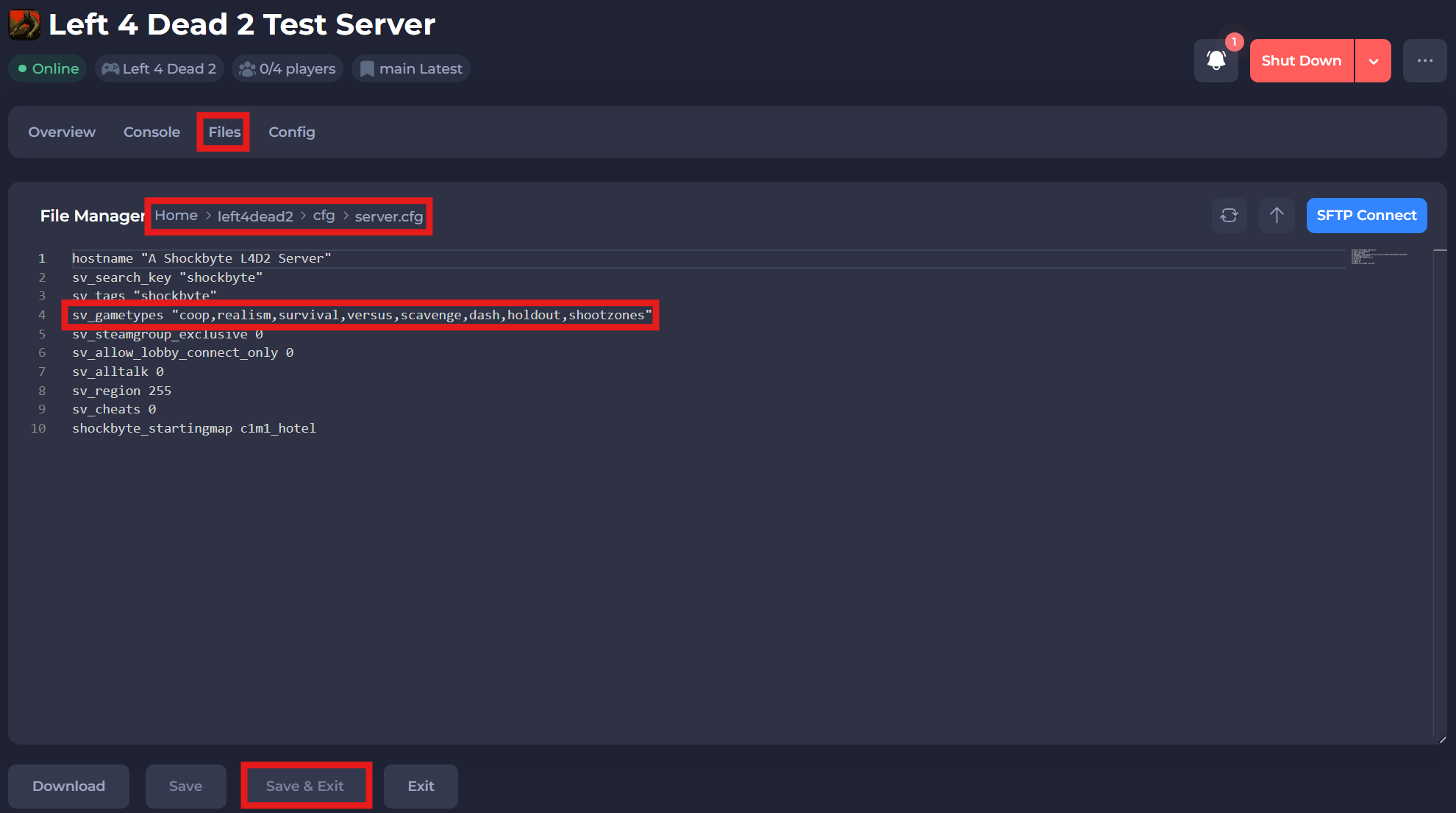
-
Click Save and Start your server.
If you require any further assistance, please contact our support at: https://shockbyte.com/billing/submitticket.php