Still have questions?
Come chat with us and we will get back to you as soon as possible!

Nuno Paiva
Game Integration Specialist @ Shockbyte

Getting Started with your SCP: Secret Laboratory Server
SCP Secret Laboratory
·Dec 4, 2025
·3 min read
Hosting your own SCP Secret Laboratory server gives you full control of your facility. With Shockbyte, getting started only takes a few steps.
Follow the setup process below to get your server online.
#Step 1 - Approve the Community Server Agreement
- Access your control panel.
- Open your server console.
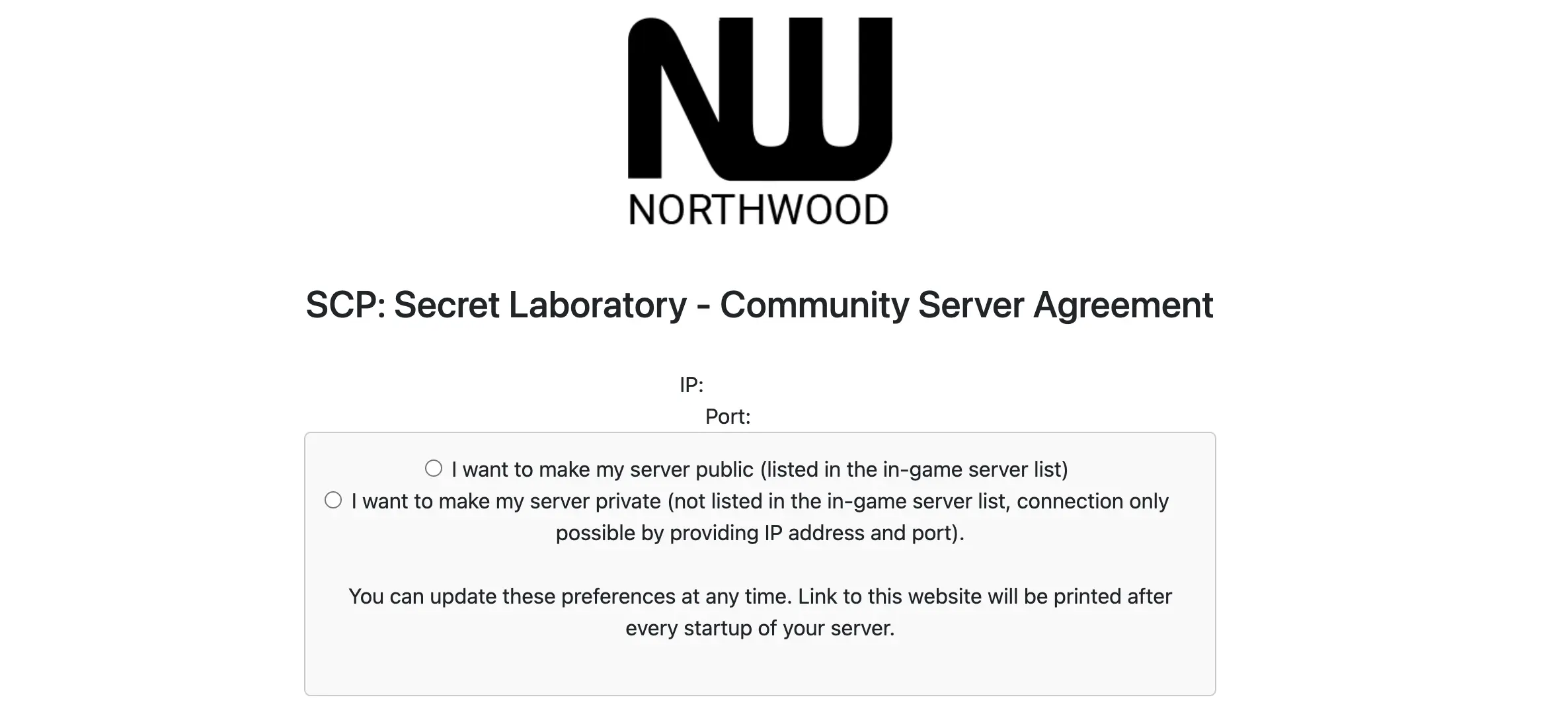
- Click the link that appears to open the SCP Secret Laboratory Community Server Agreement.
#Step 2 - Choose Private or Public Server Type
#Private Server
- Select the Private Server option
- Click Register Server
- You can then join using the direct connect option in game
Note
You can also use the Join button on your panel dashboard.
#Public Server
- Select the Public Server option and follow the instructions on the agreement page
- Log in with your Steam account
- Enter your email
- Accept the required terms to register the server
#Step 3 - Set Server Name and Pastebin ID
- Open the Config tab in your panel
- Enter your server name
- Create a Pastebin for your server rules and description
- Go to https://pastebin.com and write your text
- Click Create New Paste
- Copy the part after https://pastebin.com as your Pastebin ID
Note
Example: if your paste is https://pastebin.com/Tu1a97YQ then Tu1a97YQ is your ID.
- Paste the ID into the Config tab
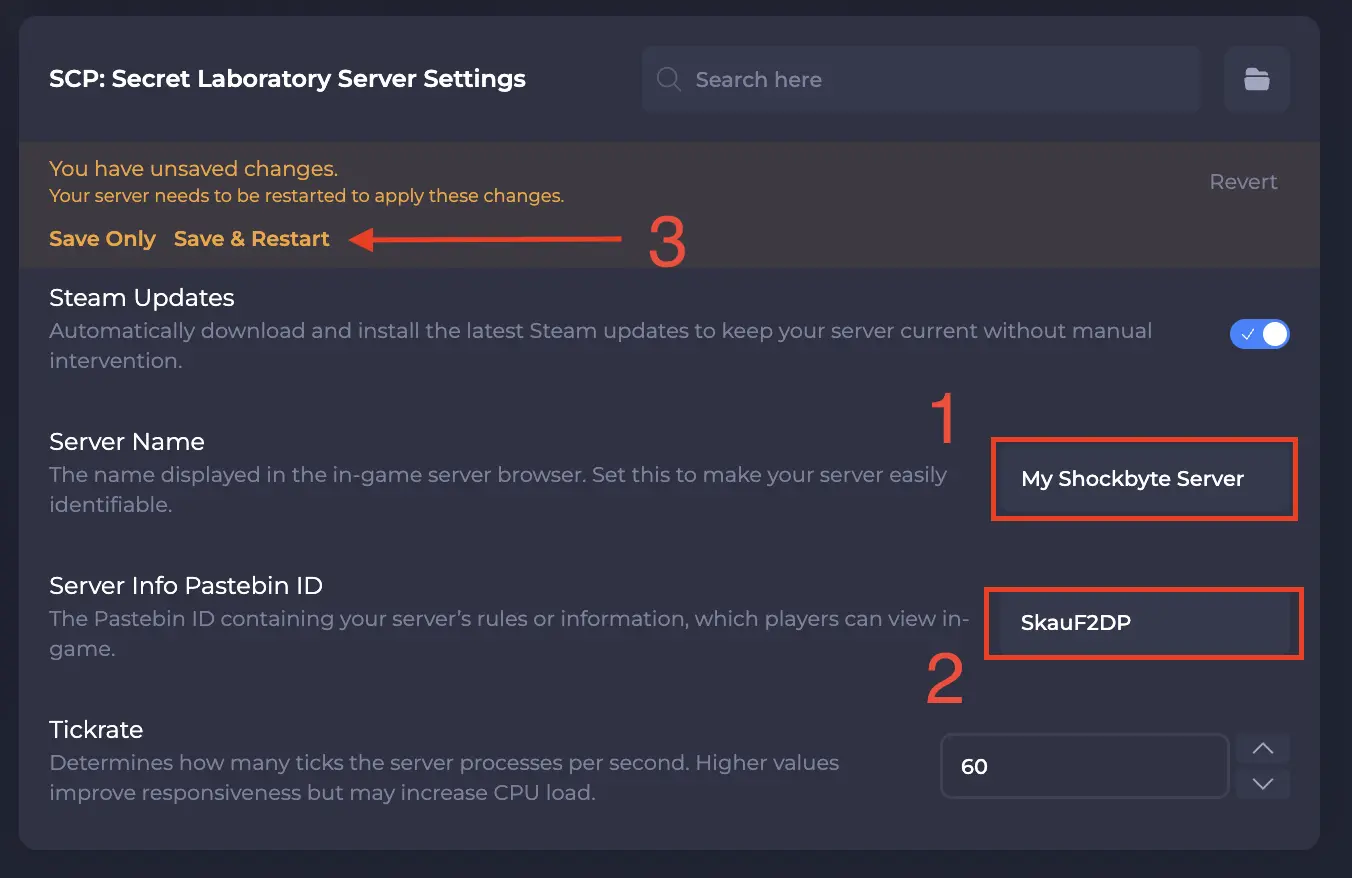
- Save and restart your server
Ready to enter the facility? Follow our guide on How to Join your SCP Secret Laboratory Server.