Still have questions?

Ruben B
Partnership Manager

How to Add a GSLT Key to your Unturned Server
Unturned servers require to be authenticated using a GSLT key. All servers that are not authenticated, will be hidden from the in-game server list.
#GSLT Key Requirements
In order to be able to generate a GSLT, you must have a steam account which:
- Is not banned or blocked.
- Is not limited.
- Has a qualifying registered phone.
- Owns the game for the server you are making a key for.
- Has not reached the cap of 1,000 GSLT keys.
If your server is found to be breaking Valve's ToS, the server and your linked steam account may be banned.
#Obtaining a GSLT Key
-
First, make sure that you are logged into Steam Community.
-
Navigate to Steam Game Servers Account.
-
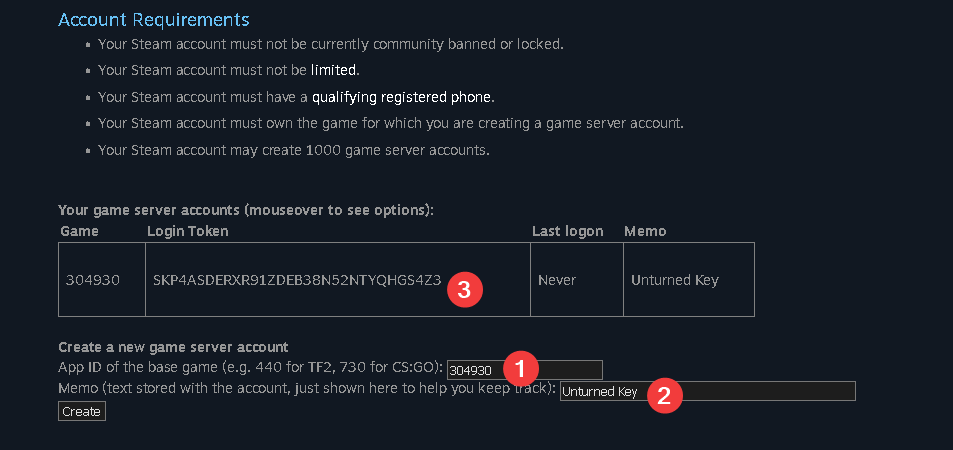
At the bottom of the page, fill out the App ID value of the game (Unturned is
304930). -
Add a memo or note if you want. Select the Create button.
-
Your GSLT key is the Login Token that will appear. You can now enter this when prompted during the setup wizard.
#Renewing your GSLT Key
Your GSLT key may expire if not used for a long period of time. When this occurs, you may see the error: [SDG.Unturned] Failed to connect to Steam servers because k_EResultGSLTExpired, no longer retrying. To resolve this, refresh your GSLT key.
- Follow the steps above to generate a new key.
- Access your Control Panel and Stop your server.
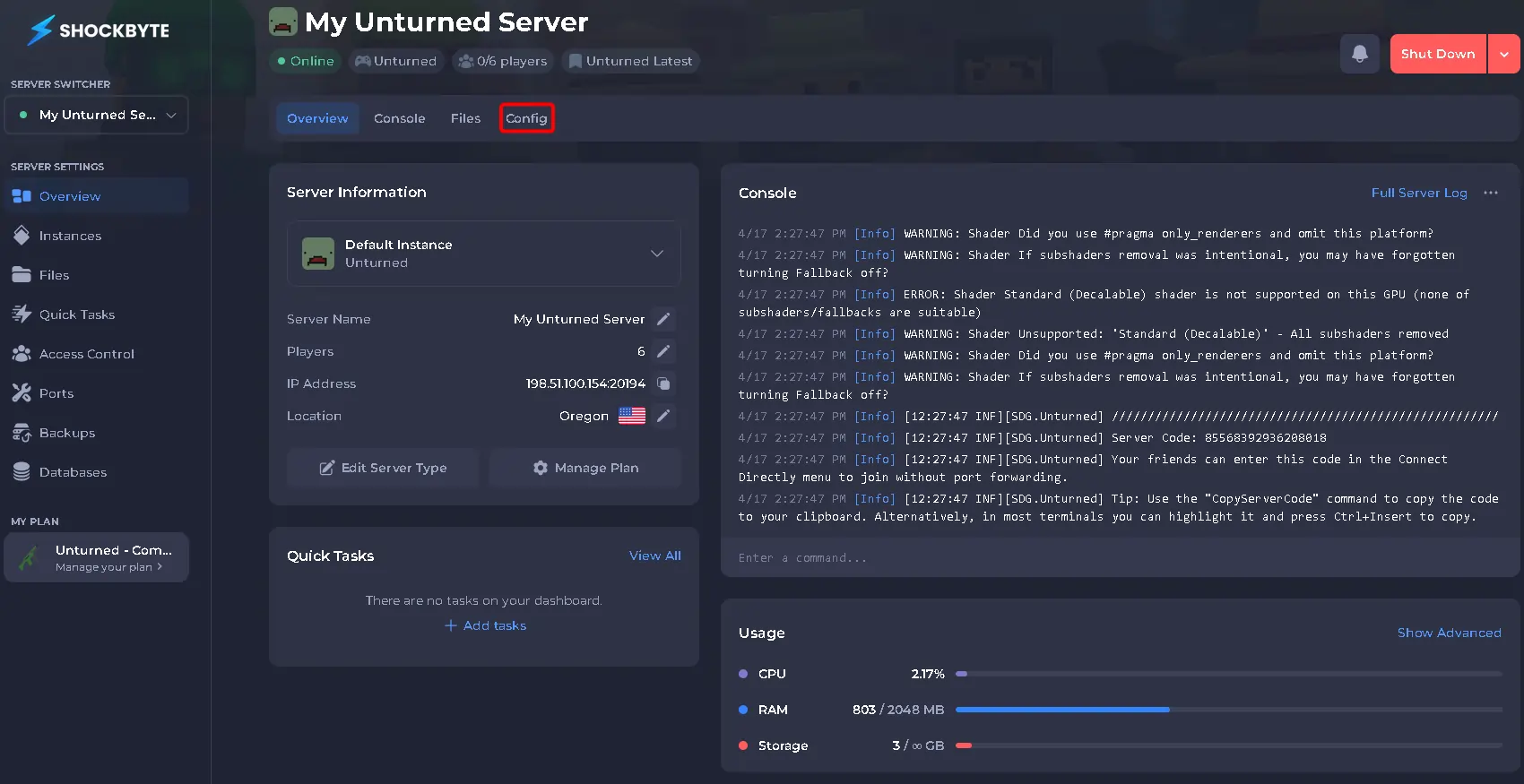
- Navigate to the Config tab.
- Locate the
GSLT Tokenoption and set your GSLT key.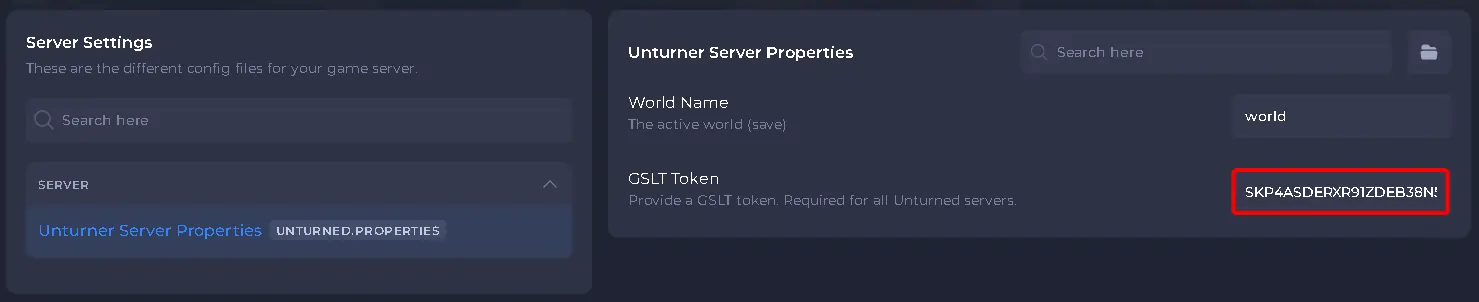
- Save and restart your server to ensure the new changes apply.