Table Of Contents
Adding Additional Startup ParametersStill have questions?
Come chat with us and we will get back to you as soon as possible!

Shockbyte
Support Team

How to Add Additional Startup Parameters to your Myth of Empires Server
Myth of Empires provides plenty of startup parameters for dedicated servers. The list feels endless, with parameters for NPCs, Wildlife, timers, resource gathering, and much more.
Due to there being such an extensive list, we cannot provide them all for you to edit via files. So we have provided the option for you to add them as you wish, via your server settings.
You can find a complete list of available Myth of Empires server startup parameters on this spreadsheet.
Adding Additional Startup Parameters
You can add the startup parameter option in your server's Configs tab, found on your server's control panel.
- Access your control panel and Shut Down your server.
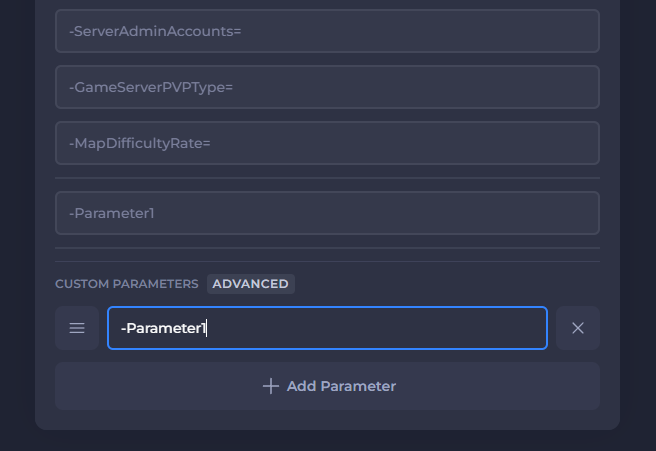
- Go to the Config tab and scroll down to the bottom of the Startup Parameters list.
- Select Add Parameter and input your desired Parameter starting with a dash
-.
- Start your server.
If you need help with troubleshooting your server, be sure to reach out to our support team.