Still have questions?
Come chat with us and we will get back to you as soon as possible!

Shockbyte
Support Team

How to Add an Admin to your The Forest Server
The Forest server Administrators have access to various admin commands. After setting an admin password in your server's control panel, players can easily connect as administrators by entering the Admin password when joining your server.
#Setting an Admin Password
You can set an Admin password using The Forest Server Settings.
-
Go to your Control Panel.
-
Navigate to the Config tab and locate the Admin Password field. Enter in your desired Admin Password.
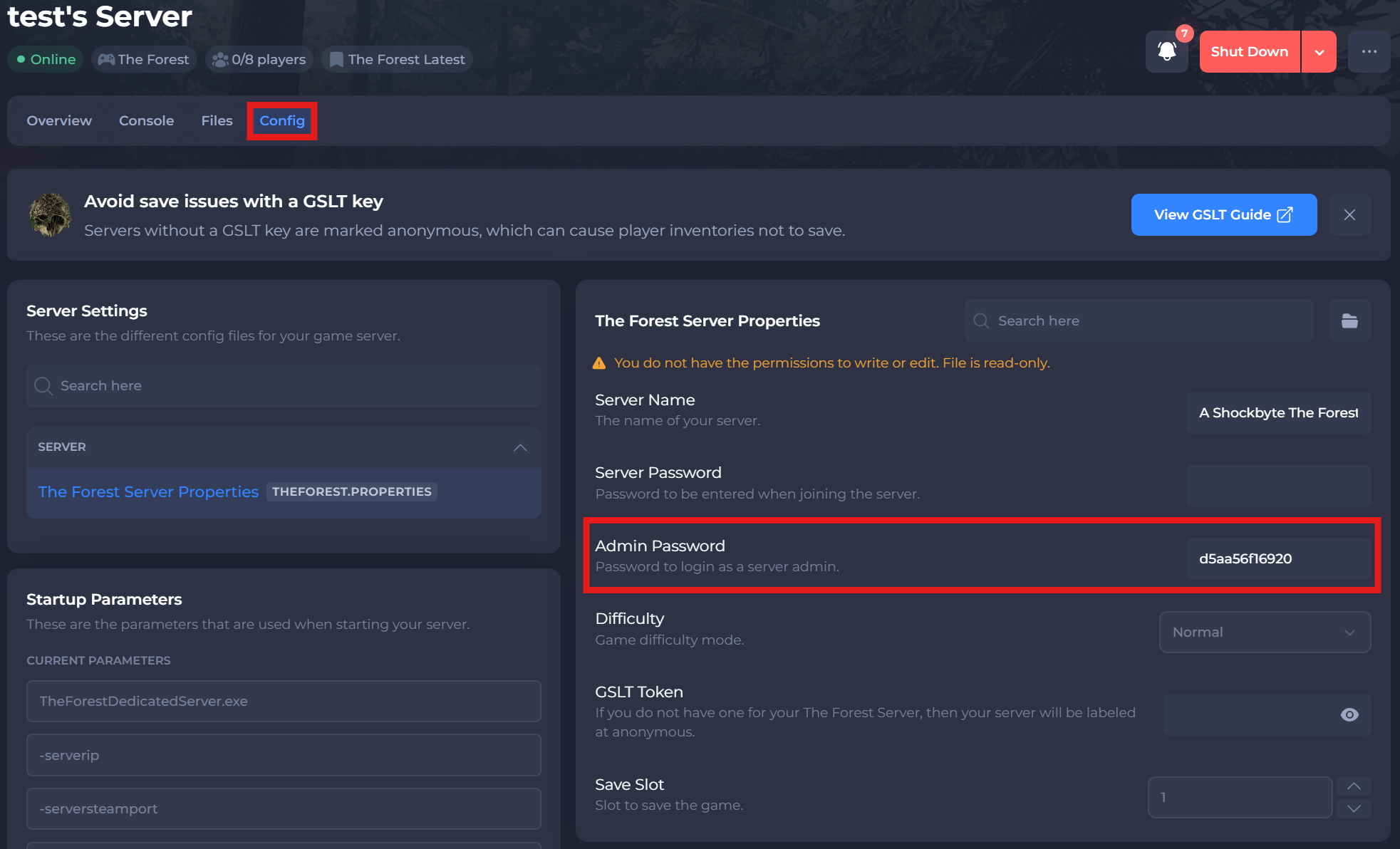
- Click Save and restart your server.
#Joining as an Admin
To become an Admin on the server, you are required to connect using the Admin password.
-
Join your server in-game by searching for the name, and select the Join button.
-
Enter your Admin Password and select Join once more.
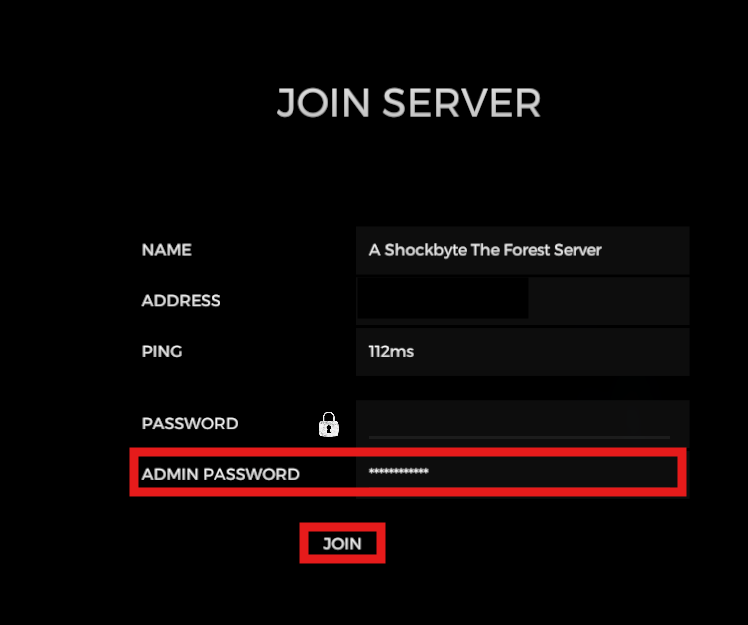
-
Upon entering your server, you can then use any Admin Commands with the in-game chat by pressing the Enter key.
To learn more about The Forest server hosting, you can browse our library of Knowledgebase articles here.