Still have questions?
Come chat with us and we will get back to you as soon as possible!

Shockbyte
Support Team

How to Add an Admin to your V Rising Server
V Rising administrators have access to various commands in-game. A full list of these commands can be seen in-game by entering the command list into the in-game console.
#Enabling the In-Game Console
To use the admin commands, you are required to use the console. By default, the console is disabled.
-
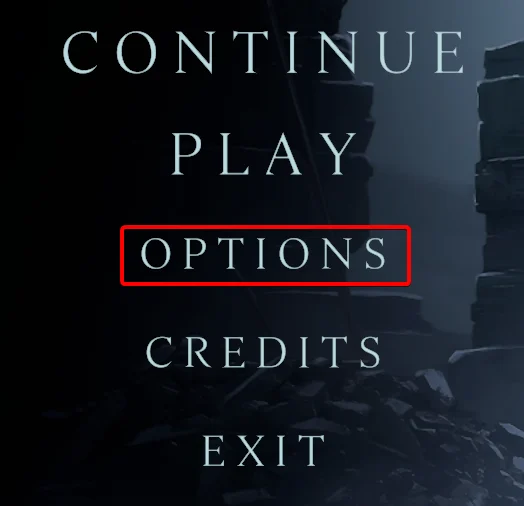
Click Options.
-
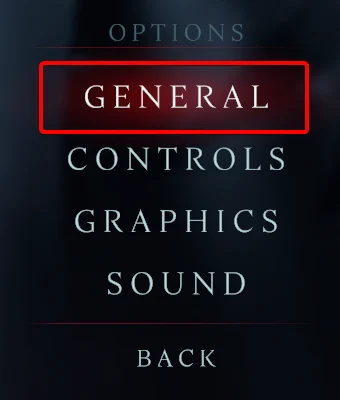
Click General.
-
Tick the box for the
Console Enabledoption.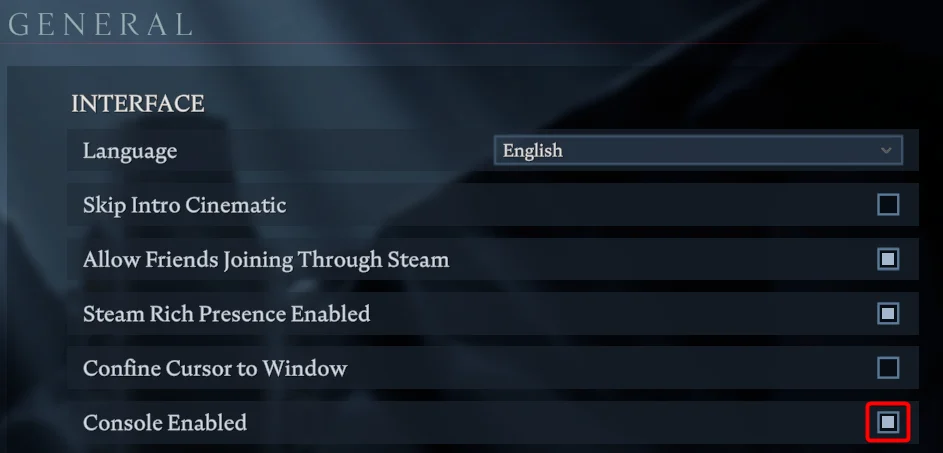
-
You can now open console with the tilde (`) key.
#Assigning an Admin
Before you can assign a player as an admin, you will require their Steam64ID.
-
Access your Control Panel and Stop your server.
-
Navigate to the Config tab, select the Server Properties file.
-
Locate the
Adminsfield and enter the Steam 64 IDs. Ensure you separate each ID with a comma and space.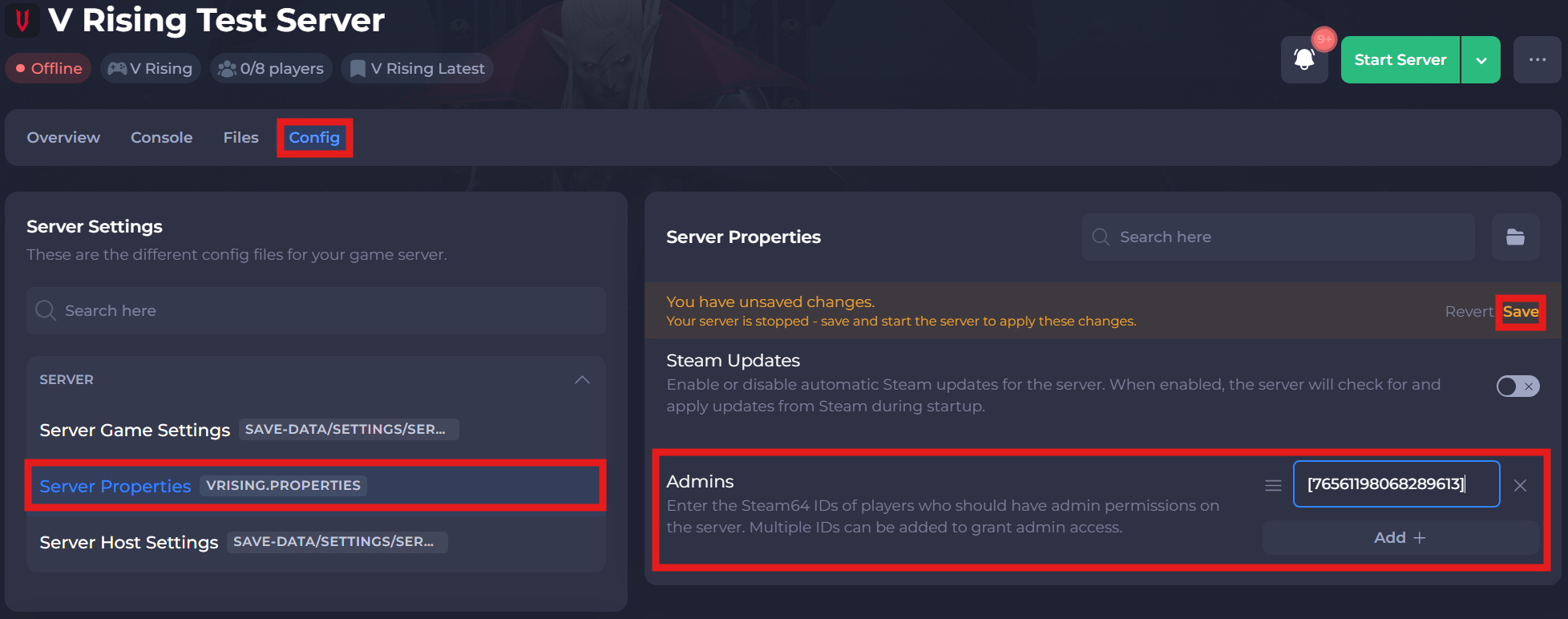
-
Save and restart your server to ensure the changes have applied.
-
Connect to your server and open console with the tilde (`) key.
-
Enter the command
adminauth.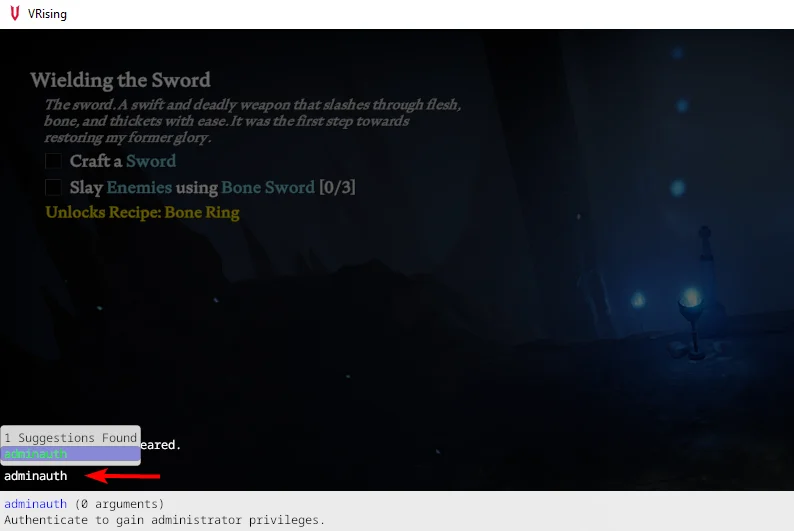
If you require any further assistance, please contact our support at: https://shockbyte.com/billing/submitticket.php