Still have questions?
Come chat with us and we will get back to you as soon as possible!

Shockbyte
Support Team

How to Add an Authentication Key to your BeamMP Server
This guide explains how to join your BeamMP server. To connect successfully, your server must first be registered using an authentication key, which allows it to appear in the server list.
You can generate an authentication key from the BeamMP Keymaster, then add it to the authentication key setting in the Config section of your panel. The steps below will walk you through setting this up so players can find and join your server.
#Generating the Authentication Key
In order to set your Authentication Key for your BeamMP server, you will need to generate it from: keymaster.beammp.com.
#Adding the Authentication Key to your Server
-
Access your Control Panel and navigate to the Config tab.
-
Locate the
Authentication Keyoption and add the key you generated earlier in this guide.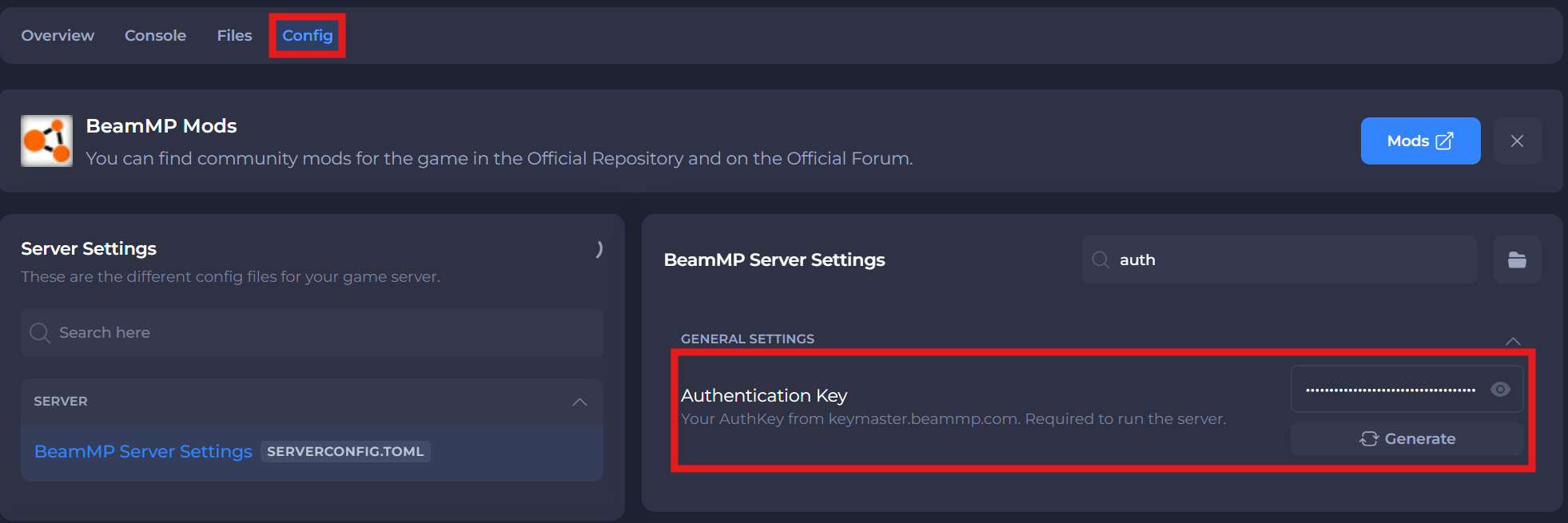
-
Save and restart your server to ensure the new changes apply.
If you require any further assistance, please contact our support at: https://shockbyte.com/billing/submitticket.php