Table Of Contents
Adding Addon IDsStill have questions?
Come chat with us and we will get back to you as soon as possible!

Shockbyte
Support Team

How to Automatically Have Players Download Workshop Addons
When you have added add-ons to your server, you also want to have those automatically downloaded to the players joining. This can be done by providing the IDs of the addons.
#Adding Addon IDs
-
Access your Control Panel and Stop your server.
-
Navigate to the Files tab and open the
garrysmod/lua/autorun/server/directory. -
Edit the file
workshop.luaor create it if it doesn't exist.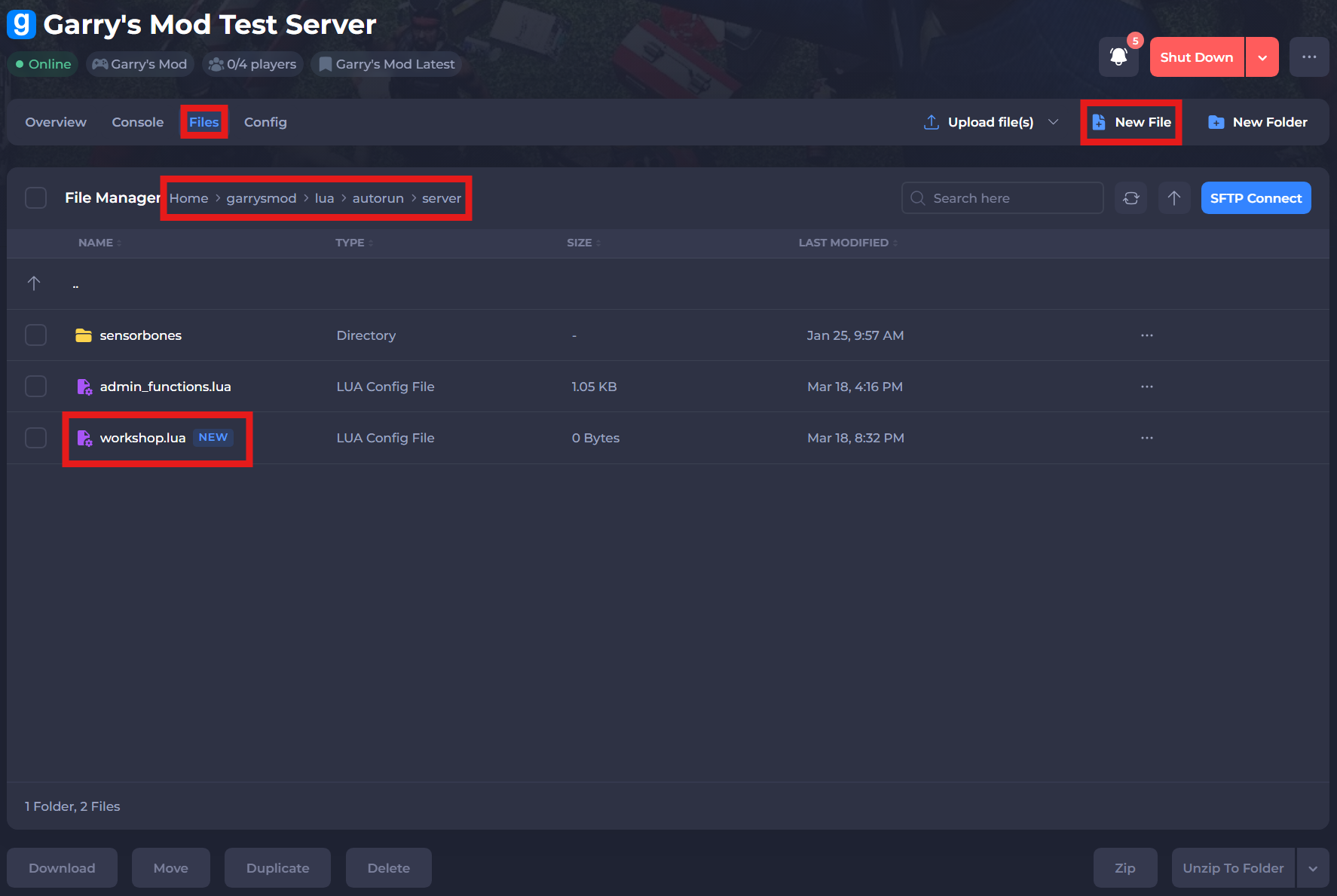
-
In this file you want to add the IDs of the addons you want the clients to download in the following format:
resource.AddWorkshop("123456789").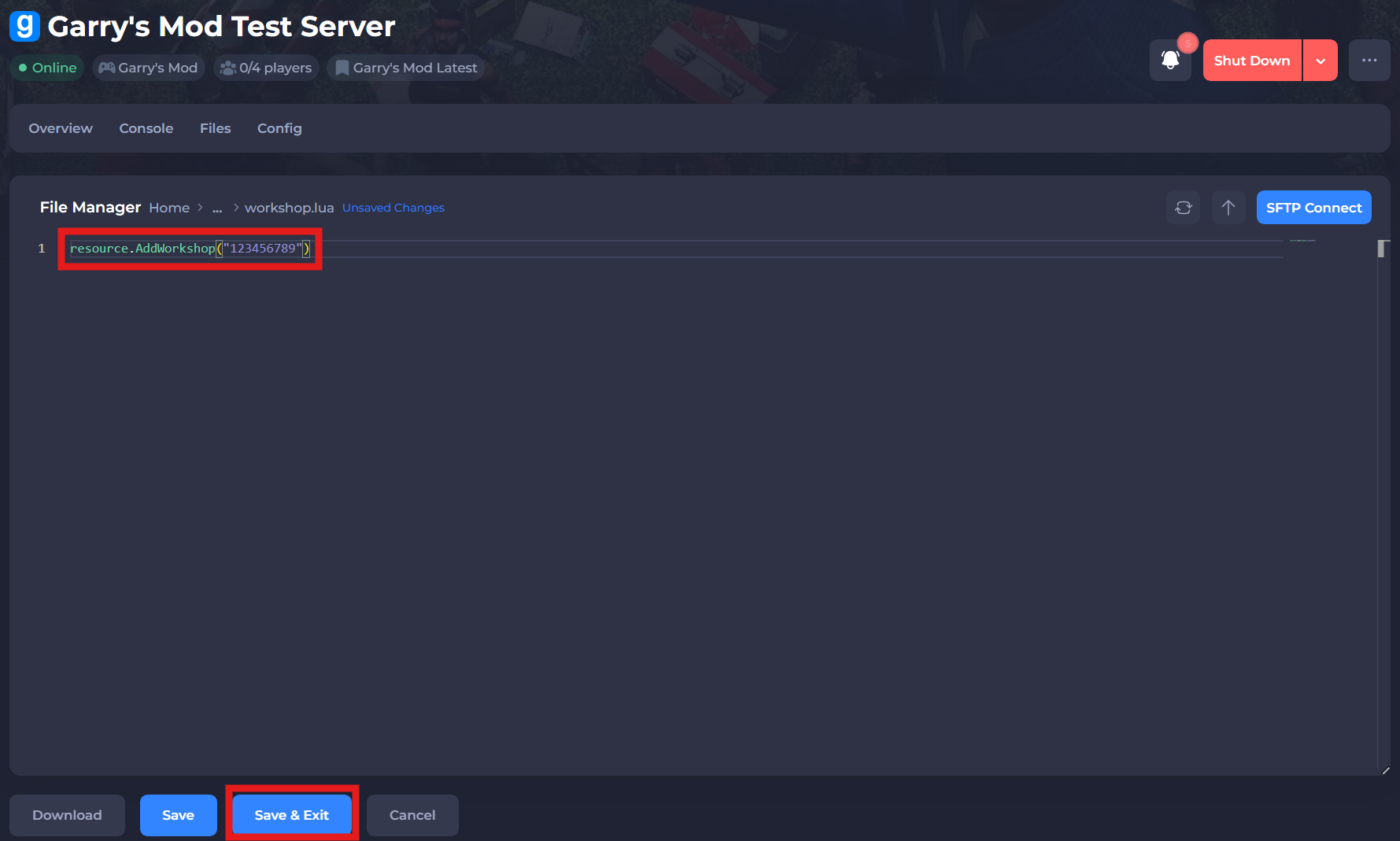
-
Save the file and restart your server for changes to apply.
If you require any further assistance, please contact our support at: https://shockbyte.com/billing/submitticket.php