Table Of Contents
Changing the MapStill have questions?
Come chat with us and we will get back to you as soon as possible!

Shockbyte
Support Team

How To Change Map On Your Conan Exiles Server
This guide explains how to change the map on your Conan Exiles server. Changing maps allows you to explore different worlds and experiences available within the game.
You can also configure your server to use DLC maps, such as Isle of Siptah, through your server settings. Please note that players connecting to DLC maps must also own the required DLC in order to join the server successfully. The steps below will walk you through changing your server map.
#Changing the Map
Your server's map can easily be changed in the conan-exiles.properties file using your server's control panel.
- Access your Control Panel and navigate to the Config tab.
- Locate the
Mapoption and enter the name of your desired map. - Enter one of the following depending on which map you would like to play;
- Exiled Lands:
ConanSandbox - Any modded map:
<Modded map file location>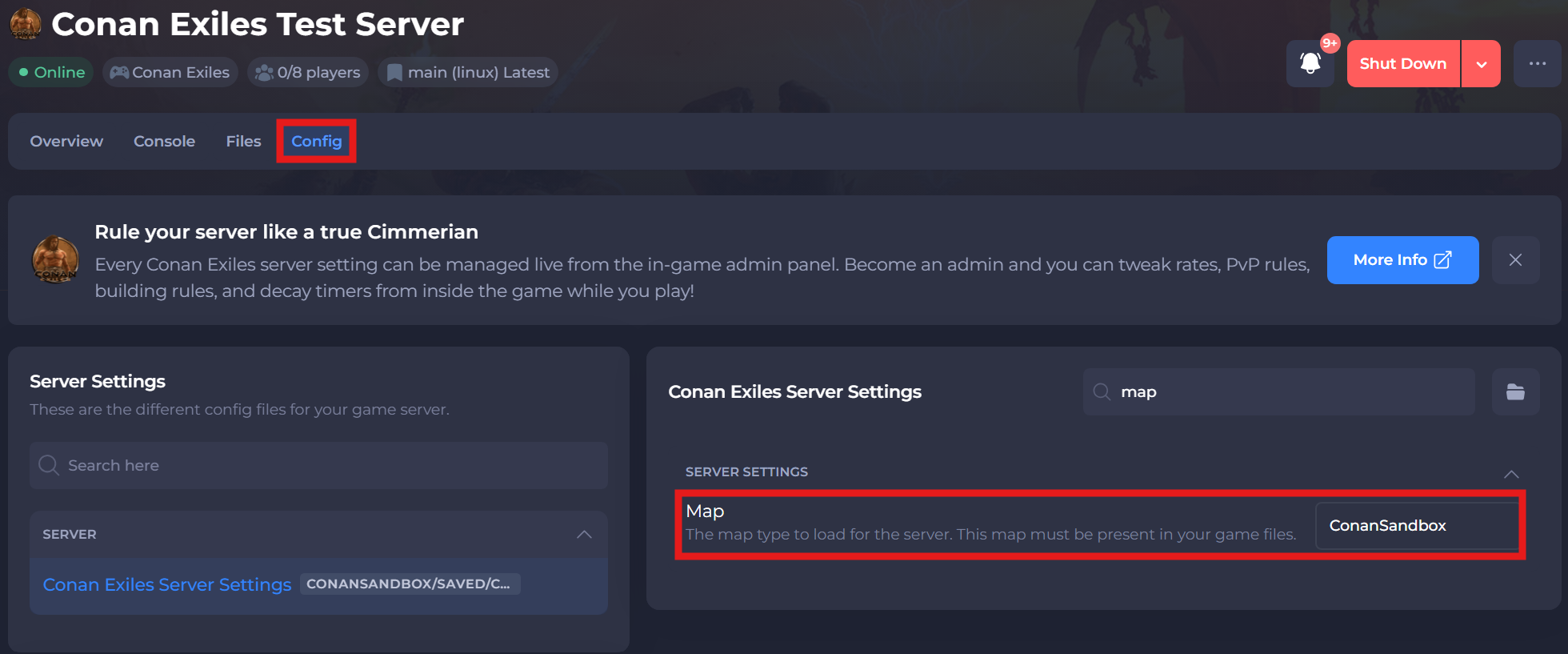
- Save and restart your server to ensure the new changes apply.
If you require any further assistance, please contact our support at: https://shockbyte.com/billing/submitticket.php