Table Of Contents
Changing GamemodeStill have questions?
Come chat with us and we will get back to you as soon as possible!

Shockbyte
Support Team
How to Change the Game Mode of your Mount & Blade 2 Server
There are seven available game modes for your Mount & Blade 2: Bannerlord Server each with a variety of different rules and available settings. The game modes that you can choose from on your server are:
-
Skirmish: A medium-length game mode in which two teams battle it out to deplete the enemy's morale by killing rival players and AI. Each kill rewards gold allowing players to buy new classes.
-
Siege: Work with your team to drive back your rivals while defending or attempting to capture a castle keep.
-
Captain: Very similar to Skirmish mode but with the addition of leading your own detachment of troops into battle.
-
Team Deathmatch: Basic PvP game mode. Earn points by killing enemies and assisting your teammates.
-
Free For All: A standard free for all death match. Kill other players to earn points.
-
Duel: The duel game mode pits you against other players in single combat.
-
Battle: Large-scale battles with up to 120 players split into multiple teams. Each player has a single life.
To learn more about these Game Modes, head on over to the Mount & Blade Wiki.
#Changing Gamemode
-
Access your control panel and Stop your server.
-
Navigate to the Config tab and locate the
Game Modeoption. Set your desired Game Mode.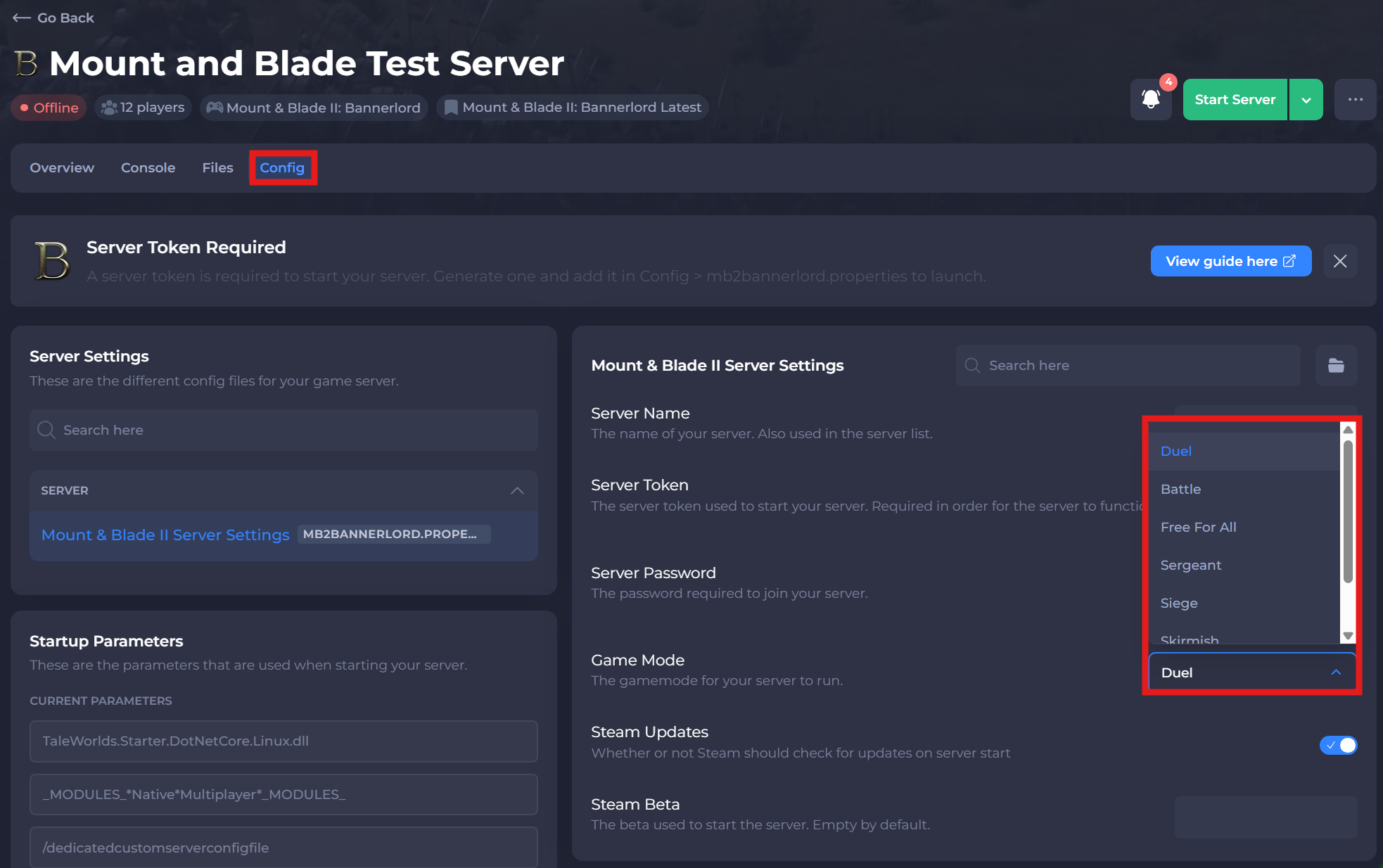
-
Save and Start your server.
If you need help with troubleshooting your server, be sure to reach out to our support team.