Table Of Contents
Changing the Server's NameStill have questions?
Come chat with us and we will get back to you as soon as possible!

Shockbyte
Support Team
How to Change the Name of your Garry's Mod Server
All servers inside Garry's Mod and Steam's server list have a custom name to uniquely identify them. You can modify the server name for your Shockbyte Garry's Mod server via our server's control panel.
#Changing the Server's Name
-
Access your Control Panel and Stop your server.
-
Navigate to the Config tab and select the Garry's Mod Game Settings file.
-
Locate the
Server Nameoption and set your desired Server Name.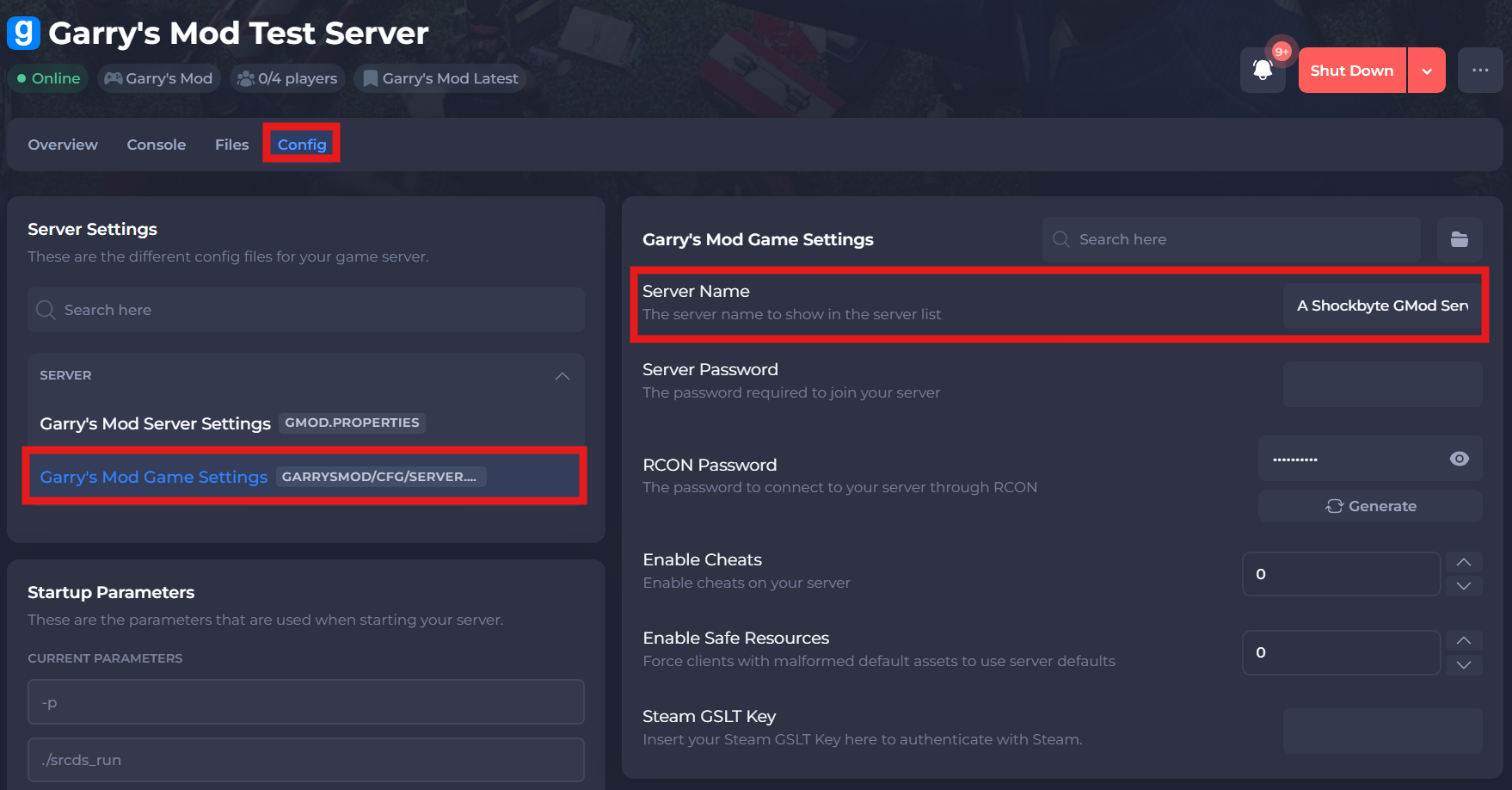
-
Save and restart your server to ensure the changes apply.
Your new server name should now appear next time someone searches for your tags in the community server listings!
If you require any further assistance, please contact our support at: https://shockbyte.com/billing/submitticket.php