Still have questions?
Come chat with us and we will get back to you as soon as possible!

Jay Miller
Game Engineer
How to Change the Rate of Castle Decay on your V Rising Server
When a vampire's castle's heart runs out of essence it starts slowly decaying. It is possible to change the rate at which this happens or disable it entirely on your V Rising server.
#Selecting a Custom Gametype
In order to make changes to a V Rising server's gameplay settings you will first need to select the Default game settings preset in your server's control panel.
-
Access your Control Panel and Stop your server.
-
Navigate to the Config tab and select the Server Host Settings.
-
Locate the
Game Settings Presetoption and selectDefaultfrom the dropdown.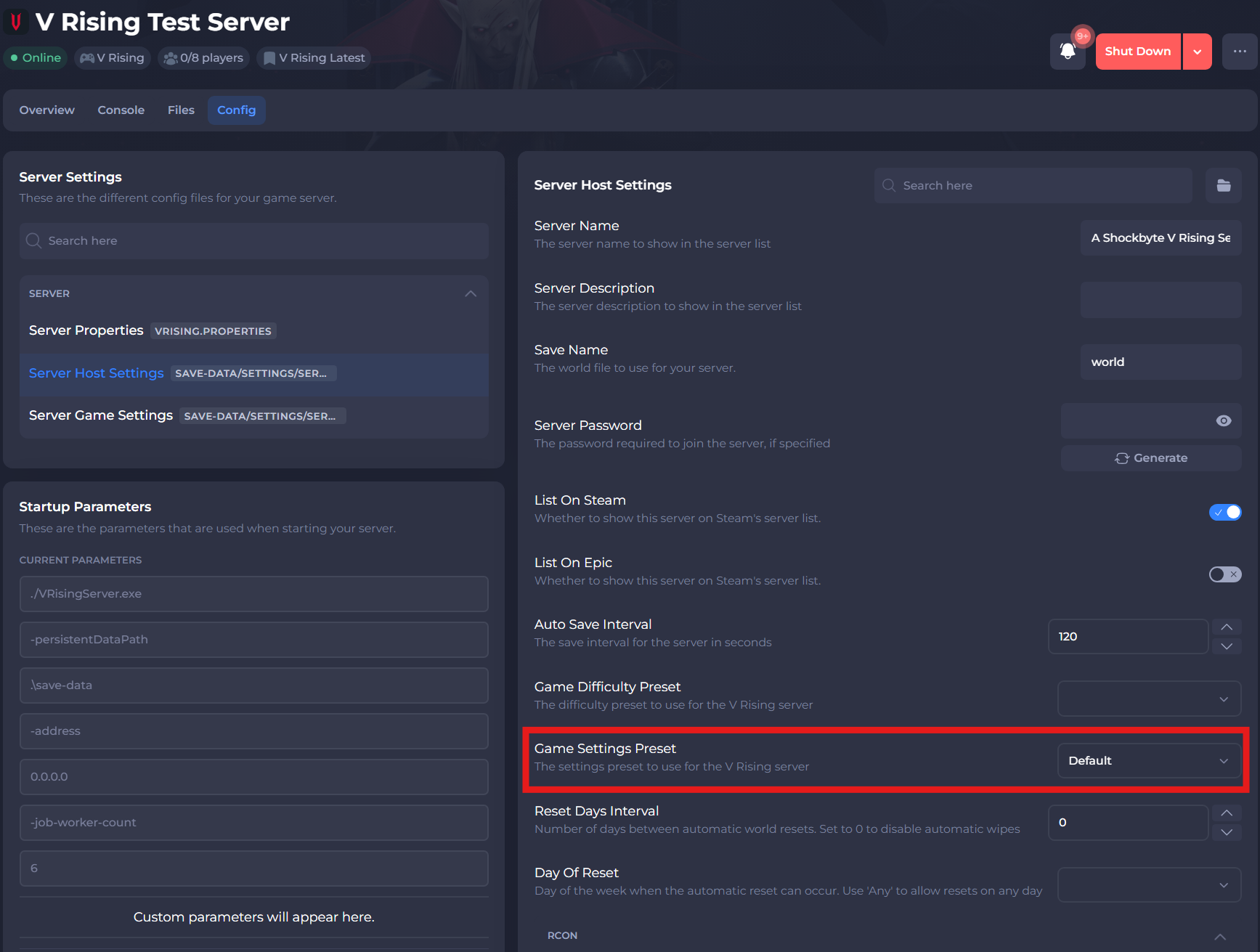
-
Select the save button.
#Modifying your Castle Decay Rate
Your server's castle decay rate can easily be changed in your server's ServerGameSettings.json file.
-
Navigate to the Files tab and locate the
/VRisingServer_Data/StreamingAssets/Settings/ServerGameSettings.jsondirectory. -
Locate the
CastleDecayRateModifiersetting and enter your chosen decay rate. Setting this to"CastleDecayRateModifier": 0disables castle decay entirely.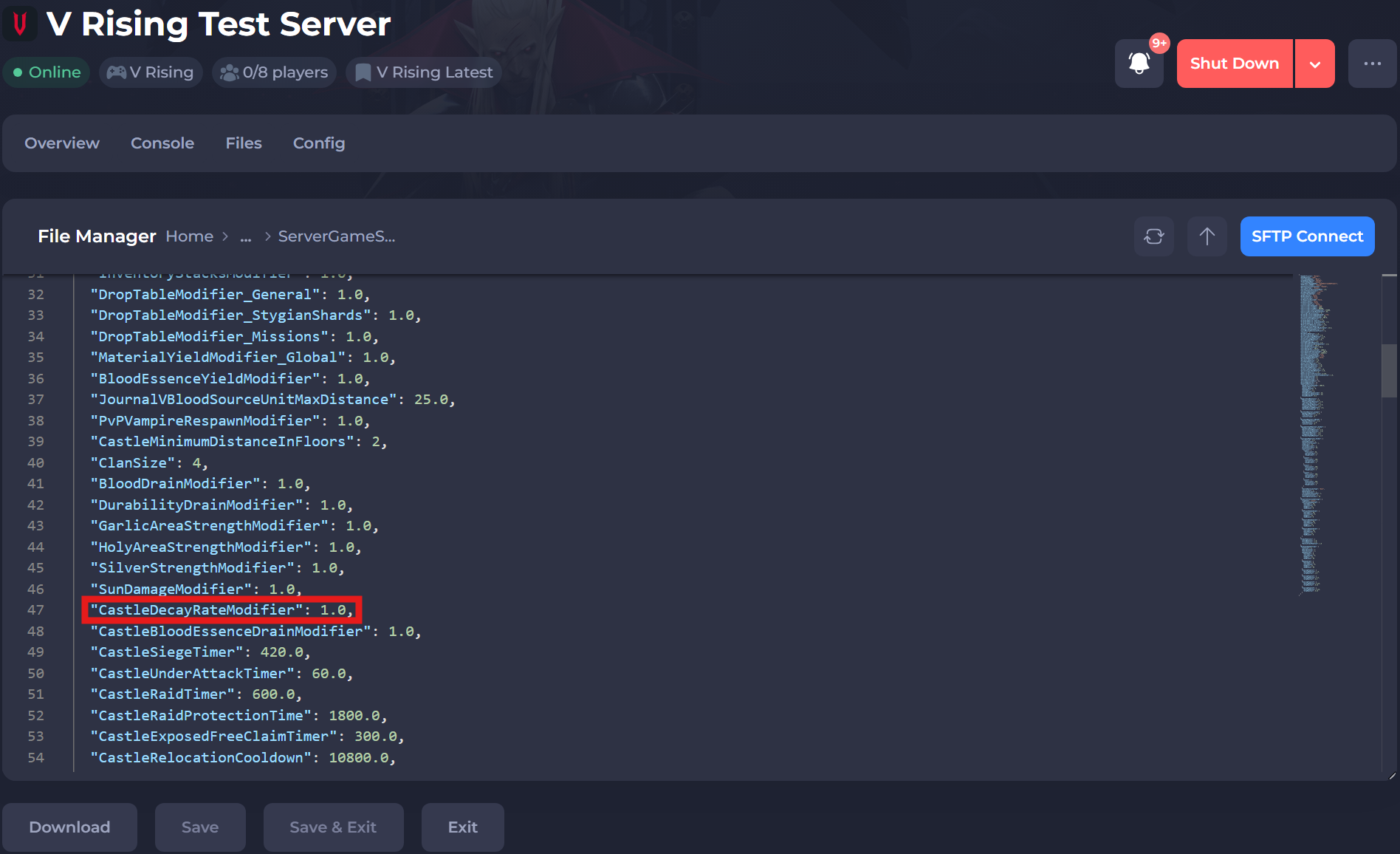
-
Save and exit the file. Restart your server to ensure the changes apply.
If you require any further assistance, please contact our support at: https://shockbyte.com/billing/submitticket.php