Table Of Contents
Changing Server NameStill have questions?
Come chat with us and we will get back to you as soon as possible!

Shockbyte
Support Team
How to Change your Server Name on your The Forest Server
The Forest
·Nov 14, 2024
·2 min read
To locate your The Forest server, you will need to know your Server Name. This configuration option is especially useful if you plan on playing with friends as many servers will fill up the in-game server browser.
#Changing Server Name
Your server name can be set by editing your The Forest Server Settings file using the Config File section of your server's control panel.
-
Go to your Control Panel.
-
Navigate to the Config tab and locate the Server Name field. Enter your desired server name.
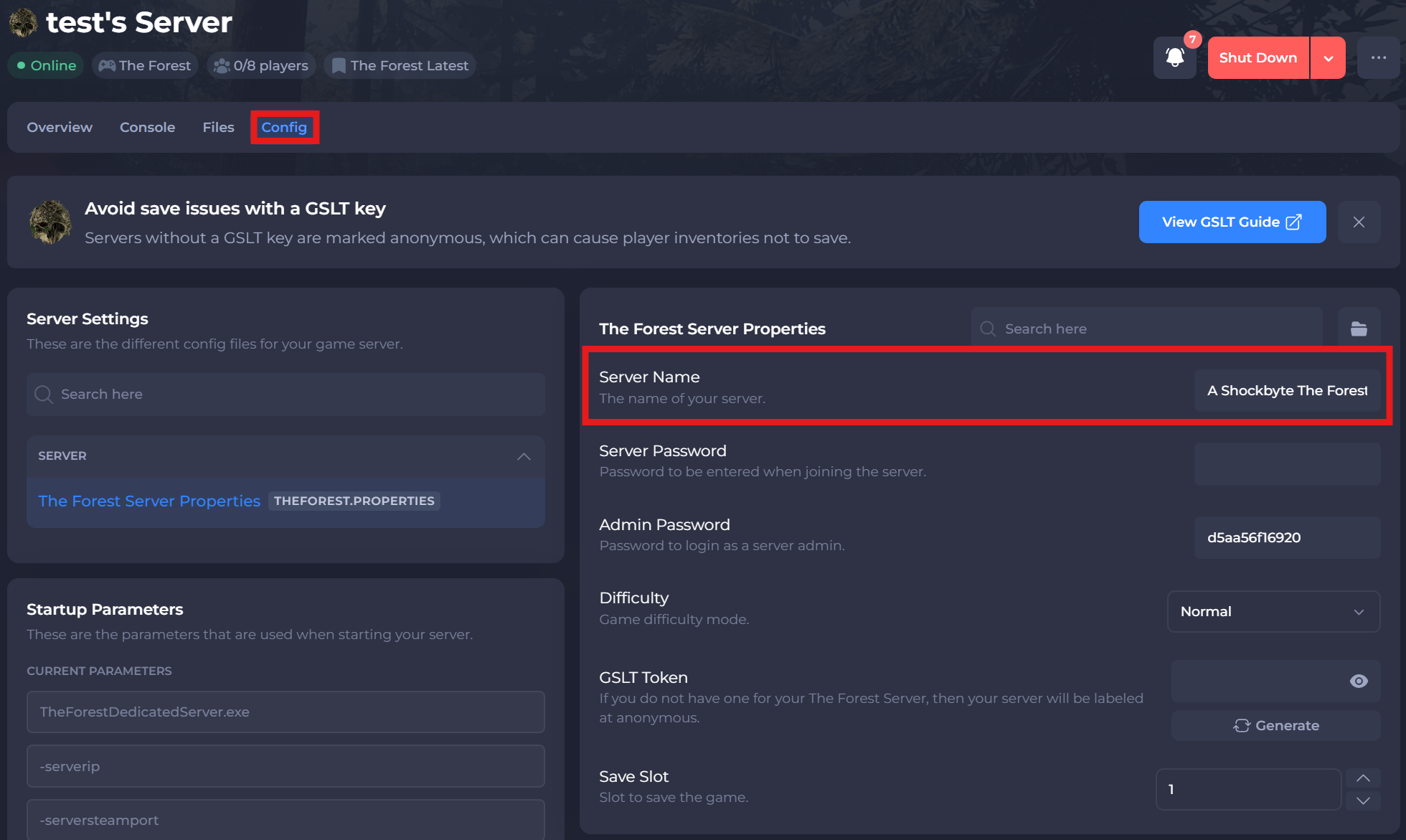
- Click Save and restart your server.
To learn more about The Forest server hosting, you can browse our library of Knowledgebase articles here.