Table Of Contents
Modifying the Zombie Spawn RatesStill have questions?
Come chat with us and we will get back to you as soon as possible!

Shockbyte
Support Team

How to Change Zombie Spawn Rates on your Project Zomboid Server
Adjusting Zombie spawn rates on your Project Zomboid server can allow you an alternative way to change the difficulty, having the possibility to both increase and decrease the amount of spawns on your server.
After playing Project Zomboid on your new Shockbyte server, you may feel like you want to adjust the rate of zombie spawns. Fortunately, this is a configurable option within a specific file on your Project Zomboid server.
#Modifying the Zombie Spawn Rates
To modify zombie spawn rates on your Project Zomboid server, you will need to find the world_SandBoxVars.lua file and adjust the PopulationModifier option.
-
Access your Control Panel and Stop your server.
-
Navigate to the Files tab and locate the
/Zomboid/Serverdirectory. -
Open the
world_SandBoxVars.luafile.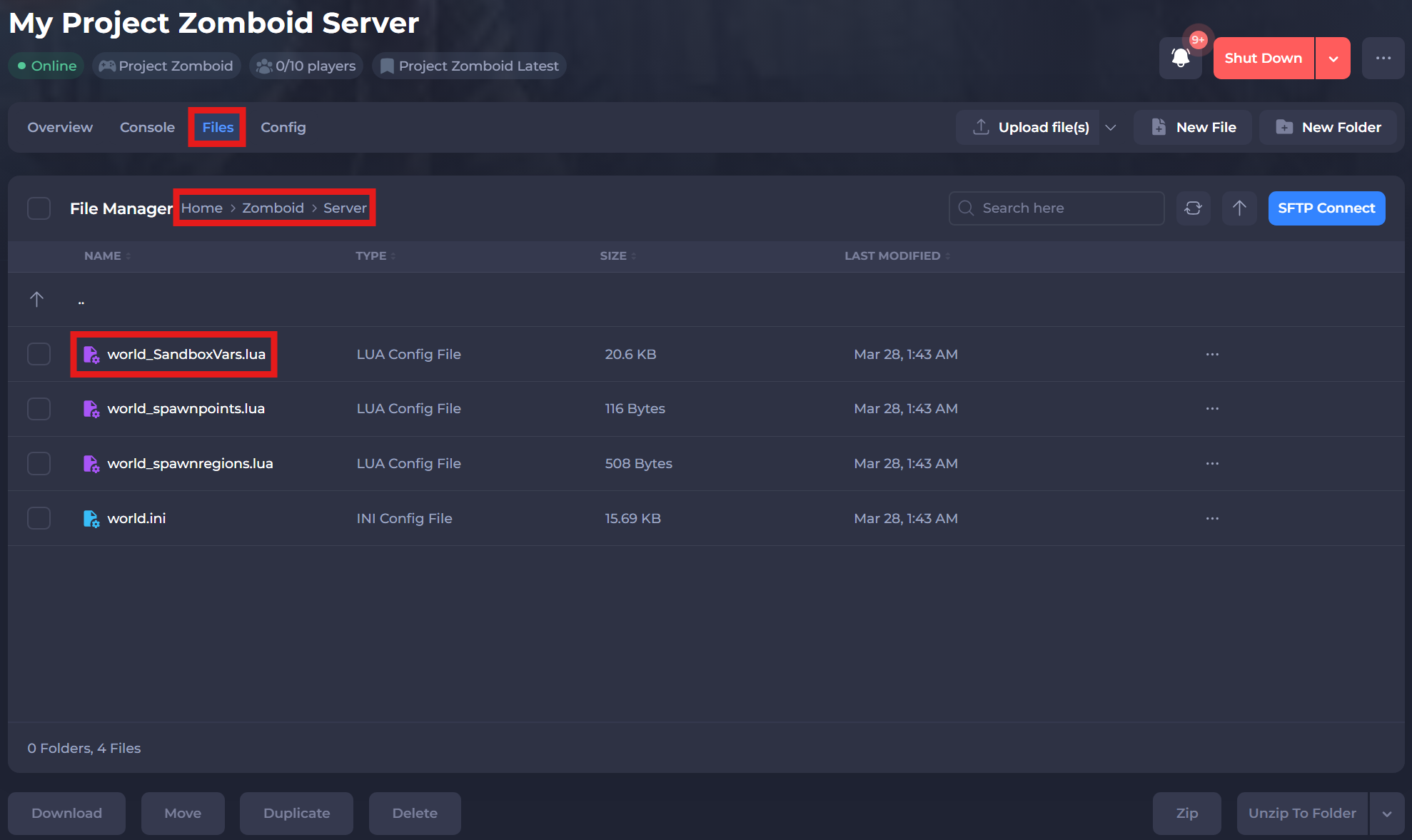
-
Locate
PopulationModifieron line 591, and make your adjustments. A higher number will result in higher spawn rates (0.0 will disable zombie spawning).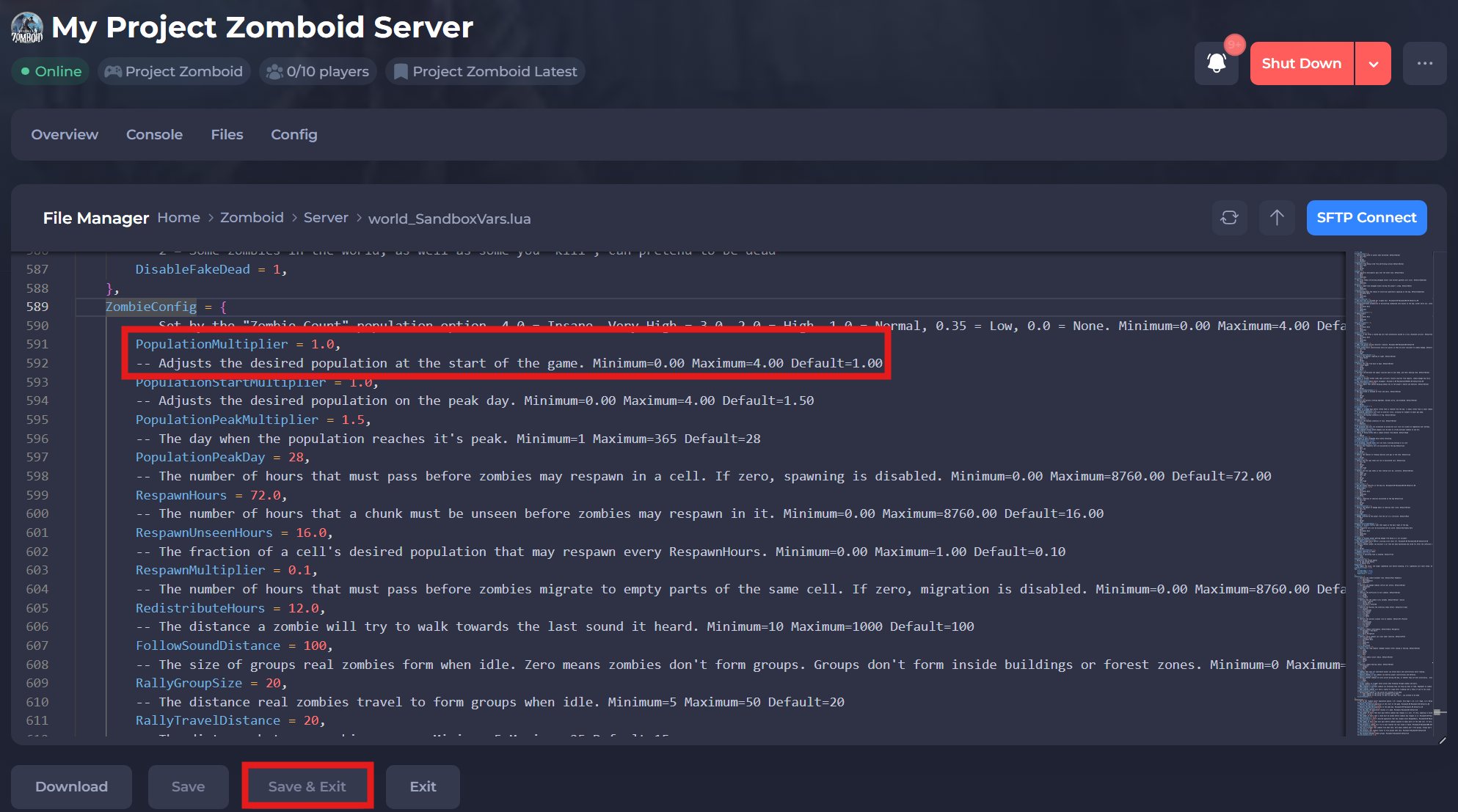
-
(Optional) Alternatively, you can change the value of the
VERSIONoption in line 1. Changing this sets the "Population Multiplier" advanced option.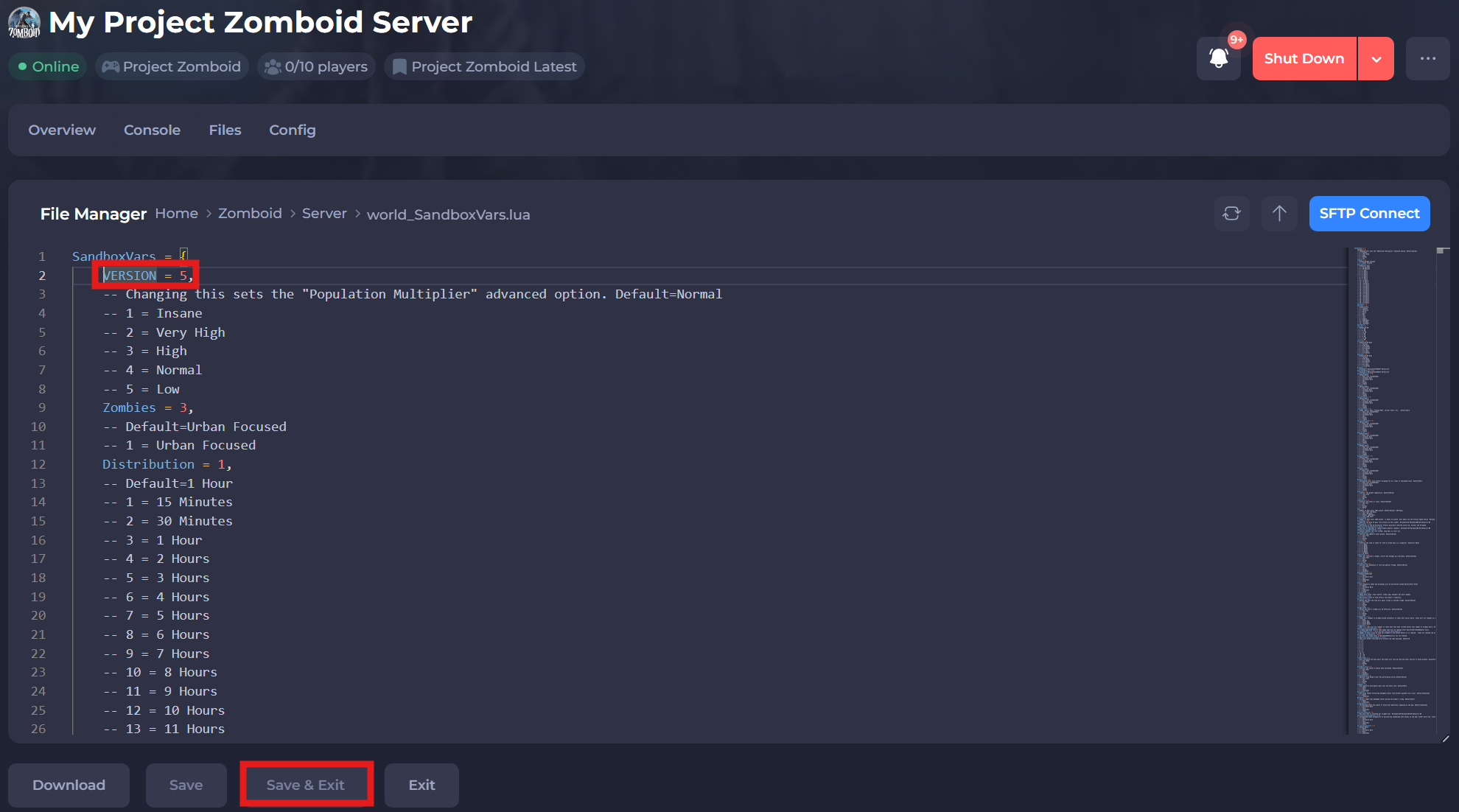
-
Save and restart your server to ensure the new changes apply.
If you require any further assistance, please contact our support at: https://shockbyte.com/billing/submitticket.php