Table Of Contents
Configuring Custom MapsStill have questions?
Come chat with us and we will get back to you as soon as possible!

Jay Miller
Game Engineer
How to Configure Custom Maps on your Insurgency Sandstorm Server
This guide explains how to configure custom maps on your Insurgency: Sandstorm server. Custom maps are a great way to provide players with new environments and gameplay experiences beyond the default content.
Many server owners use custom maps to help their server stand out and create a more unique experience for their community. The steps below will walk you through configuring and loading custom maps on your server successfully.
#Configuring Custom Maps
As custom maps are still technically mods, you will need to install them by following our mod installation guide, and then configure your desired map into your map cycle.
-
Navigate to your desired custom map's Mod.io page.
-
Look for and copy your desired scenario type on the mod page's description. Also, take note of the official map name usually found just after the
Scenario_part of the scenario name. (e.g. Map=Mashtuur, Scenario=Scenario_Mashtuur_Checkpoint_Security).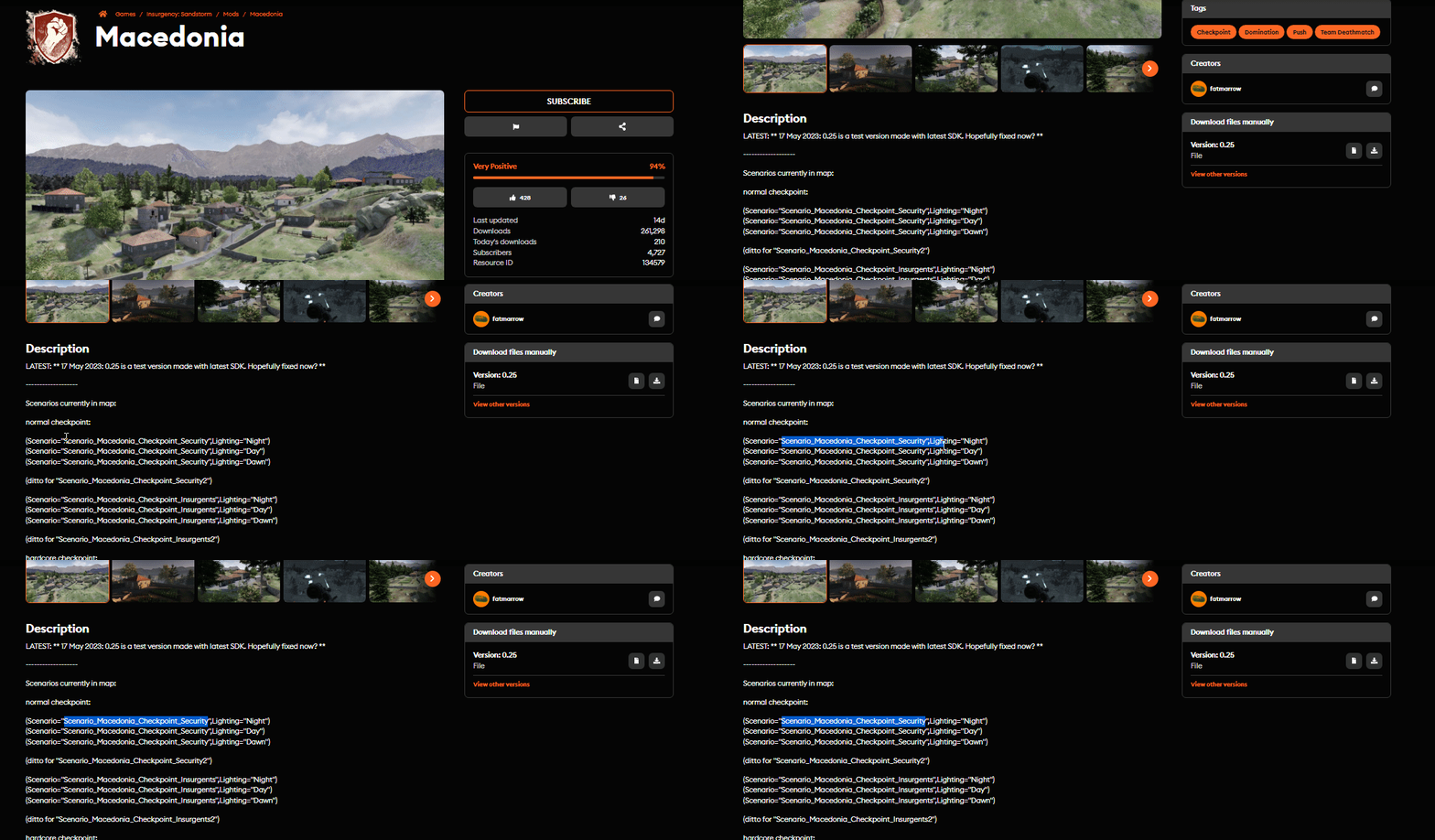
-
Access your Control Panel and navigate to the Config tab.
-
Select the Insurgency: Sandstorm Server Settings file and locate the
Mapfield. Set your desired map that you found in the above steps.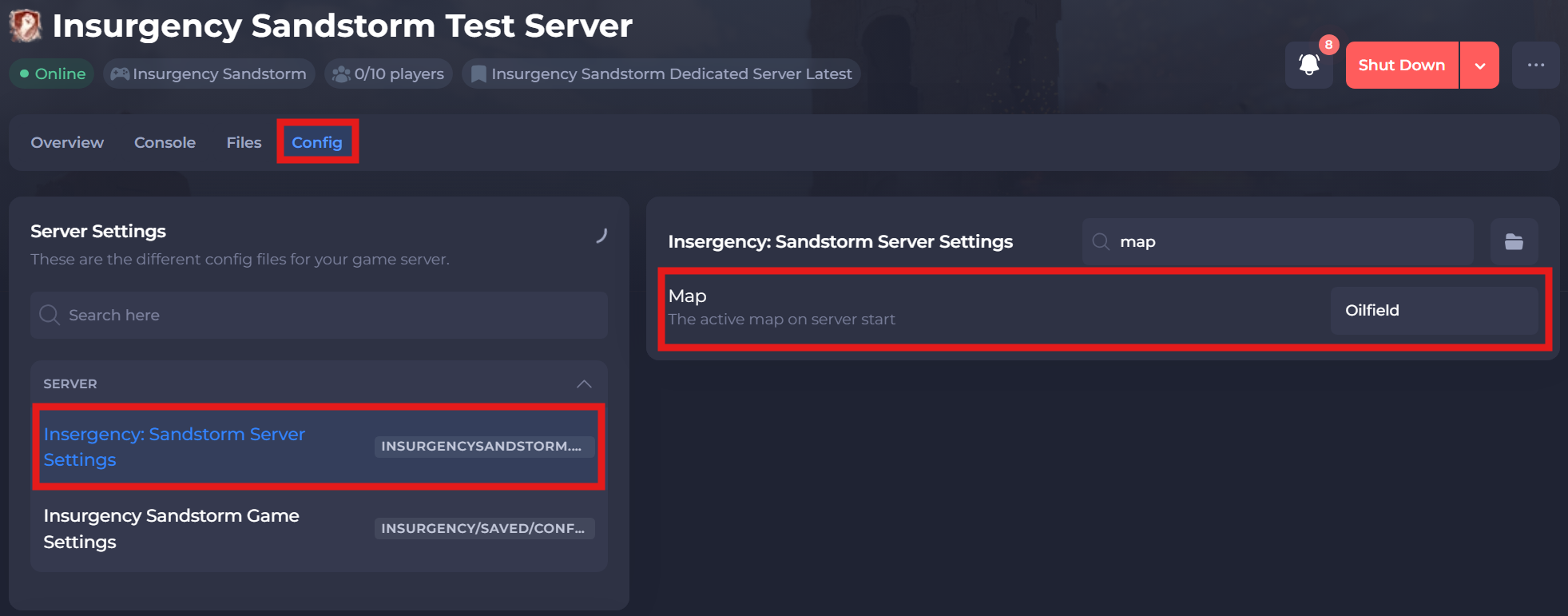
-
Save and restart your server to ensure the new changes apply.
If you require any further assistance, please contact our support at: https://shockbyte.com/billing/submitticket.php