Table Of Contents
How to Adjust 7D2D PvP SettingsStill have questions?
Come chat with us and we will get back to you as soon as possible!

Jay Miller
Game Engineer

How to Configure PVP/Friendly Fire on your 7 Days to Die Server
When running a 7 Days To Die server, you may wish to change the rules regarding PvP and/or friendly fire. There are 4 available PvP modes available completely disabled, enabled for certain situations and completely disabled.
| Value | Mode | Description |
|---|---|---|
| 0 | No PvP | Players cannot damage one another under any circumstances. |
| 1 | PvP with allies only | Players can only damage each other if both agree to it by adding each other to their Allies list using the in game players menu. |
| 2 | PvP with strangers only | Players can damage each other UNLESS they are Allies. |
| 3 | PvP with anyone | Players can damage everyone, regardless of Allied status. |
#How to Adjust 7D2D PvP Settings
To change the PvP mode on your 7D2D server, you will need to change the PlayerKillingMode field to a value of 0-3 in your server's serverconfig.xml file.
-
Open your server's control panel.
-
Navigate to the Files tab.

- Find and open the serverconfig.xml file.

- Locate the
PlayerKillingModeoption and set your chosen value.
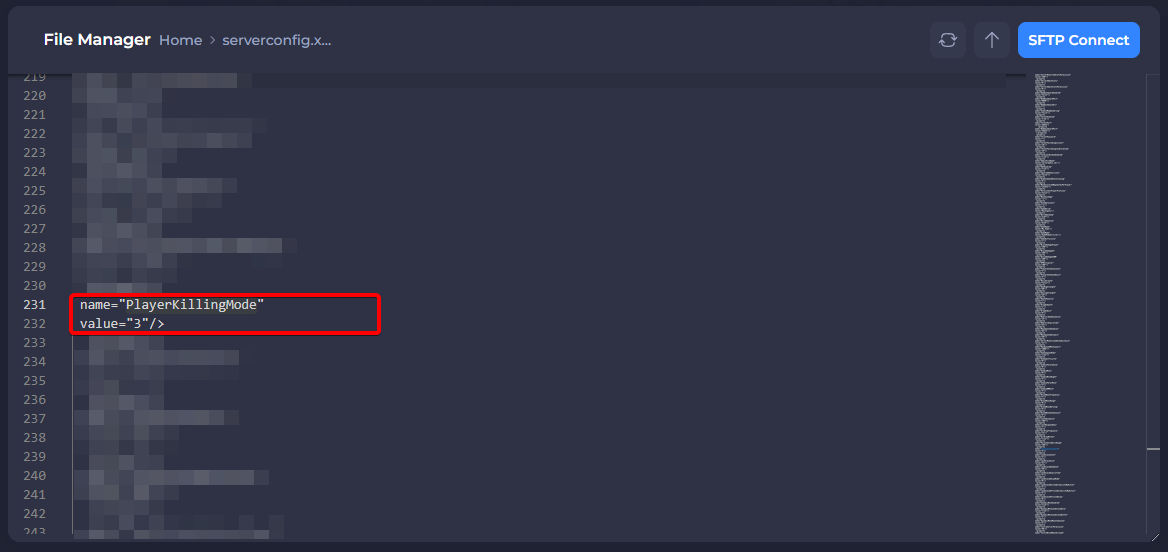
- Save the file then Restart your server.
Congratulations, you should now have successfully adjusted your 7 Days To Die server's PvP/friendly fire settings! If you would like any additional information or have more questions about configuring your 7D2D server, you can find our other articles here.