How to Configure the Free-For-All Gamemode on your Mount & Blade 2: Bannerlord Server
Still have questions?
Come chat with us and we will get back to you as soon as possible!

Jay Miller
Game Engineer
How to Configure the Free-For-All Gamemode on your Mount & Blade 2: Bannerlord Server
The Free-For-All game mode means there are no teams, and the first soldier to reach maximum points wins.
#Setting your Game Mode
In order to apply these settings, your Game Mode must be set to Free For All.
- Access your control panel and Stop your server.
- Navigate to the Config tab and locate the
Game Modeoption. Set your desired Game Mode toFree For All.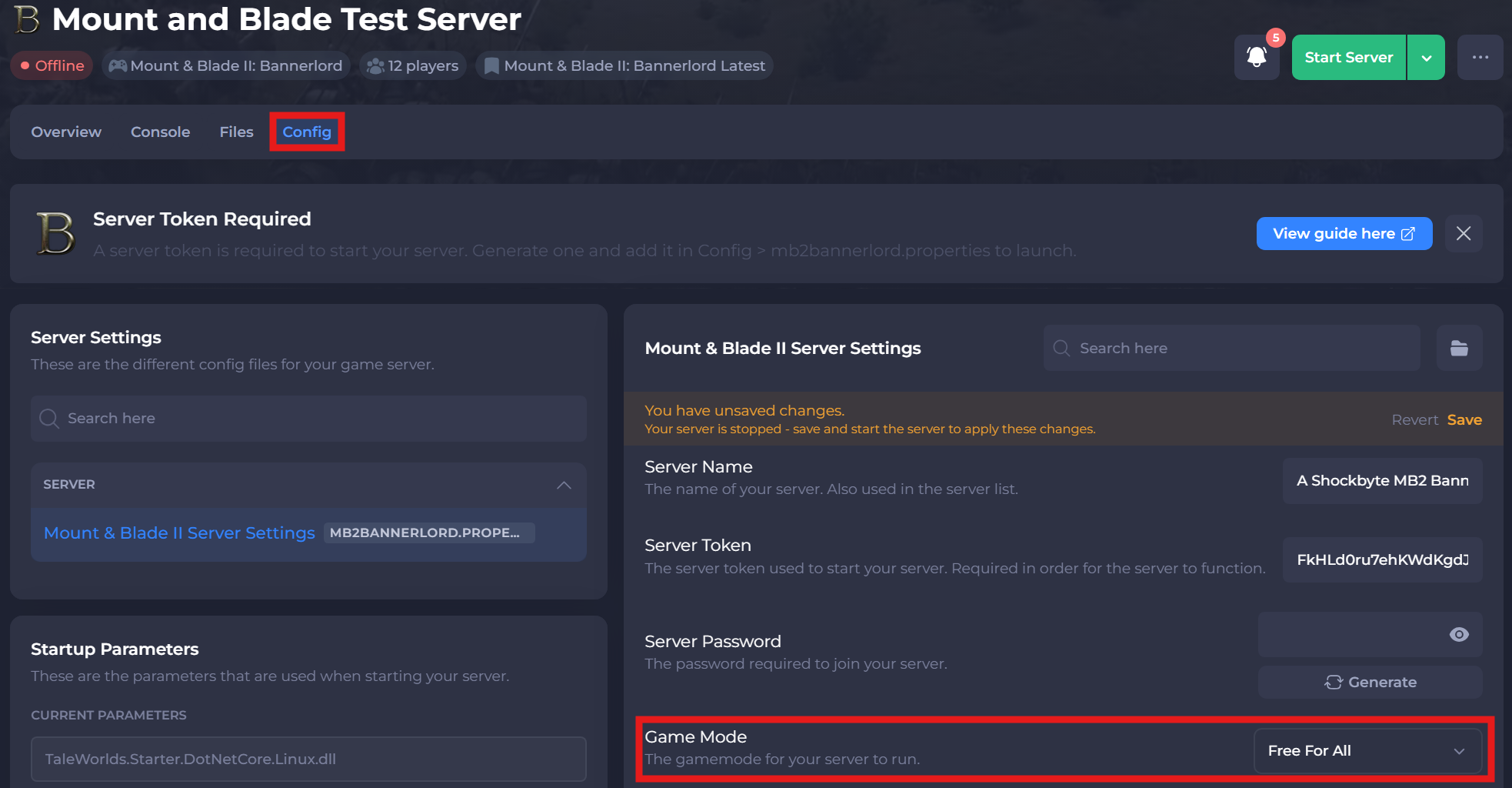
#Configuring the Free For All Game Mode Settings
Once you have your game mode set to Free For All, you can easily make any desired changes to its settings using your server's control panel.
-
Access your control panel and Stop your server.
-
Navigate to the Files tab and locate the
/Modules/Nativedirectory. -
Select the settings file for
FreeForAll.txtand make any desired changes to the Game Mode.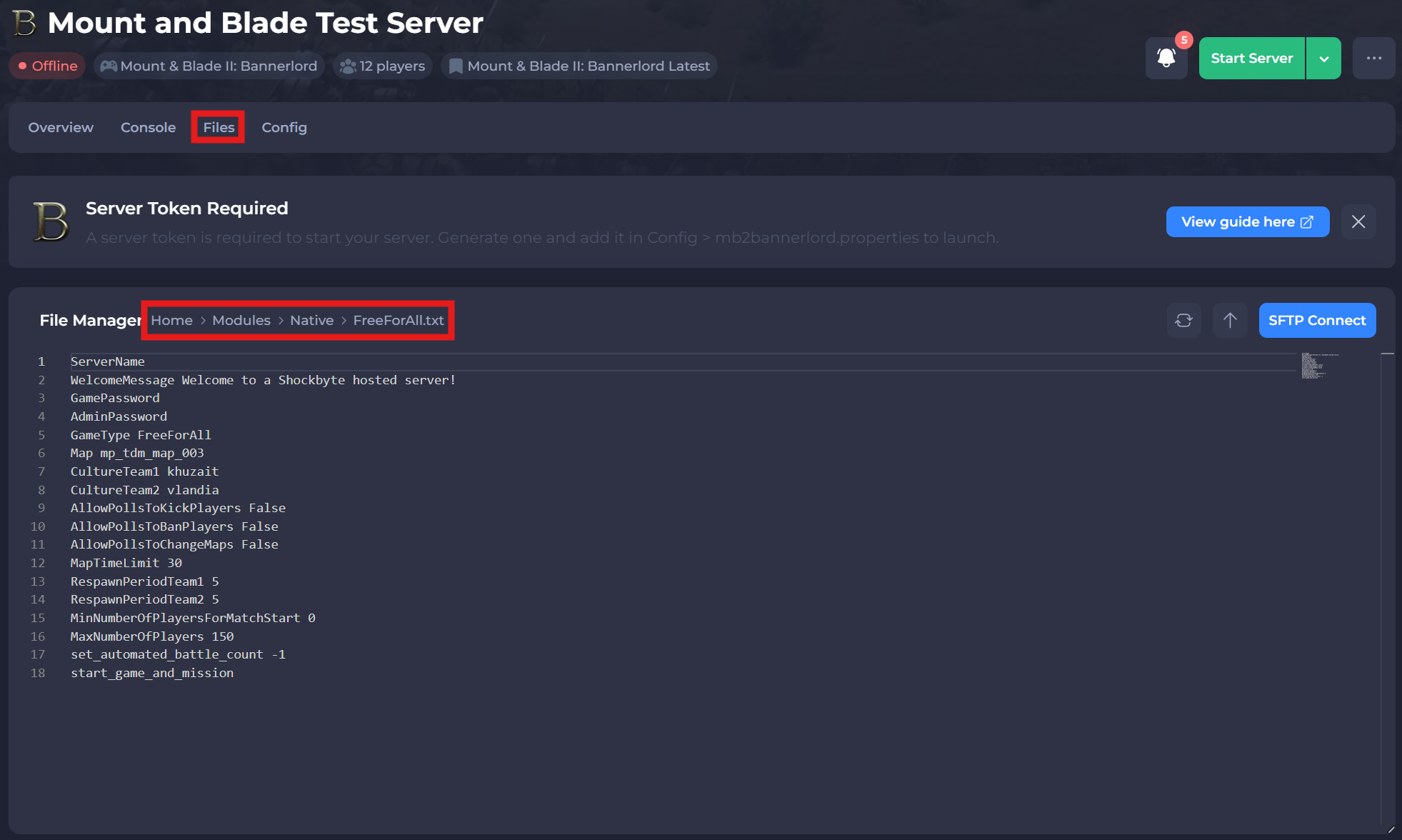
-
Save and Start your server.
A list of settings and available options can be found below:
| Setting | Available Options | Description |
|---|---|---|
| MapTimeLimit | Any value in minutes (e.g. 30 = 30 minutes) | Sets the time limit for a game mode. |
| CultureTeam1 | Aserai, Battanians, Empire, Khuzaits, Sturgians, Vlandians | Sets the first team's Culture on the server. |
| CultureTeam2 | Aserai, Battanians, Empire, Khuzaits, Sturgians, Vlandians | Sets the first team's Culture on the server. |
| AllowPollsToKickPlayers | True or False | Creates a poll that can allow players to vote kick players |
| AllowPollsToBanPlayers | True or False | Creates a poll that can allow players to vote ban players |
| AllowPollsToChangeMap | True or False | Creates a poll that can allow players to vote on a new map |
| MinNumberOfPlayersForMatchStart | Any number greater than or equal to 0. | Sets the minimum number of players connected to the server to allow a game to start. |
If you need help with troubleshooting your server, be sure to reach out to our support team.