Still have questions?
Come chat with us and we will get back to you as soon as possible!

Shockbyte
Support Team

How to Configure your Insurgency Sandstorm Server
This guide explains how to configure your Insurgency: Sandstorm server. Most common server settings can be managed directly through the Insurgency Sandstorm Server Settings section of your control panel.
From this configuration area, you can easily update settings such as your server name, MOTD, active maps and scenarios, mods, admin permissions, and more. The steps below will walk you through editing and applying these server settings successfully.
#Accessing your Server Settings
Your primary server settings can easily be accessed using the Config section of your server's control panel.
- Access your Control Panel and navigate to the Config tab.
- Select the
Insurgency: Sandstorm Server Settingsfile.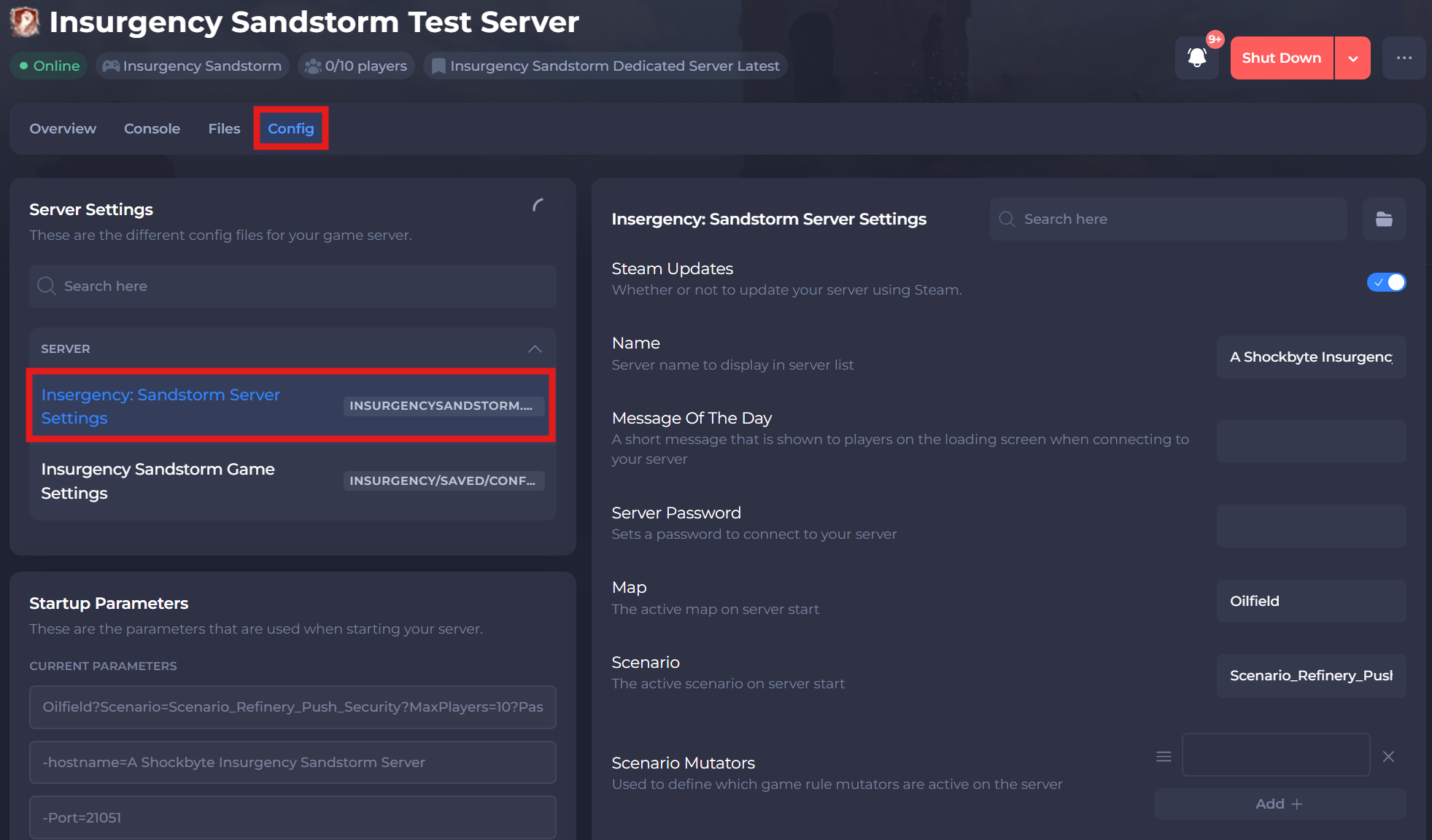
#Configuring your Server Settings
Once you have access to your server settings, you can make any required changes. The table below lists all of the available server settings.
| Setting | Description |
|---|---|
| Steam Updates | Whether or not to update your server using Steam. |
| Name | Server name to display in server list |
| Message of the Day | A short message that is shown to players on the loading screen when connecting to your server |
| Server Password | Sets a password to connect to your server |
| Map | The active map on server start |
| Scenario | The active scenario on server start |
| Scenario Mutators | Used to define which game rule mutators are active on the server |
| Enable Cheats | Whether or not cheats should be enabled on the server |
| Steam GSLT | The Steam GSLT to use for making the server accessible publicly |
| Admin List | The Steam64 IDs of all Admins |
| Enable Mods | Enable/disable mod support on the server. When enabled, the server will download and load mods listed in "(Modding) Mod.io Mod IDs" |
| Mod.io Token | Your mod.io API access token used by the server to download mods from mod.io |
| Mod.io Mod IDs | List of mod.io mod IDs to install and load on the server. Add one mod ID per entry |
If you require any further assistance, please contact our support at: https://shockbyte.com/billing/submitticket.php