Still have questions?
Come chat with us and we will get back to you as soon as possible!

Shockbyte
Support Team
How to Configure Your Mount & Blade 2 Server
Configuration can be a great way to personalise, improve, or bring variety to your Mount & Blade 2 server. Configuration primarily comes from the various gamemodes and their individual configuration files.
Important
Before making any changes to your server config, ensure that you Stop your server & Start it once the change has been made.
#Accessing your Mount & Blade Server Settings
Your primary server settings can easily be accessed using the Mount & Blade Server Settings file located on the config page in your server's control panel.
- Access your control panel and Stop your server.
- Navigate to the Config tab and locate the
Mount & Blade II Server Settingsfile.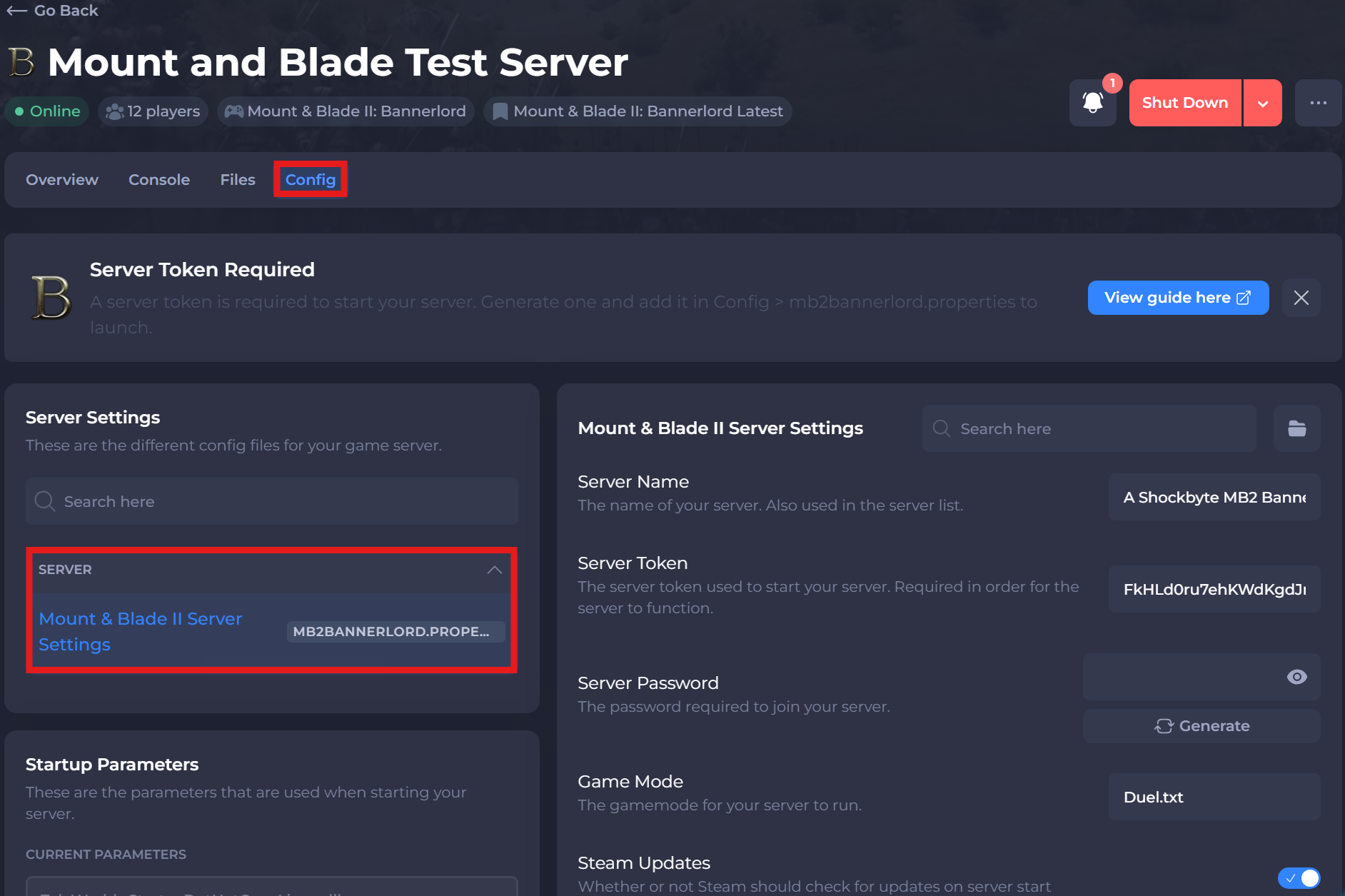
#Configuring your Server Settings
Once you have access to your server settings, you can make any required changes. The table below lists all the available server settings.
| Option | Description |
|---|---|
| Server Name | The server name to show in the server list |
| Server Token | The server token used to start your server. Required in order for the server to function. |
| Server Password | Sets a password to connect to your server. |
| Game Mode | The gamemode for your server to run. |
| Steam Updates | Whether or not Steam should check for updates on server start. |
| Steam Beta | The beta used to start the server. Empty by default. |
If you need help with troubleshooting your server, be sure to reach out to our support team.