Table Of Contents
Editing your Configuration FilesStill have questions?
Come chat with us and we will get back to you as soon as possible!

Jay Miller
Game Engineer
How to Configure your V Rising Server
Configuration can be a great way to personalise, improve, or bring variety to your V Rising server. This article will explain where to find each configuration file, what they achieve, and how to use them.
#Editing your Configuration Files
Your server files can be found and edited in the Config tab of your server panel.
Server Host Settings
File Location: /save-data/Settings/ServerHostSettings.json
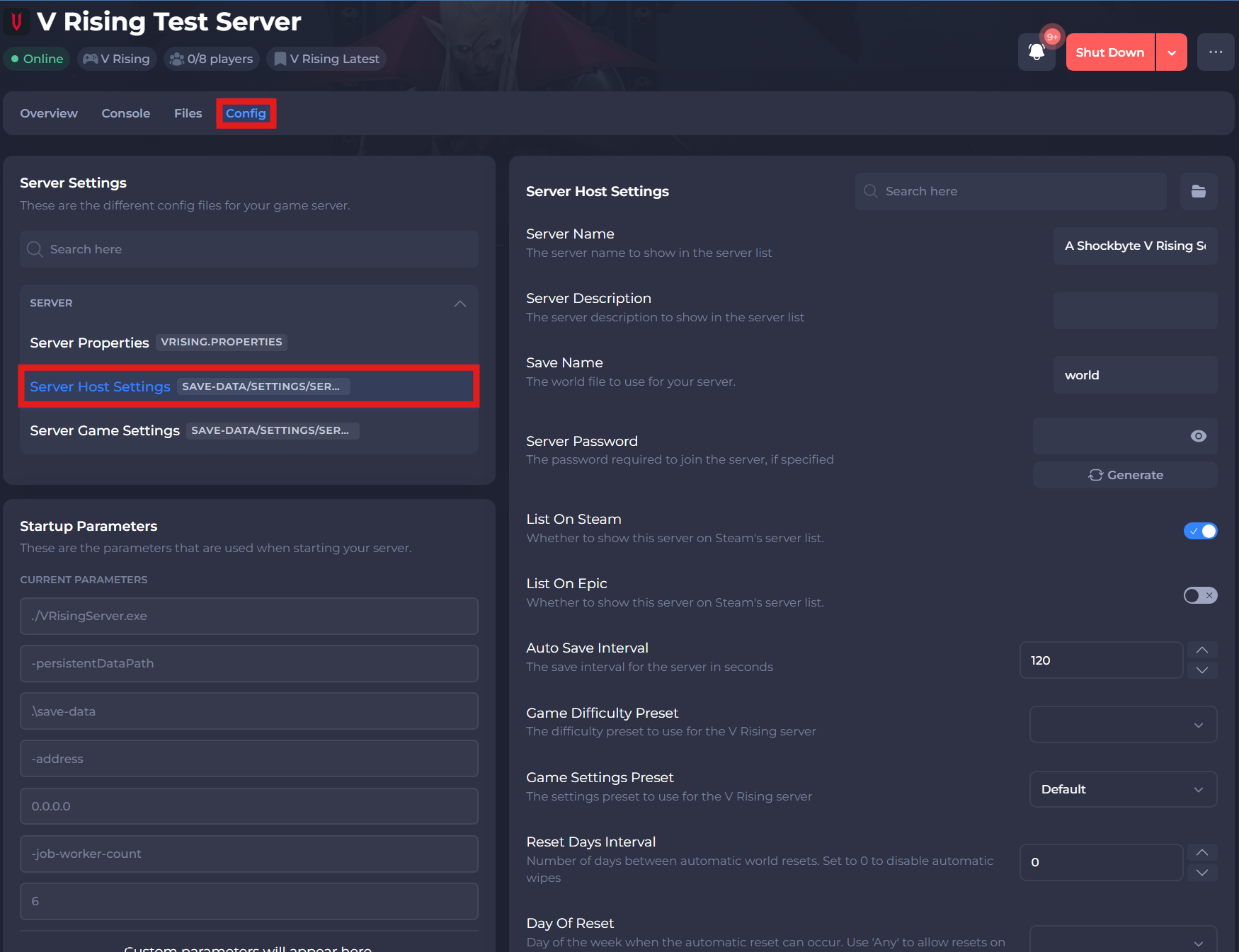
A list of some configurations that can be made in this file can be found below:
| Setting | Description |
|---|---|
| Server Name | The server name to show in the server list. |
| Server Description | The server description to show in the server list. |
| Save Name | The world file to use for your server. |
| Server Password | The password required to join the server, if specified. |
| List On Steam | Whether to show this server on Steam's server list. |
| List On Epic | Whether to show this server on Epic's server list. |
| Auto Save Interval | The save interval for the server in seconds. |
| GameDifficultyPreset | The difficulty preset to use for the V Rising server. |
| GameSettingsPreset | The settings preset to use for the V Rising server. |
| Reset Days Interval | Number of days between automatic world resets. Set to 0 to disable automatic wipes |
| Day Of Reset | Day of the week when the automatic reset can occur. Use Any to allow resets on any day |
| RCONPassword | The RCON password to use while authenticating with the RCON port. |
Server Properties
File Location: vrising_properties
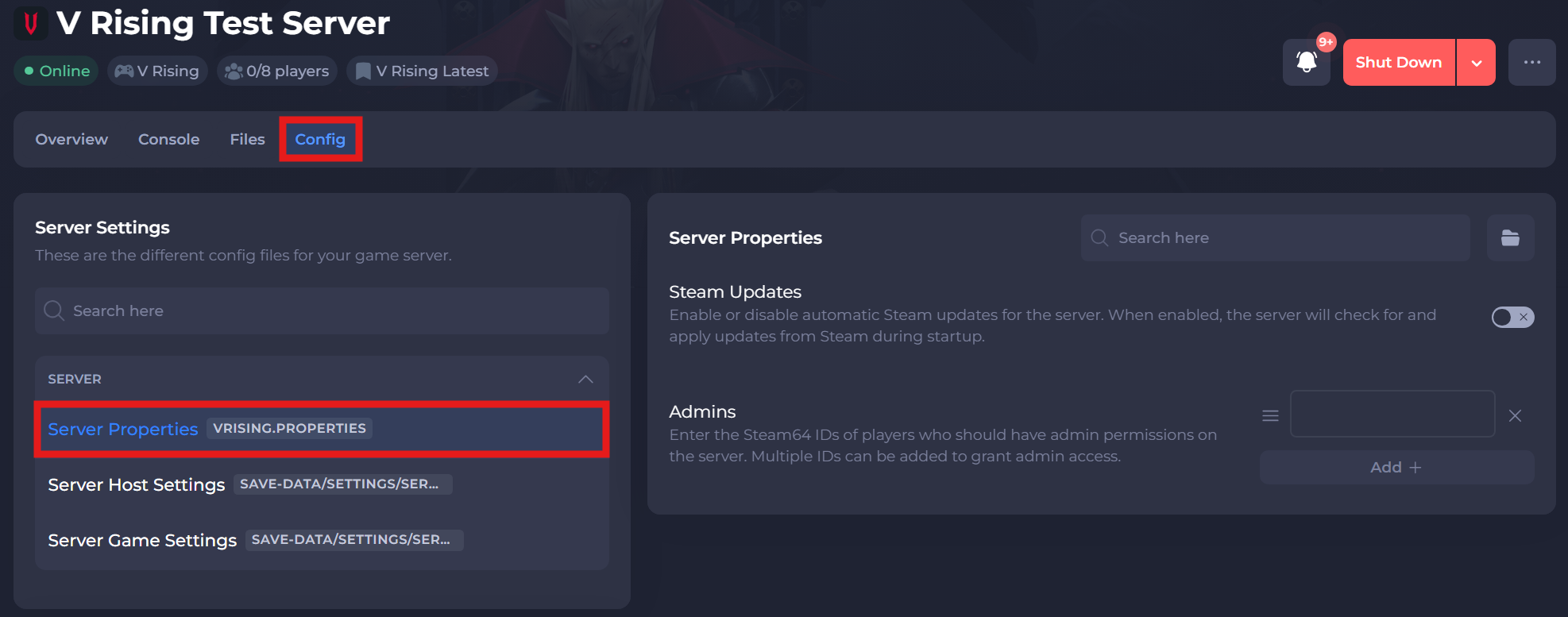
A list of some configurations that can be made in this file can be found below:
| Setting | Description |
|---|---|
| Steam Updates | Enable or disable automatic Steam updates for the server. When enabled, the server will check for and apply updates from Steam during startup. |
| Admins | Enter the Steam64 IDs of players who should have admin permissions on the server. Multiple IDs can be added to grant admin access. |
Server Game Settings
File Location: /save-data/Settings/ServerGameSettings.json
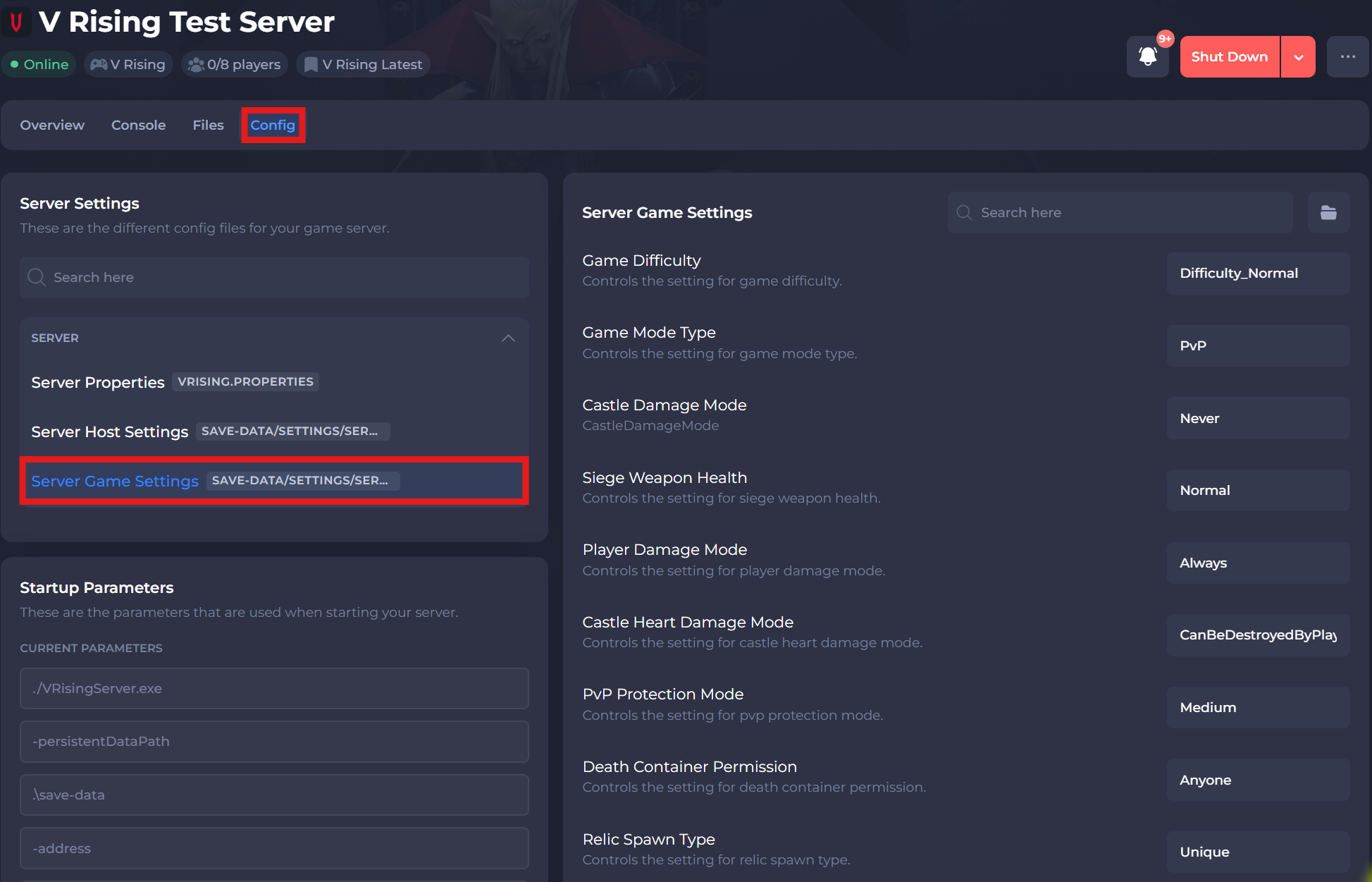
A list of some configurations that can be made in this file can be found below:
| Setting | Description |
|---|---|
| Game Difficulty | Controls the setting for game difficulty. |
| Game Difficulty | Controls the setting for game difficulty. |
| Game Difficulty | Controls the setting for game difficulty. |
| Game Mode Type | Controls the setting for game mode type. |
| Castle Damage Mode | Controls the setting for the mode for Castle Damage. |
| Siege Weapon Health | Controls the setting for siege weapon health. |
| Player Damage Mode | Controls the setting for player damage mode. |
| PvP Protection Mode | Controls the setting for pvp protection mode. |
| Death Container Permission | Controls the setting for death container permission. |
| Relic Spawn Type | Controls the setting for relic spawn type. |
| Can Loot Enemy Containers | Controls the setting for looting enemy containers. |
| Blood Bound Equipment | Controls the setting for blood bound equipment. |
| Teleport Bound Items | Controls the setting for teleport bound equipment. |
| Bat Bound Equipment | Controls the setting for bat bound equipment. |
| Allow Global Chat | Controls the setting for allowing global chat. |
| All Waypoints Unlocked | Controls the setting for allowing all waypoints to be unlocked. |
If you require any further assistance, please contact our support at: https://shockbyte.com/billing/submitticket.php