Table Of Contents
How to Change Your Server MOTDStill have questions?
Come chat with us and we will get back to you as soon as possible!

Nuno Paiva
Game Integration Specialist @ Shockbyte

How to Customize Your Hytale Server MOTD
Hytale
·Jan 8, 2026
·2 min read
A MOTD, or Message Of The Day, is a short message that represents your Hytale server. It is a great place to show off your server’s personality, share a welcome message, or display important information for players.
You can customize your server MOTD directly from the control panel, just like the server name and password.
#How to Change Your Server MOTD
- Access your Control Panel.
- Stop your server before making any changes.
- Navigate to the Config tab.
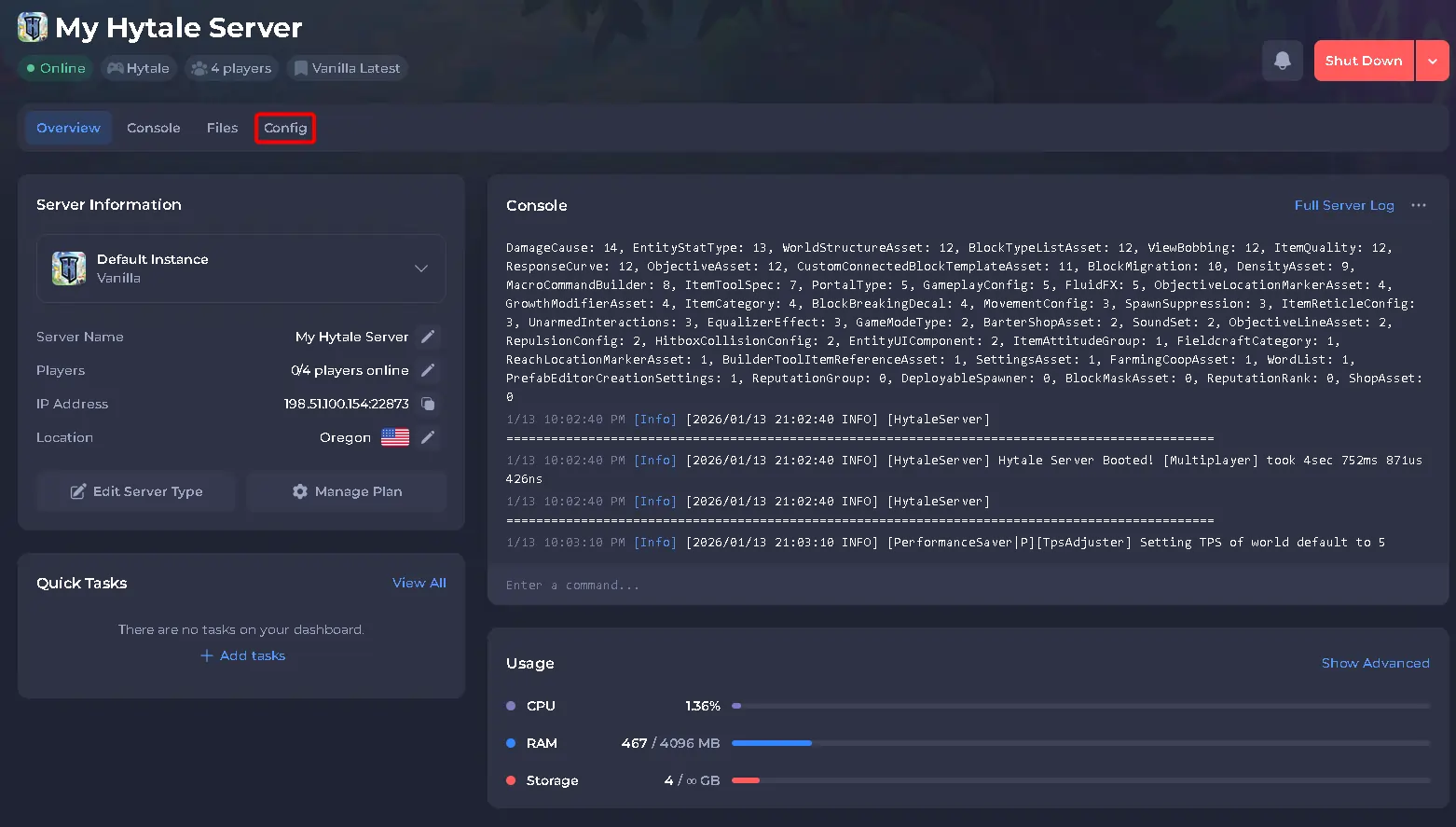
- Locate the setting labeled Message Of The Day (MOTD).
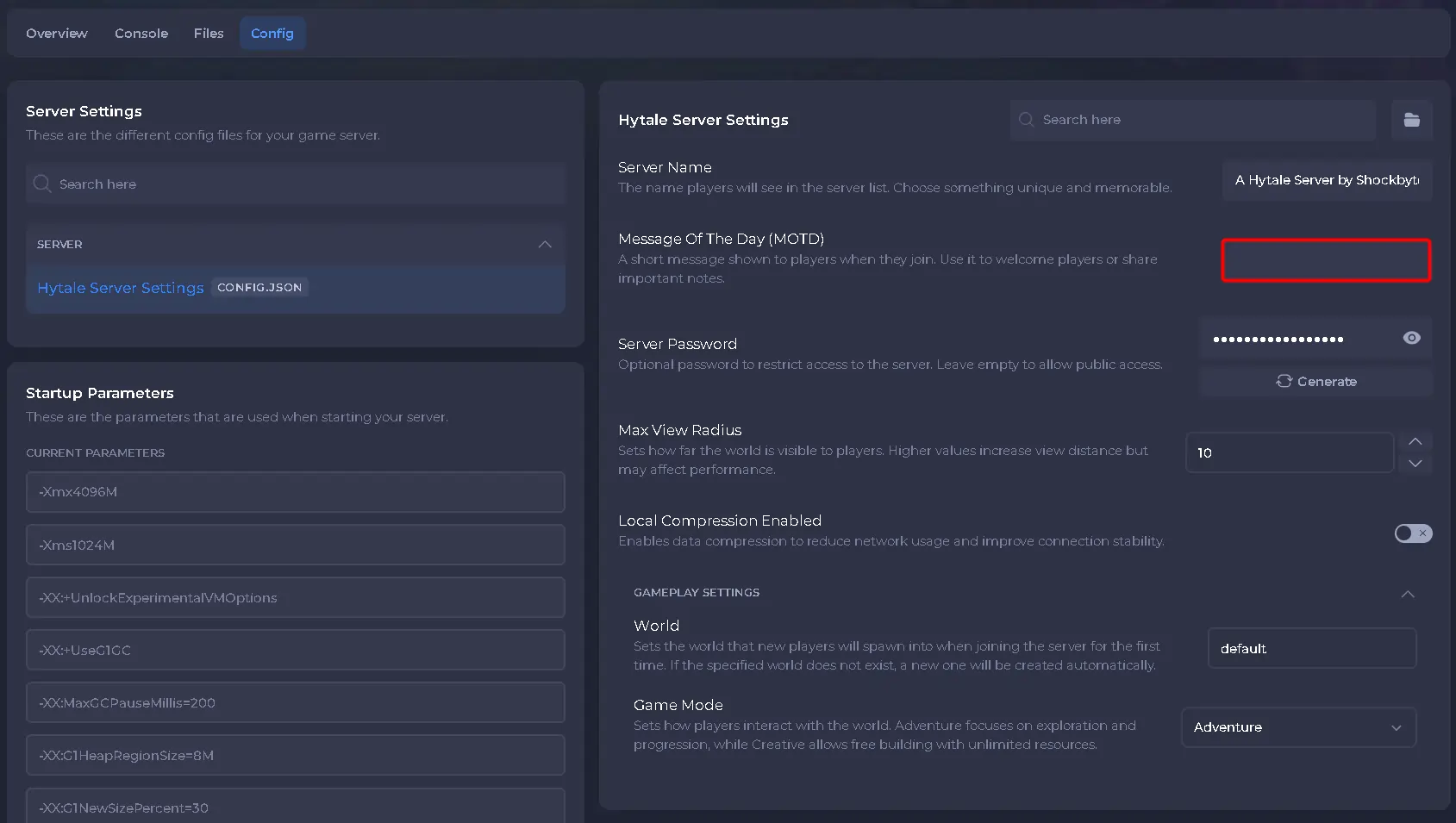
- Enter the message you want players to see.
- Save the changes, then start your server.
Once the server is back online, your new MOTD will be active and visible to players when they view or connect to your server.