How To Enable 2-Factor Authentication On Your Shockbyte Client Account
Table Of Contents
Enabling 2FA on your Shockbyte Client AccountStill have questions?
Come chat with us and we will get back to you as soon as possible!

Jay Miller
Game Engineer

How To Enable 2-Factor Authentication On Your Shockbyte Client Account
2-Factor Authentication (2FA) adds an extra layer of security to your account adding an additional login step, beyond just a password. We recommend enabling it on all of your accounts with us. This means that even if your password is compromised, your account will still be protected.
Note: 2FA is only available if you have an account with us. For servers from Discord boosts, you could add 2FA to your Discord account to secure access to the Discord server panel.
#Enabling 2FA on your Shockbyte Client Account
You can enable two-factor authentication (2FA) for your account in the security settings section of your client area.
-
Login to your client account.
-
Click on Hello, <your name> on the upper right-hand area and select Security Settings.

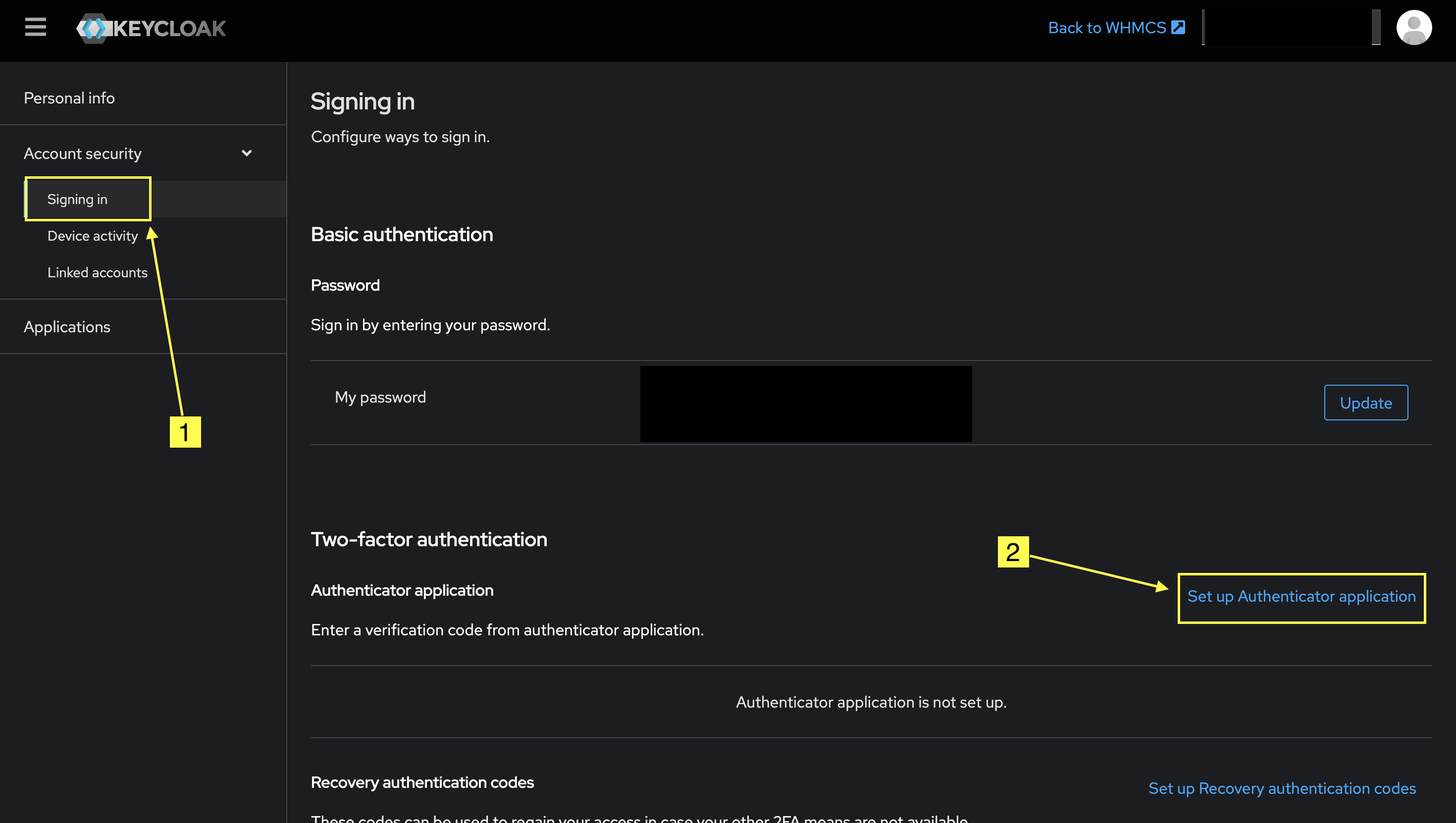
- Click on "Signing In" under Account security on the left side menu. In this page, click on the 'Set up Authenticator application' button.
-
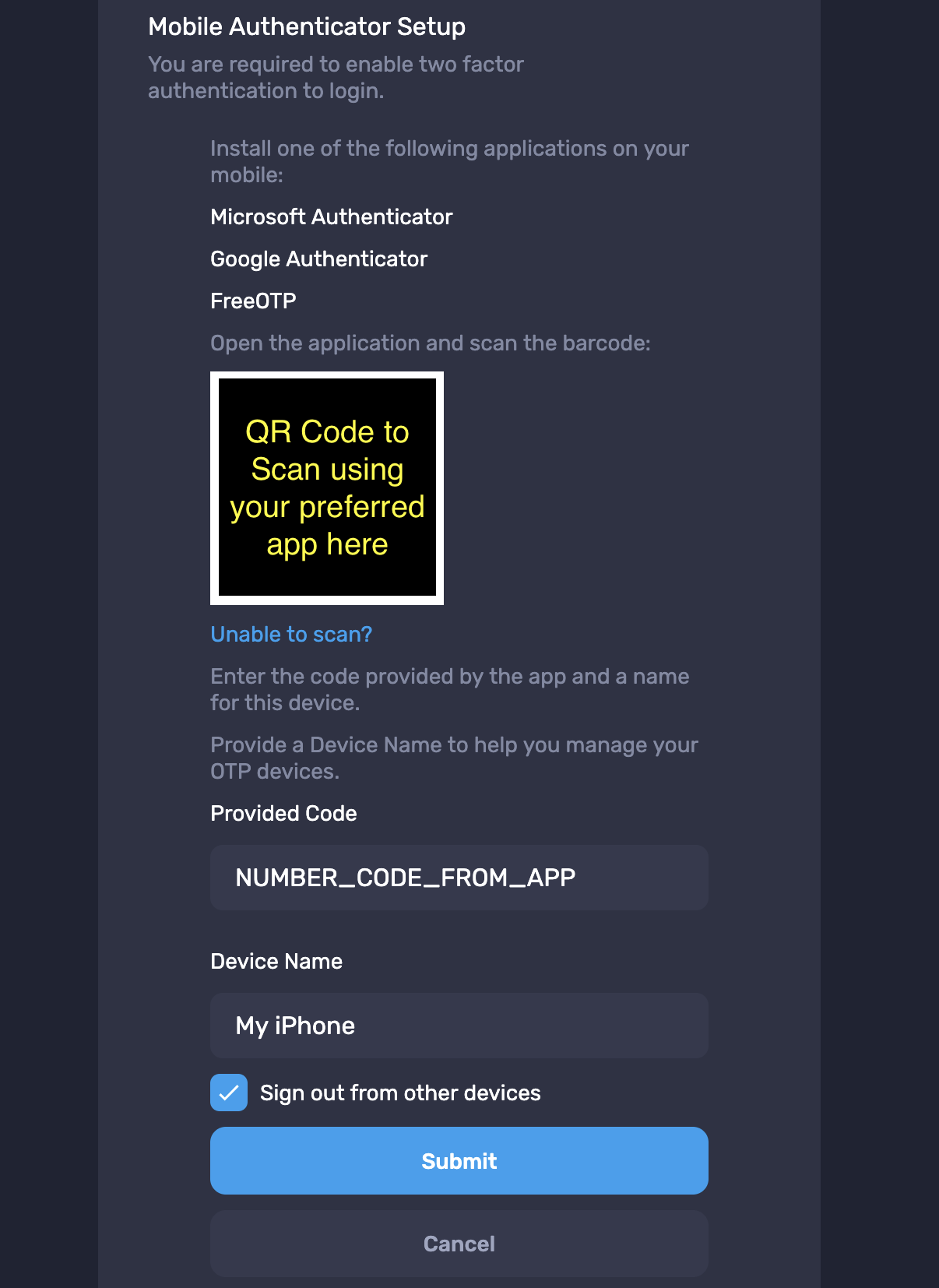
On the popup box, scan the QR code provided with the Authentication app you use. After scanning, you should see the 2FA code in your device.
-
Type in the code in 'Provided Code' and give a name to the device that has the Authentication app. We also recommend leaving 'Sign out from other devices' checked to secure your account.
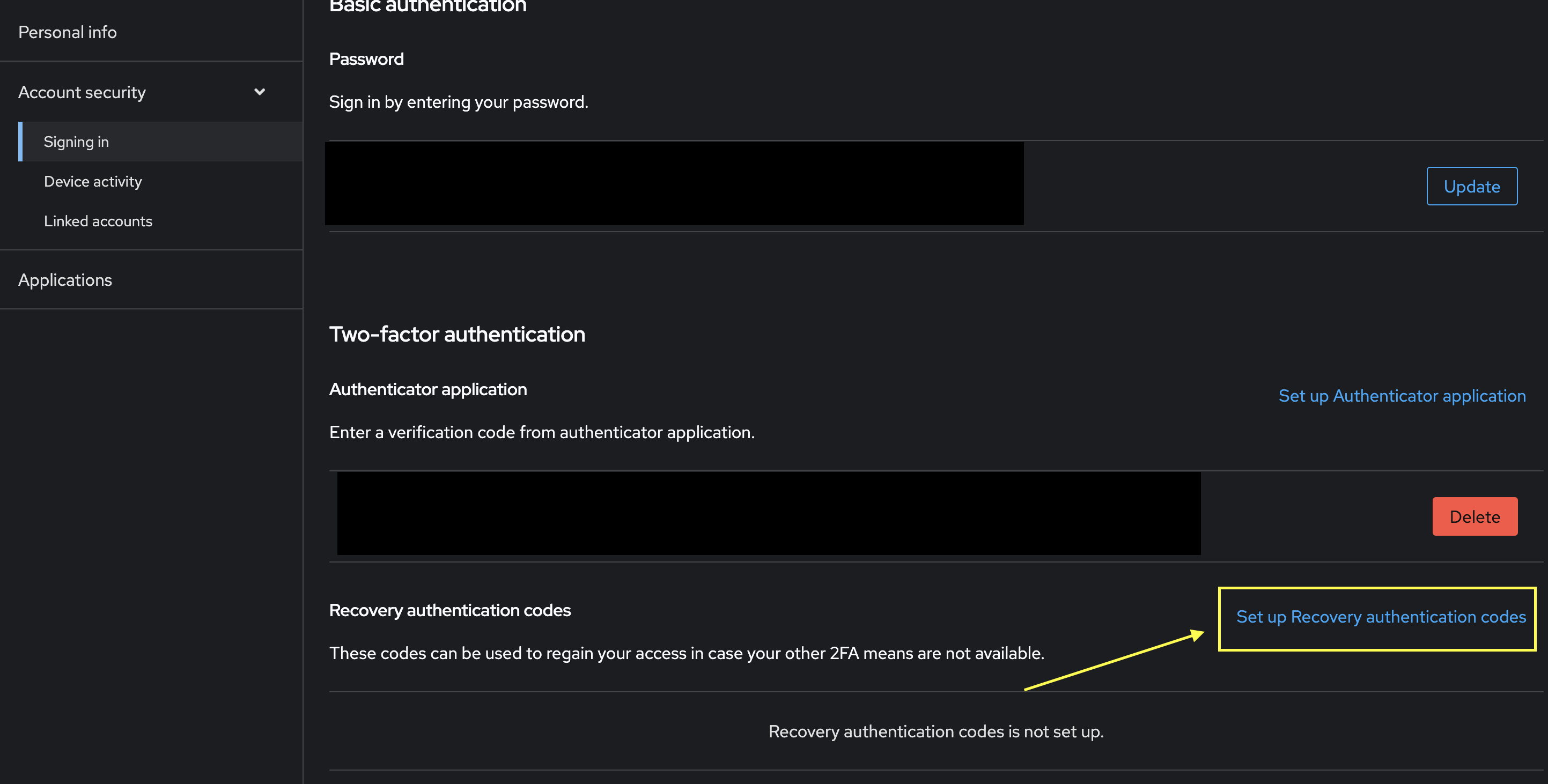
- Next time you login, you'll now be prompted to enter your 2FA code before being able to sign in to your account. We recommend signing back in and setting up Recovery authentication codes as well to safeguard in case you lose access to the 2FA device.
After completing these steps, two-factor authentication (2FA) will be enabled on your account, providing an additional layer of security. If you need assistance with 2FA on your account, please reach out to our support team.