Still have questions?
Come chat with us and we will get back to you as soon as possible!

Shockbyte
Support Team
How to Enable/Disable Castle Damage on your V Rising Server
There is a huge range of configuration options that affect how, when and what can damage a player's castles on your V Rising server. All of these changes can be made in your server's ServerGameSettings.json file.
#Selecting a Custom Gametype
In order to make changes to a V Rising server's gameplay settings you will first need to select the Default game settings preset in your server's control panel.
-
Access your Control Panel and Stop your server.
-
Navigate to the Config tab and select the Server Host Settings.
-
Locate the
Game Settings Presetoption and selectDefaultfrom the dropdown.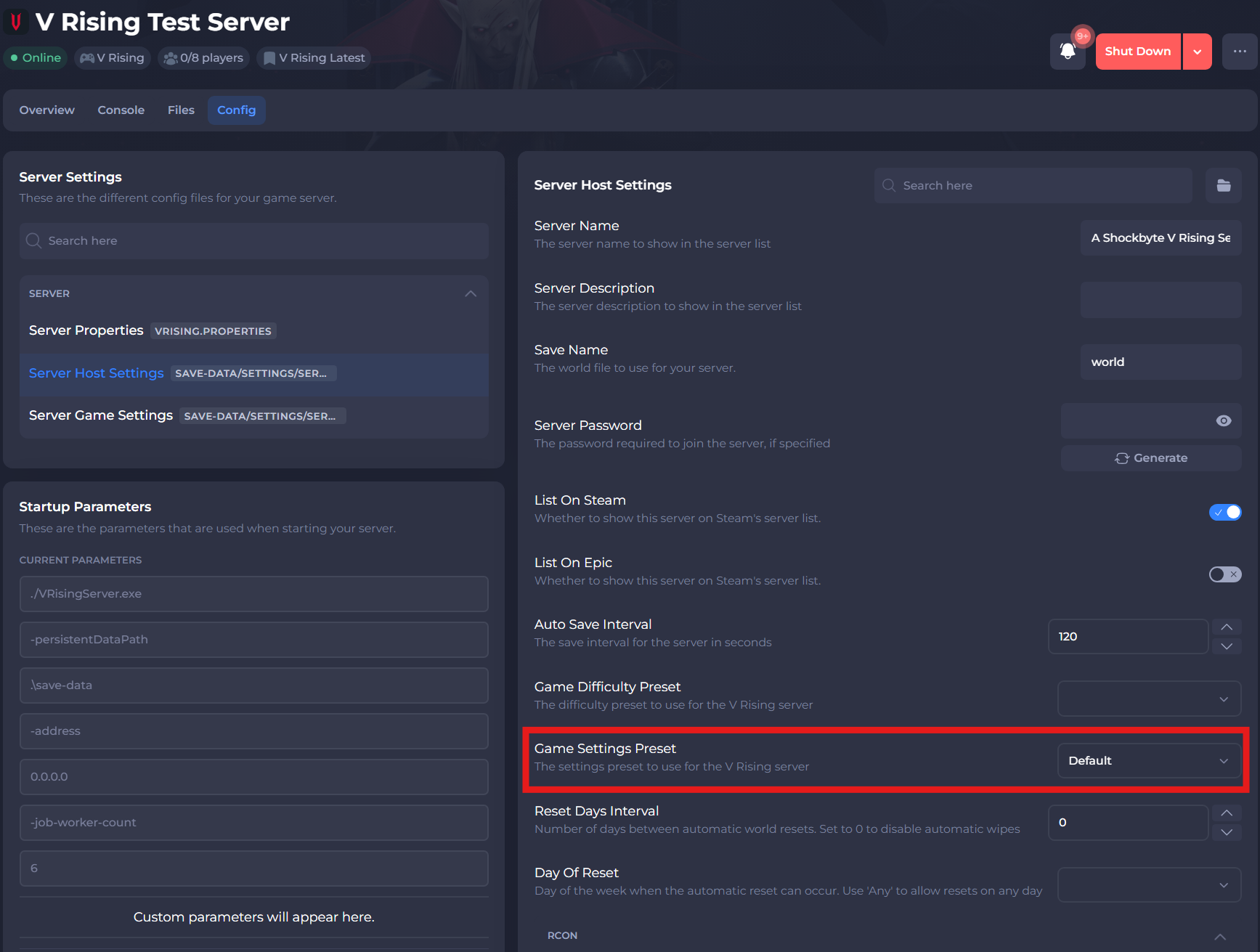
-
Select the save button.
#Setting a Castle Damage Mode
There are three available castle damage modes:
Never- Player's can never deal damage to enemy castles.Always- Player's can deal damage to enemy castles at any point.TimeRestricted- Player's can only deal damage to enemy castles within certain predefined time frames.
It is possible to set the mode of castle damage on your V Rising server using your server's control panel:
- Access your Control Panel and Stop your server.
- Navigate to the Config tab and select the Server Game Settings.
- Locate the
Castle Damage Modesetting and select the dropdown for your desired setting.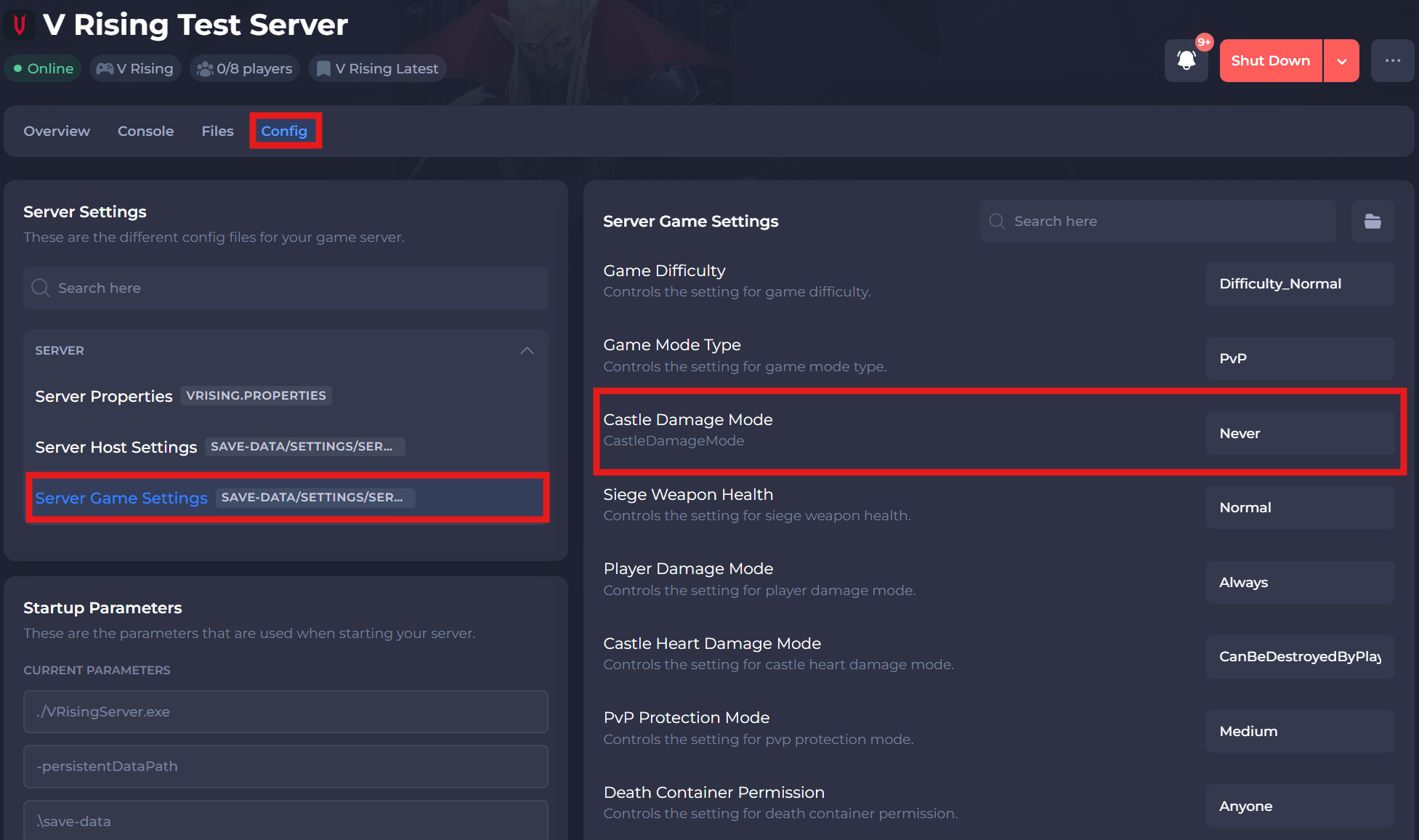
- Save and restart your server to ensure the new changes are applied.
If you require any further assistance, please contact our support at: https://shockbyte.com/billing/submitticket.php