Still have questions?
Come chat with us and we will get back to you as soon as possible!

Shockbyte
Support Team

How to Enable PvP and Time-Based Events on your V Rising Server
It is possible to run either a PvP or PvE V Rising server. It is also possible to set PvP as a time-based event throughout the day, allowing you to set a specific time range to allow players to PvP.
#Selecting a Custom Gametype
In order to make changes to a V Rising server's gameplay settings you will first need to select the Custom game settings preset in your server's control panel.
-
Access your Control Panel and Stop your server.
-
Navigate to the Config tab and select the Server Host Settings.
-
Locate the
Game Settings Presetoption and selectDefaultfrom the dropdown.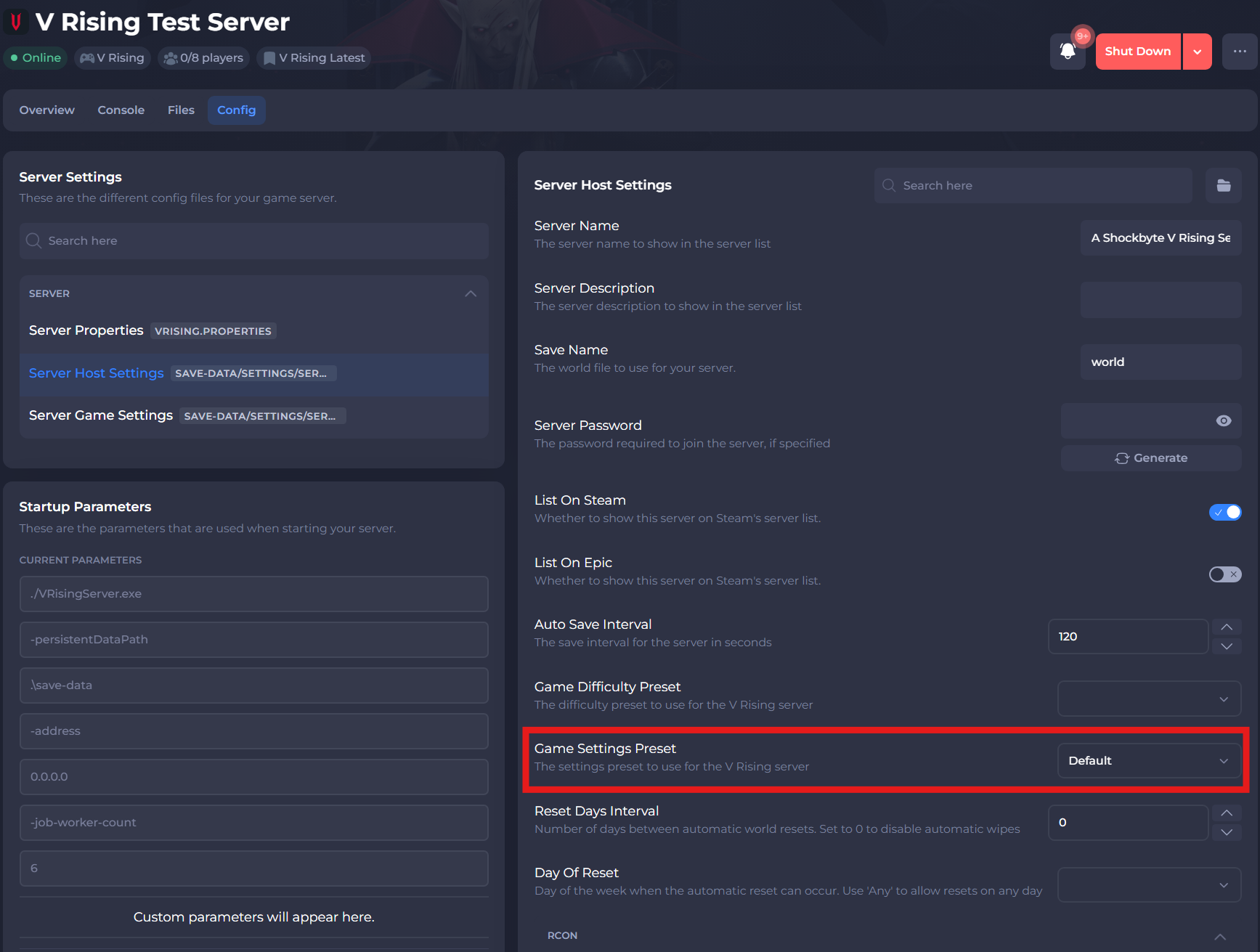
-
Select the save button.
#Enabling/Disabling PvP
You can easily enable or disable PvP using your server's GameServerSettings.json file.
-
Navigate to the Config tab and locate the
Server Game Settingsfile. -
Locate the setting
Game Mode Type, you can set it to the following based on if you would like aPvPorPvEserver.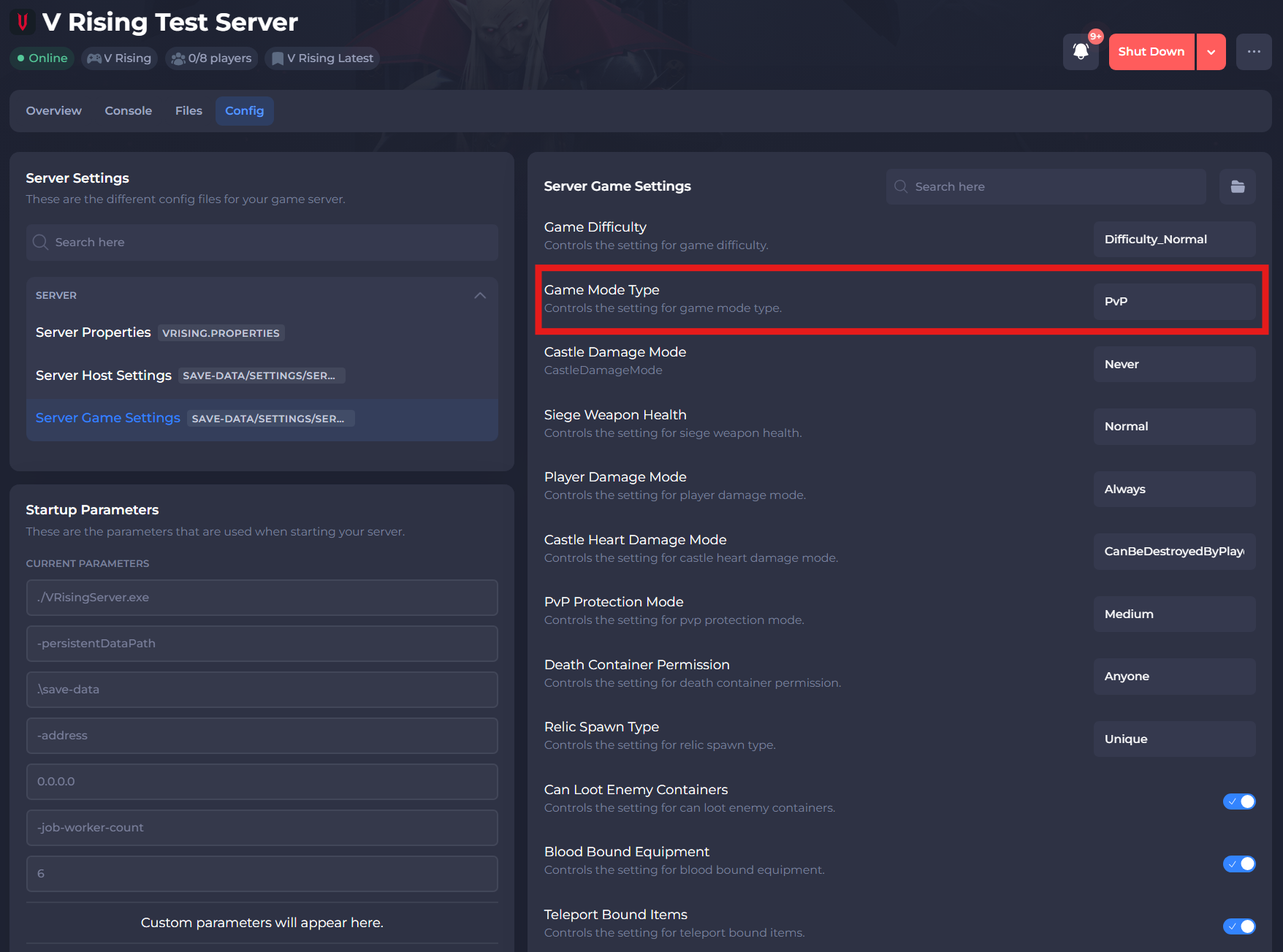
-
Save and exit the file. Restart your server to ensure the changes apply.
#Time-based PvP
You can set specific times you would like PvP and castle sieges to take place in your server.
-
Navigate to the Files tab and locate the
/VRisingServer_Data/StreamingAssets/Settings/ServerGameSettings.jsondirectory. -
Scroll down until you find the
"PlayerInteractionSettings":section.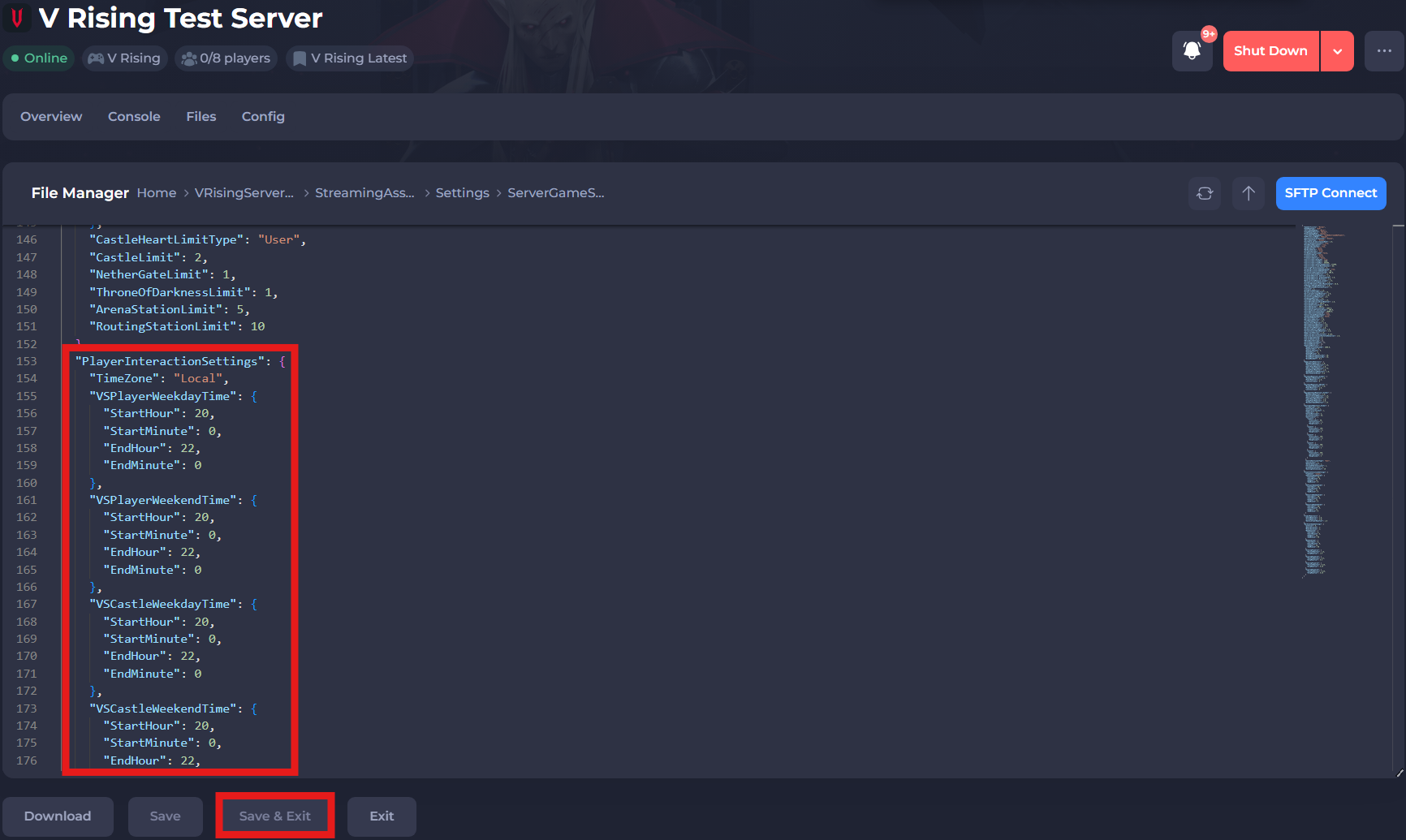
-
Edit each setting based on the times you wish to set, use the table provided below to distinguish each setting:
| Setting | Value |
|---|---|
| TimeZone | Accepted values are Local, CET, PST, EST, CST, UTC. Sets your server to a specific time zone. Local is by default (UTC+0). |
| VSPlayerWeekdayTime | This section is for time-based PvP during weekdays (Monday-Friday) |
| VSPlayerWeekendTime | This section is for time-based PvP during weekends (Saturday-Sunday) |
| VSCastleWeekdayTime | This section is for time-based Castle Sieges during weekdays (Monday-Friday) |
| VSCastleWeekendTime | This section is for time-based Castle Sieges during weekends (Saturday-Sunday |
| StartHour | Any value from 0-23. This sets the starting hour of time-based events. |
| EndHour | Any value from 0-23. This sets the ending hour of time-based events. |
| StartMinute | Any value from 0-59. This sets the starting minute of time-based events. |
| EndMinute | Any value from 0-59. This sets the ending hour of time-based events. |
- Save and Start your server.
If you require any further assistance, please contact our support at: https://shockbyte.com/billing/submitticket.php