Table Of Contents
Installing Zipped AddonsStill have questions?
Come chat with us and we will get back to you as soon as possible!

Shockbyte
Support Team
How to Install Custom Addons on your Garry's Mod server
Sometimes, you may encounter add-ons that are not published on the Steam Workshop, which means they cannot be installed through a server collection. These add-ons are often distributed as .zip files through platforms such as GitHub or GmodStore and must be installed manually on your server.
#Installing Zipped Addons
Important
Anyone can write and publish a Garry's Mod add-on on the internet. Be careful to only install add-ons from trusted authors because it is easy to program a backdoor and insert other malicious code into GMOD add-ons. Curated sites like GmodStore and the Steam Workshop are usually the safest place to download add-ons.
-
Download the add-on you wish to install to your computer.
-
Extract the add-on by right-clicking the ZIP file and select Extract All from the menu that appears.
-
Identify that add-on folder. This is the folder that you will want to upload to your server. It can be identified by the presence of folders like
lua,materials,resource,data,models,modelsandsound.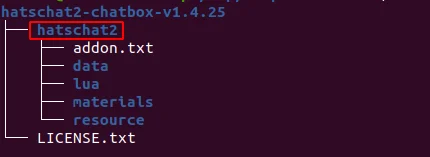
-
Connect to your server's FTP (We recommend FileZilla) and navigate to
/garrysmod/addons/.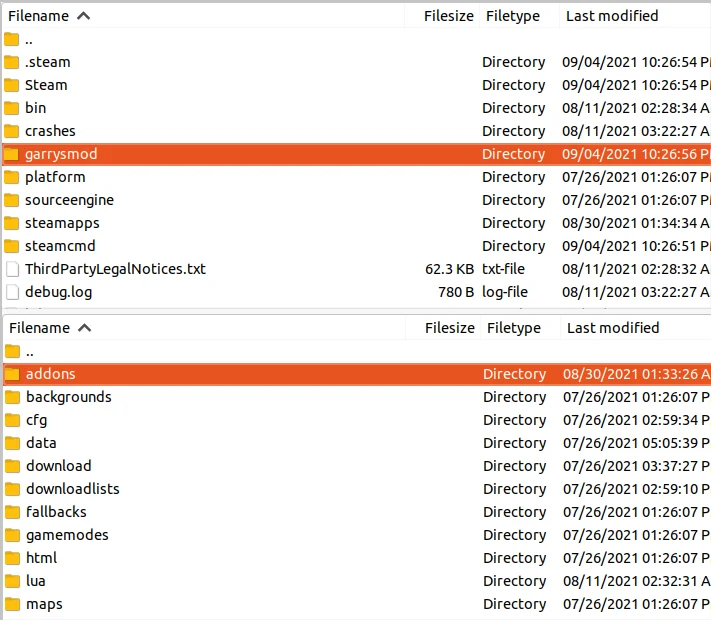
-
Drag the addon folder from your local computer and drop it into the
addonsfolder on your server.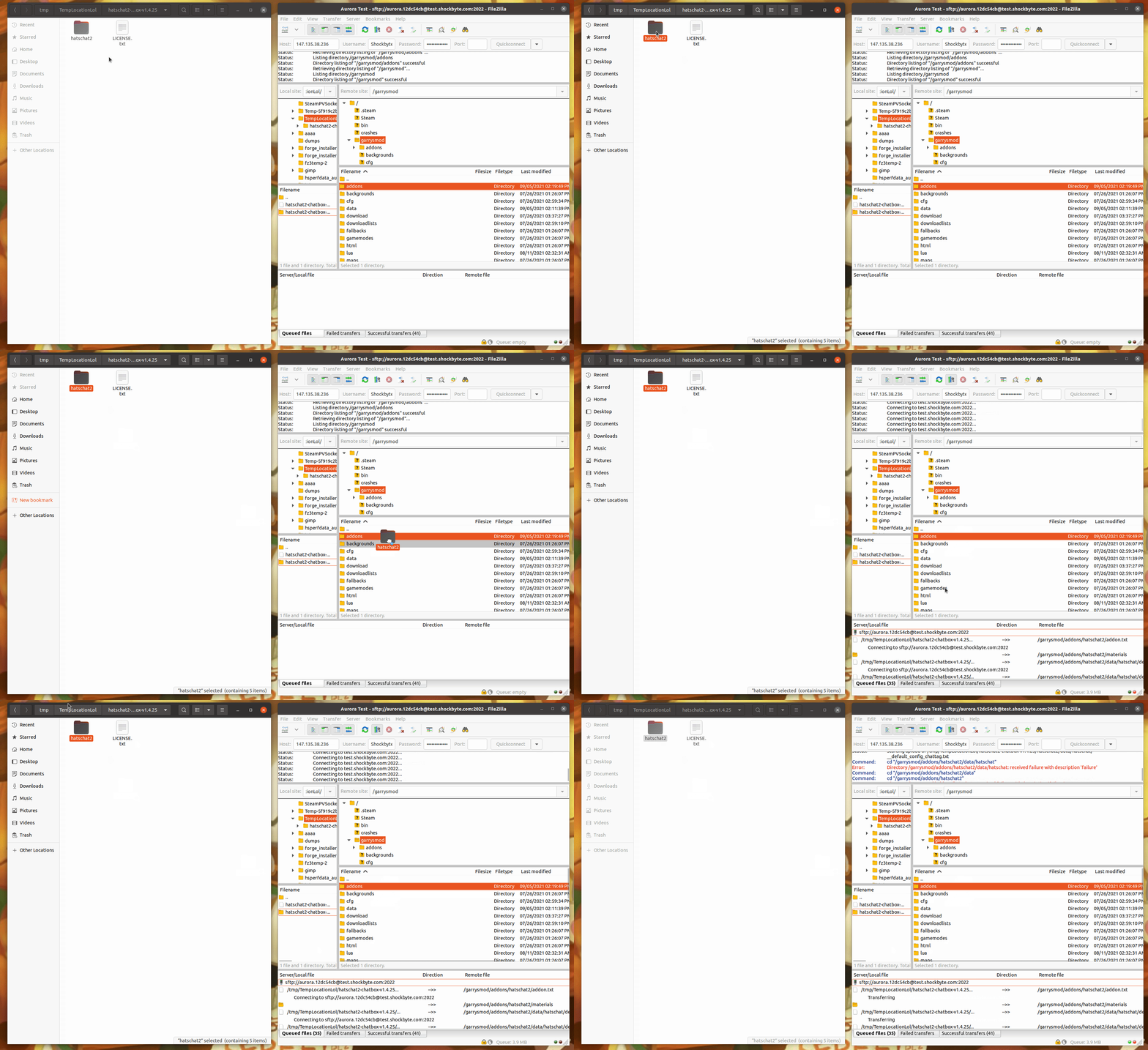
-
Restart your server to load newly installed add-ons.
If you require any further assistance, please contact our support at: https://shockbyte.com/billing/submitticket.php